Cyber week deals! Galaxy Watch8 Classic, Fold 7, S25 Ultra. Follow us on YouTube, TikTok, or LinkedIn
Last updated: September 21st, 2021 at 17:34 UTC+02:00
SamMobile has affiliate and sponsored partnerships, we may earn a commission.
Reading time: 2 minutes
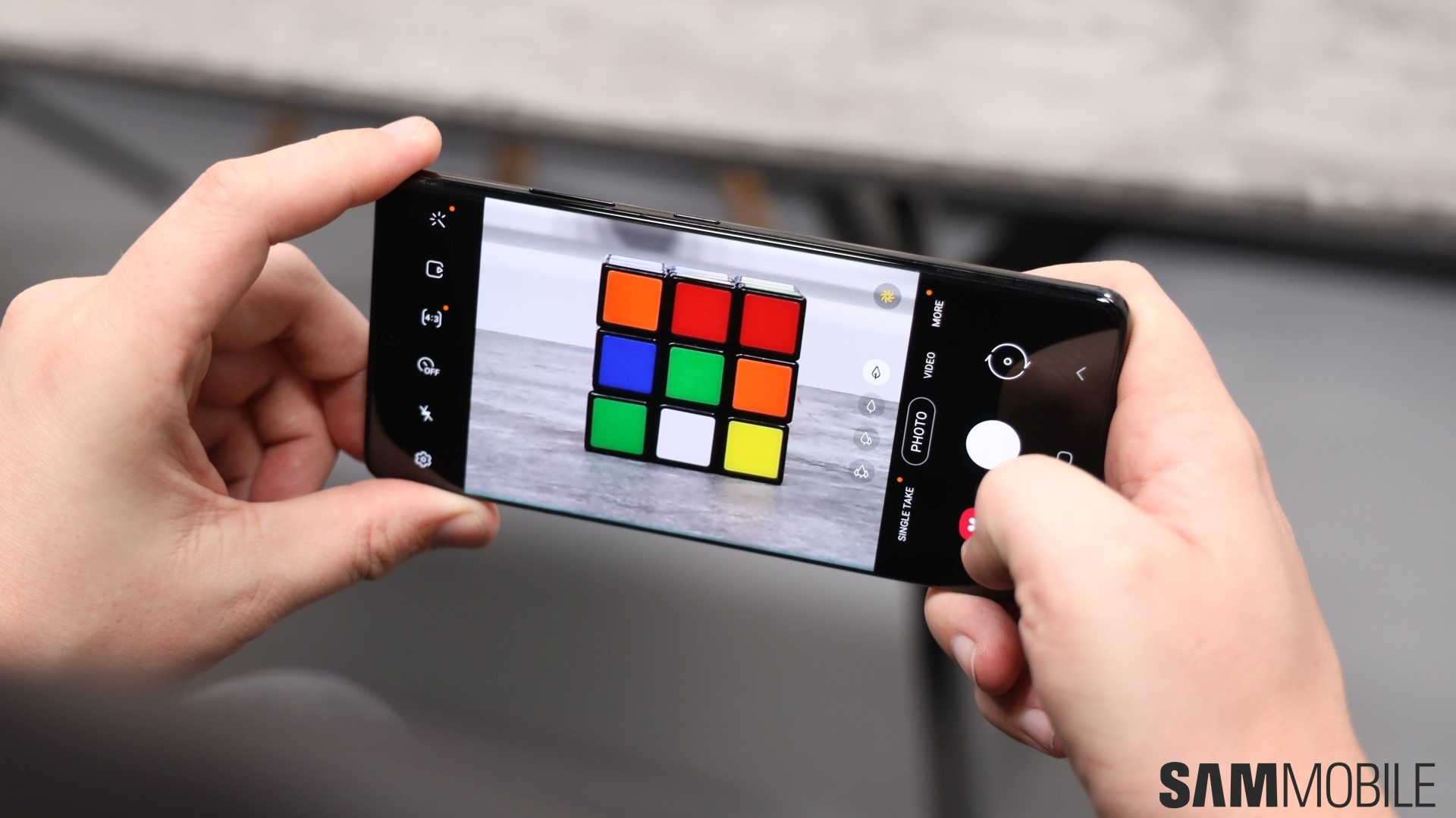
When I switched him to a Galaxy Note 10 last year, it was the first time he started using a flagship phone. It was also his first phone with more than a single rear camera, and I thought he'd like it because he loves taking pictures. So he starts using it, and a couple of weeks later on one fine day when the weather was lovely, I saw him take the Note 10 out… and pinch to zoom on the screen to zoom in.
That's right: My Dad had no idea that those three tree-like icons (or are they leaves?) on the viewfinder let you zoom in on things with a single tap, or zoom out to use the ultra-wide camera. He'd been using pinch-to-zoom ever since I gave him the phone, and it's when I realized how Samsung's user interface — and smartphones in general — can often be confusing for the average consumer who isn't a geek.
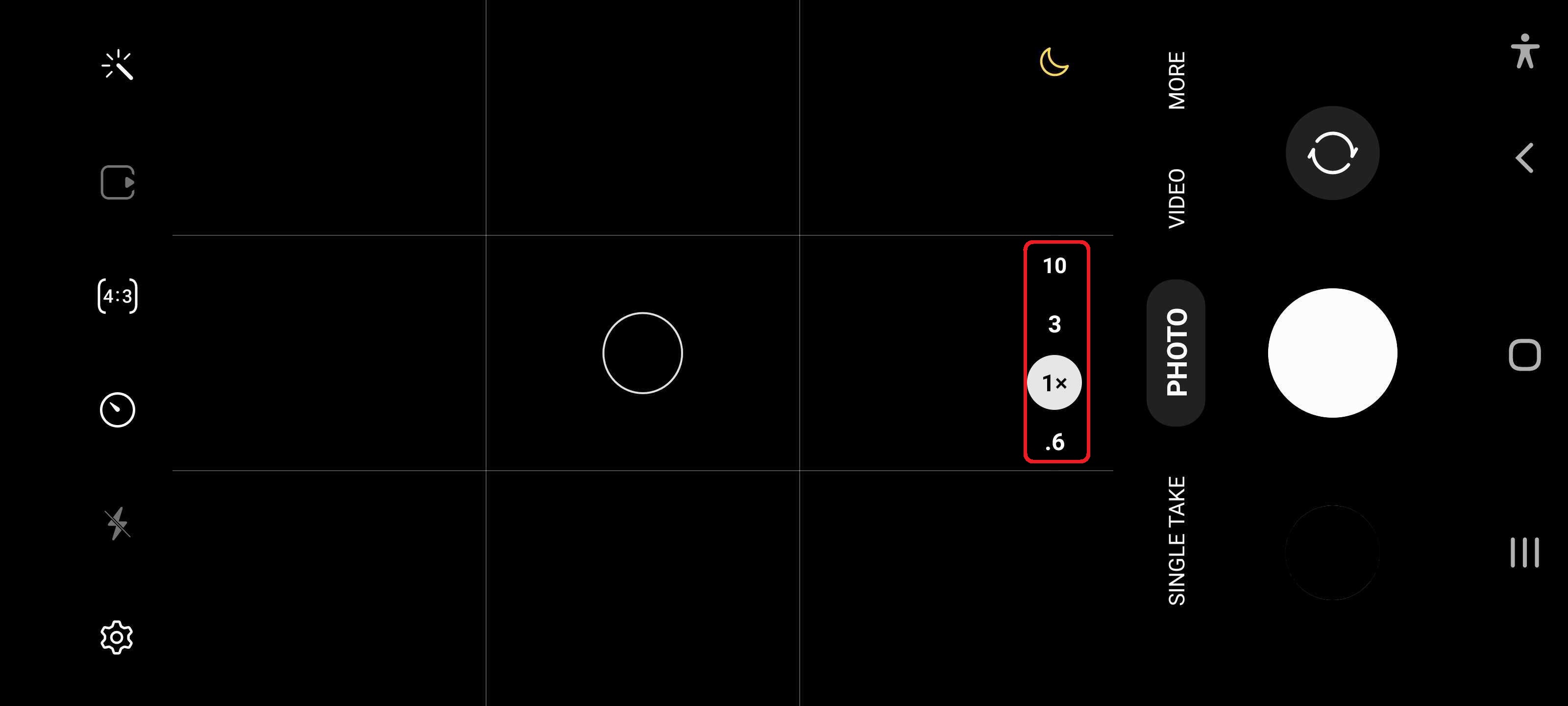
Thankfully, Samsung is finally addressing the camera thing with One UI 4.0. No longer do you get tree icons on the viewfinder for zooming in and zooming out. The camera interface now simply lists the zoom levels – 0.6x, 1x, 3x, and 10x on the Galaxy S21 Ultra, for example.
It's a minor change, but it's one that will make a difference. My Dad already knows what the buttons do, but for many consumers out there who may not have figured it out or will pick up a new Galaxy phone in the future, it will be a useful detail.
Wouldn't you agree?
Abhijeet's writing career started with guides for custom firmware for Samsung devices (including the original Galaxy S), and he moved to SamMobile in mid-2013 and worked up the ranks to Editor-in-chief. In addition to phones and mobile devices, his interests include gaming on both PC and console, PC hardware, and spending countless hours on YouTube watching videos on tech, movies, games, politics, and internet dramas.