Last updated: May 12th, 2026 at 16:04 UTC+02:00
SamMobile has affiliate and sponsored partnerships, we may earn a commission.
Samsung may have oversold this one.
Reading time: 4 minutes
Max Jambor / SamMobile
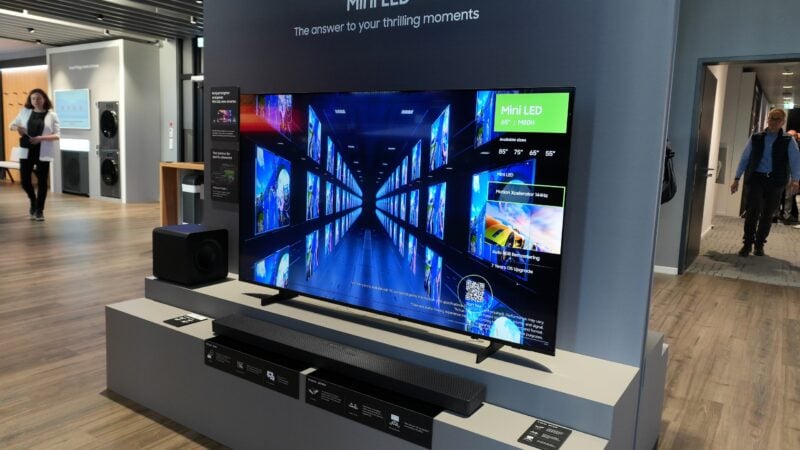
After One UI Tizen 9 dropped on my TV a few weeks ago, I finally got the chance to try Samsung's Pointer Mode with my Galaxy Watch 5.
My thoughts so far? I don't have much good to say. Pointer Mode sounds like a nice idea in theory, but the implementation feels undercooked.
What surprises me most is how much hype Samsung tried to build around this feature when it first announced it.
Now that I've used it for a few days, I can't recommend it as a selling point for TV buyers, nor would I tell existing Samsung TV users to buy a Galaxy Watch just for Pointer Mode.
Pointer Mode offers an alternative way to control your TV. It uses the sensors in your Galaxy Watch to move a pointer around the TV screen. You can use gestures like pinching to select, clinching your fist to go back, or double-clinching to go home.
Initially, it seemed like a decent accessibility feature, at the very least. One for people who may only be able to use one arm to control their TVs and don't want to rely on a remote.
But then you realize scrolling still requires a second hand. In Pointer Mode, scrolling isn't done by pinching and dragging. That would've been great. However, the way it actually works is that you have to rotate the bezel on your Galaxy Watch, whether it's a virtual bezel or a physical Classic bezel.
That alone weakens the accessibility argument quite a bit. And it's not the only problem.
Pointer Mode's main issues
All in all, Pointer Mode is a miss for me. For it to become genuinely useful, Samsung needs to put a lot more work into it. And honestly, I'm not convinced the company will invest enough into this feature to make it viable by my standards.
Even if you don't have your TV remote nearby, Samsung already offers better alternatives, including the virtual remote on Galaxy phones and Galaxy Watches via SmartThings.
Even though I'm not a fan of the current implementation, there is one scenario where Pointer Mode actually adds value: web browsing on your TV.
If you've ever tried browsing Samsung Internet on your TV with a regular remote, or even the SmartThings virtual remote, you already know how clunky it feels. Moving an on-screen cursor with directional keys is frustrating, and basic navigation comes with way too much friction.
Pointer Mode genuinely makes Samsung Internet easier to use if you don't have a physical keyboard and mouse connected to your TV. In this specific scenario, even scrolling works better. You can move the cursor to the edge of the screen to scroll, so there's no need to use your other hand to rotate the bezel on your Watch.
If there's one real reason to use Pointer Mode, Samsung Internet might be it. Other than that, I'll pass on this control method until Samsung improves it, if that.
I had high hopes for Pointer Mode, especially seeing how confident Samsung appeared to be upon revealing it. But after trying it for myself, I personally think the company oversold the feature. Right now, Pointer Mode still needs a lot more work before it's something I'd recommend. And even if perfected, it might still be too situational.