Last updated: November 17th, 2022 at 07:09 UTC+01:00
SamMobile has affiliate and sponsored partnerships, we may earn a commission.
Reading time: 2 minutes
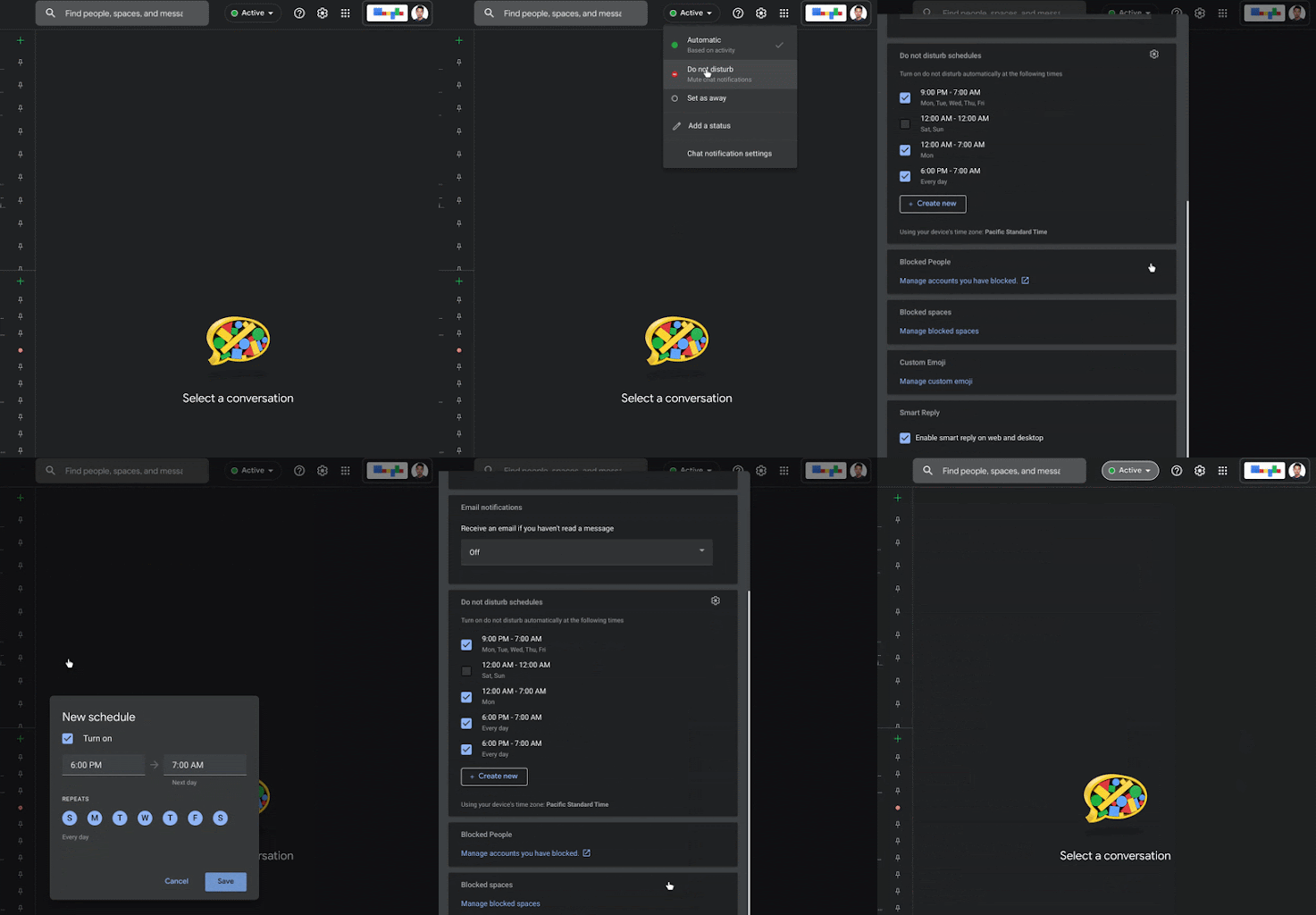
To enable this feature, you need to open the Active Indicator in Google Chat, then select Do Not Disturb. Google plans to roll out the feature to Android, iOS, and the web app. After the feature goes live, a new ‘Set a do not disturb schedule' option will appear below the various time increments.
Users will have the option to create their own customized time frame using the ‘Until a specific time' option and also quickly toggle them on/off when needed. Once the option is enabled, it will turn on automatically at the set time frame. Google says, “We hope this feature enables you to better concentrate without Chat distractions or help you disconnect entirely from work when needed.”
The Google Chat schedule Do Not Disturb mode will roll out to all devices in the coming weeks. It will first arrive for the web app and then on Android and iOS. There is no admin control over this feature, and it will be available to all Google Workspace customers. This includes G Suite Basic and Business customers, as well as personal Google account holders.
A few months ago, Google Chat received the ability to send multiple photos and videos at once. This is a handy feature, especially when you need to send instructional videos or videos of your trip to your friends.