Last updated: January 6th, 2025 at 15:13 UTC+01:00
SamMobile has affiliate and sponsored partnerships, we may earn a commission.
Reading time: 2 minutes
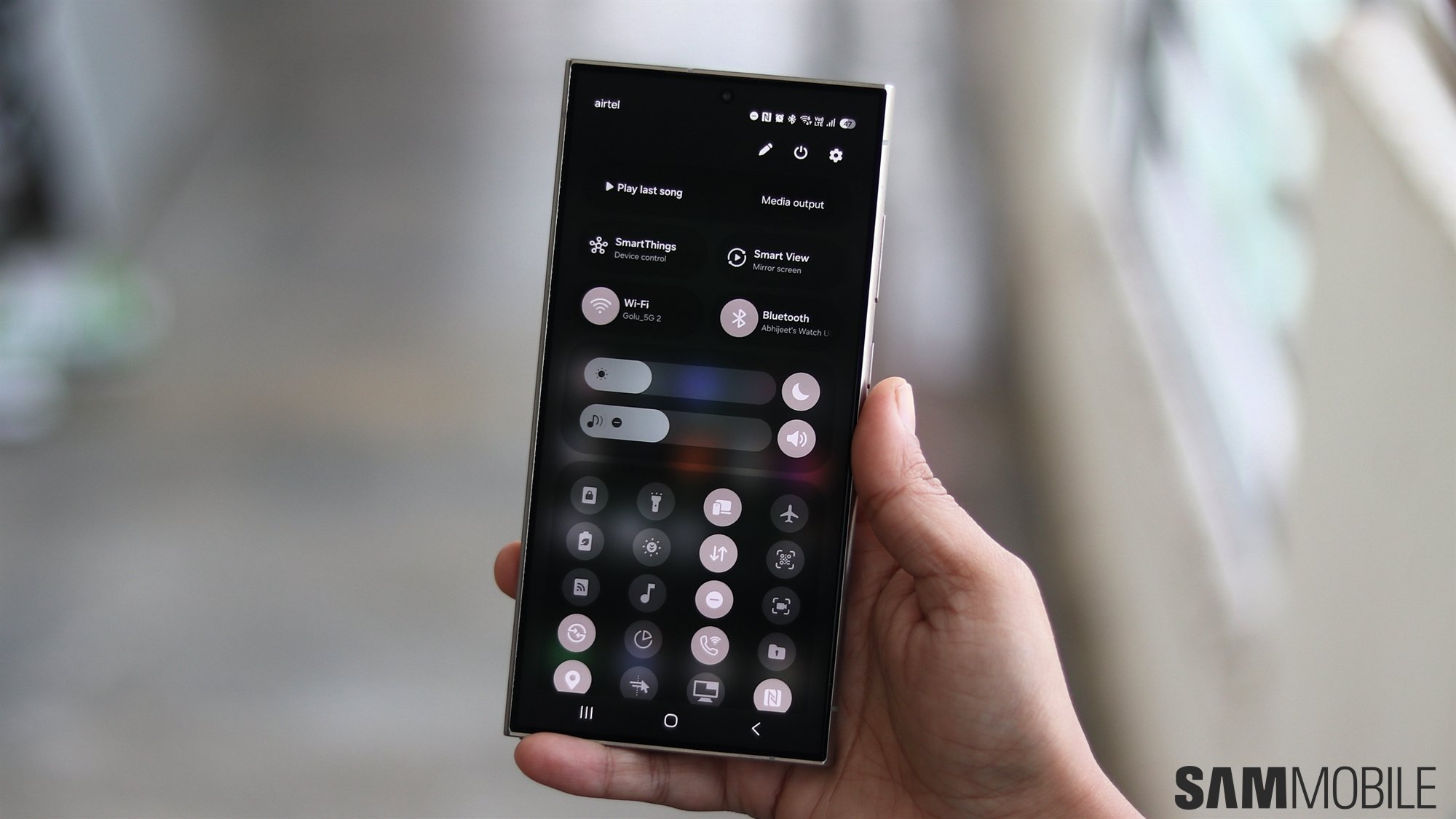
When the quick panel is separated, it can be accessed by opening the notification panel and swiping left from the right edge of the screen. You can also swipe down from the top right corner of the screen to directly open the quick panel from any app.
But swiping in from the right edge or the top right corner of the screen to access the quick panel isn't convenient for everyone, and Samsung seems to have realized that.
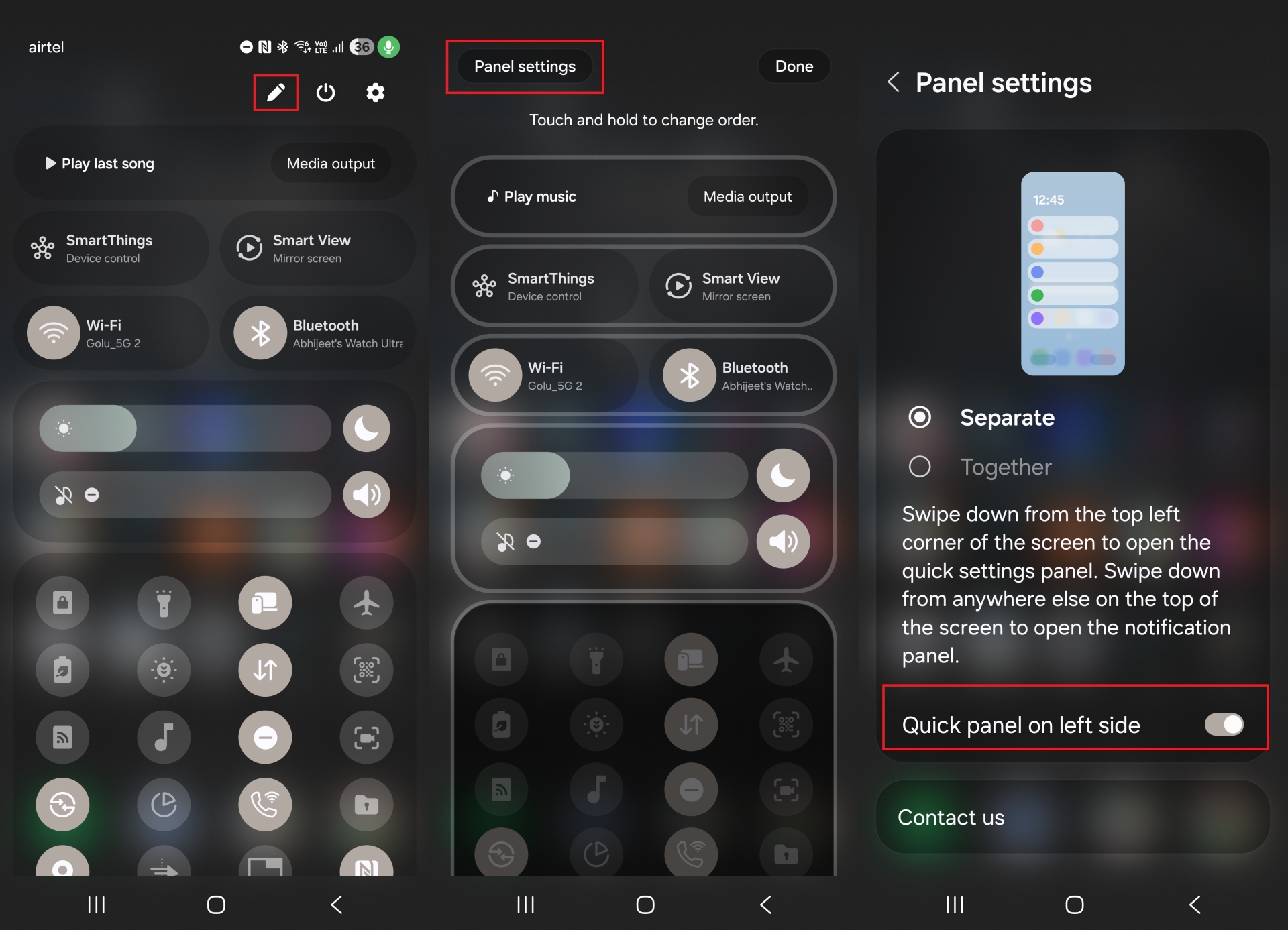
On the third One UI 7 beta firmware for the Galaxy S24 lineup, there's a new option that lets you set the quick panel to be accessible by swiping right in the notification panel or swiping in from the top left corner of the screen. You can see it in action in the short video below.
This option is called Quick panel on left side, and to enable it, open the quick panel, hit the pencil icon to go into editing mode, and tap the Panel settings button on the top left.

Abhijeet's writing career started with guides for custom firmware for Samsung devices (including the original Galaxy S), and he moved to SamMobile in mid-2013 and worked up the ranks to Editor-in-chief. In addition to phones and mobile devices, his interests include gaming on both PC and console, PC hardware, and spending countless hours on YouTube watching videos on tech, movies, games, politics, and internet dramas.












