Last updated: April 29th, 2024 at 13:30 UTC+02:00
SamMobile has affiliate and sponsored partnerships, we may earn a commission.
Reading time: 2 minutes
As mentioned, the latest beta version of Samsung Internet brings support for capturing screenshots in Secret mode. Secret mode is what Samsung calls incognito browsing in its browser app for Android devices.
Cookies and browsing history for websites visited in this mode are deleted after the relevant tabs are closed, and Secret mode can also be locked behind a password or biometrics for additional security.
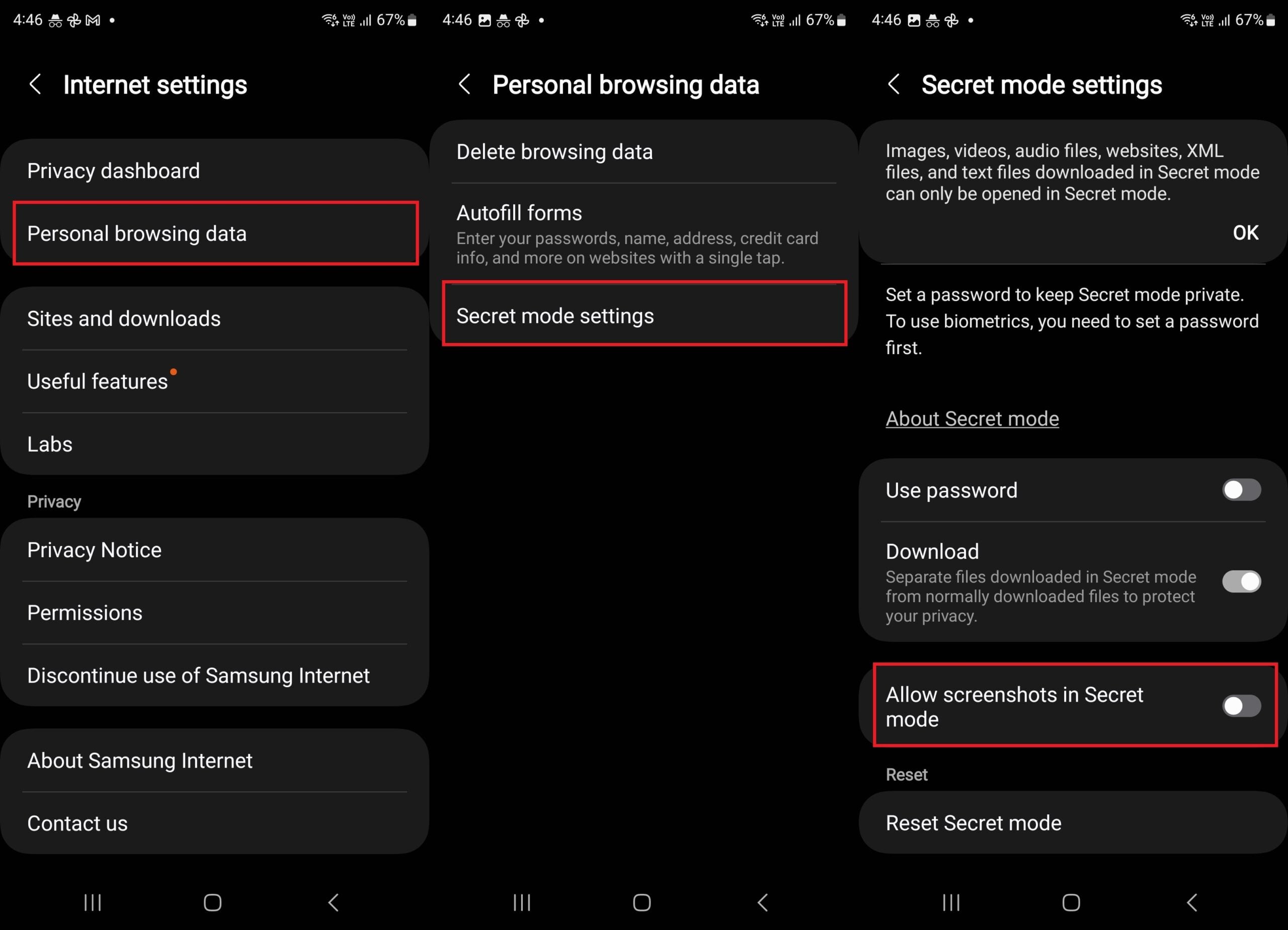
Samsung Internet also disables screenshots in Secret mode, similar to other browsers. But now, a new option has been added in the mode's settings that can be toggled on to allow screenshots. This option is called Allow screenshots in Secret mode and can be accessed in the browser's Settings » Personal browsing data » Secret mode settings menu.
The newest version of Samsung Internet beta (26.0.0.19) also fixes bugs and improves stability, though Samsung doesn't go into detail about these fixes and improvements. You can download the latest Samsung Internet beta update from the Galaxy Store or the Play Store. If you wish to manually install it without using any app store, you can download the latest APK file from APKMirror.
Join SamMobile's social media channels to get instant Samsung news updates, reviews, hot deals, and more.

Abhijeet's writing career started with guides for custom firmware for Samsung devices (including the original Galaxy S), and he moved to SamMobile in mid-2013 and worked up the ranks to Editor-in-chief. In addition to phones and mobile devices, his interests include gaming on both PC and console, PC hardware, and spending countless hours on YouTube watching videos on tech, movies, games, politics, and internet dramas.













