Last updated: April 30th, 2024 at 15:11 UTC+02:00
SamMobile has affiliate and sponsored partnerships, we may earn a commission.
Reading time: 1 minutes
By default, almost all browser apps tend to hide all the menus, including the address bar, when users scroll down a website and bring the menus back when the user scrolls back up, and Samsung Internet was no different until very recently.
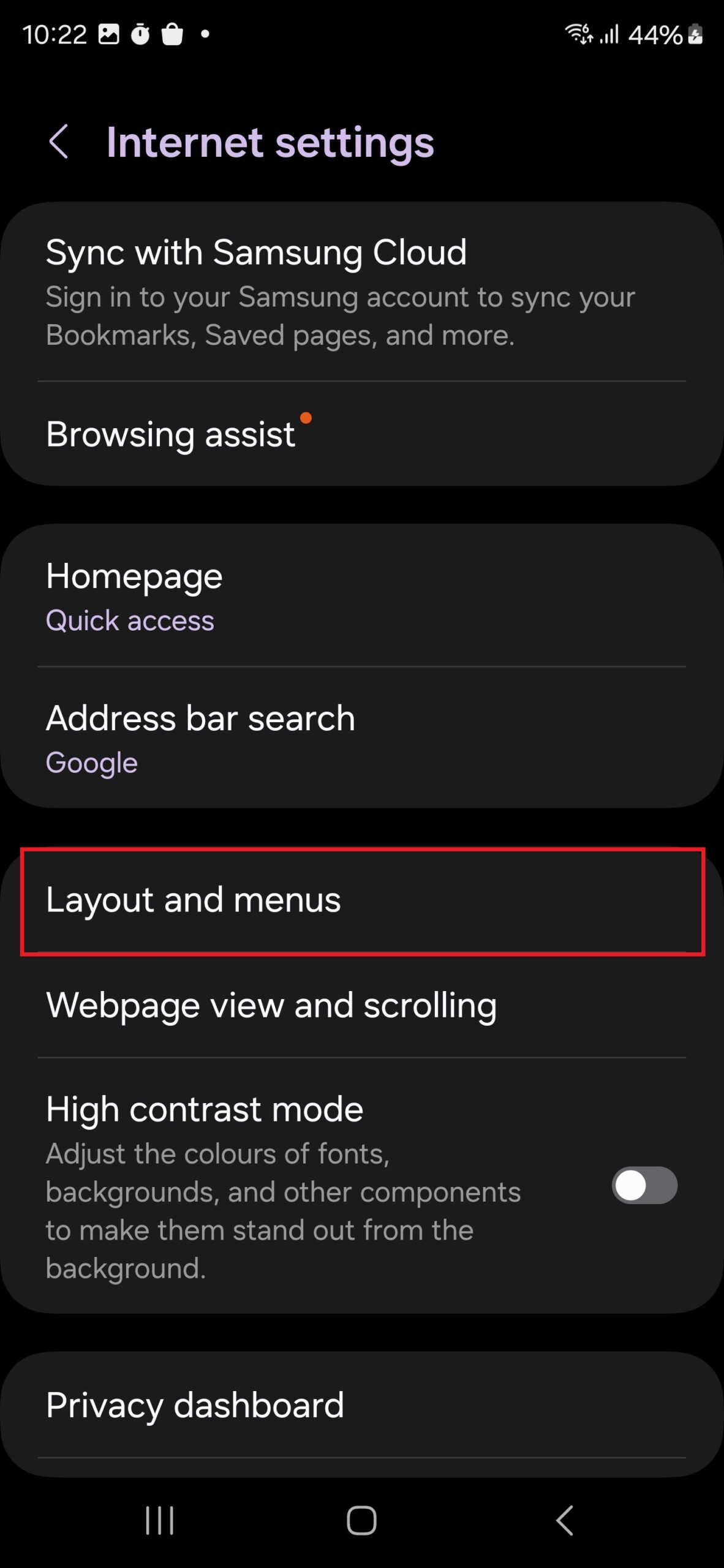
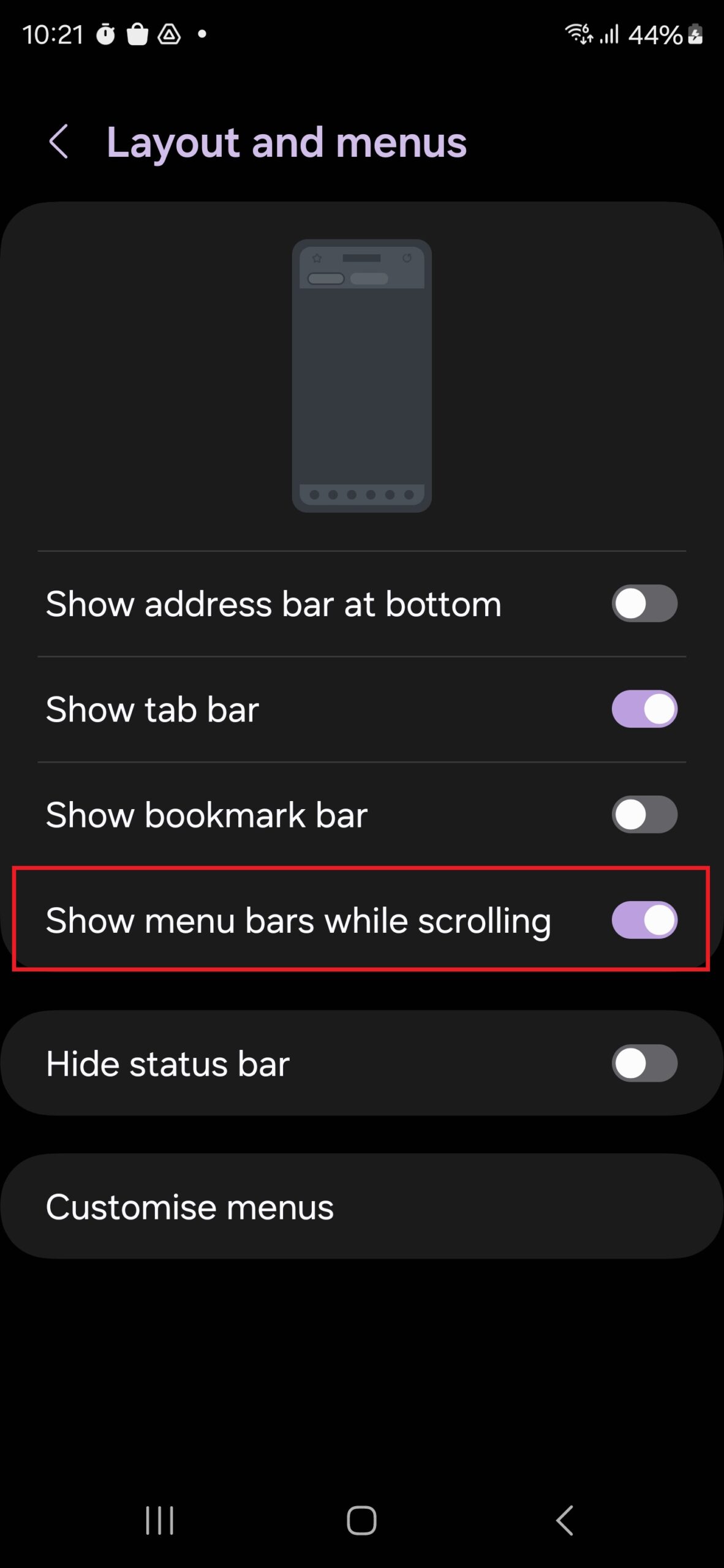
Now, you can disable that behavior in both the stable and beta versions of Samsung's browser. To do so, open the browser's settings, select Layout and menus, and enable the Show menu bars while scrolling option.
That's after you download the latest version–25.0.0.41–of the app, of course. You can do so via the Galaxy Store or the Play Store on your Galaxy smartphone or tablet. If you wish to manually install the new version without using any app store, you can download the latest APK file from APKMirror.

Abhijeet's writing career started with guides for custom firmware for Samsung devices (including the original Galaxy S), and he moved to SamMobile in mid-2013 and worked up the ranks to Editor-in-chief. In addition to phones and mobile devices, his interests include gaming on both PC and console, PC hardware, and spending countless hours on YouTube watching videos on tech, movies, games, politics, and internet dramas.












