Last updated: March 19th, 2024 at 17:27 UTC+01:00
SamMobile has affiliate and sponsored partnerships, we may earn a commission.
Reading time: 2 minutes
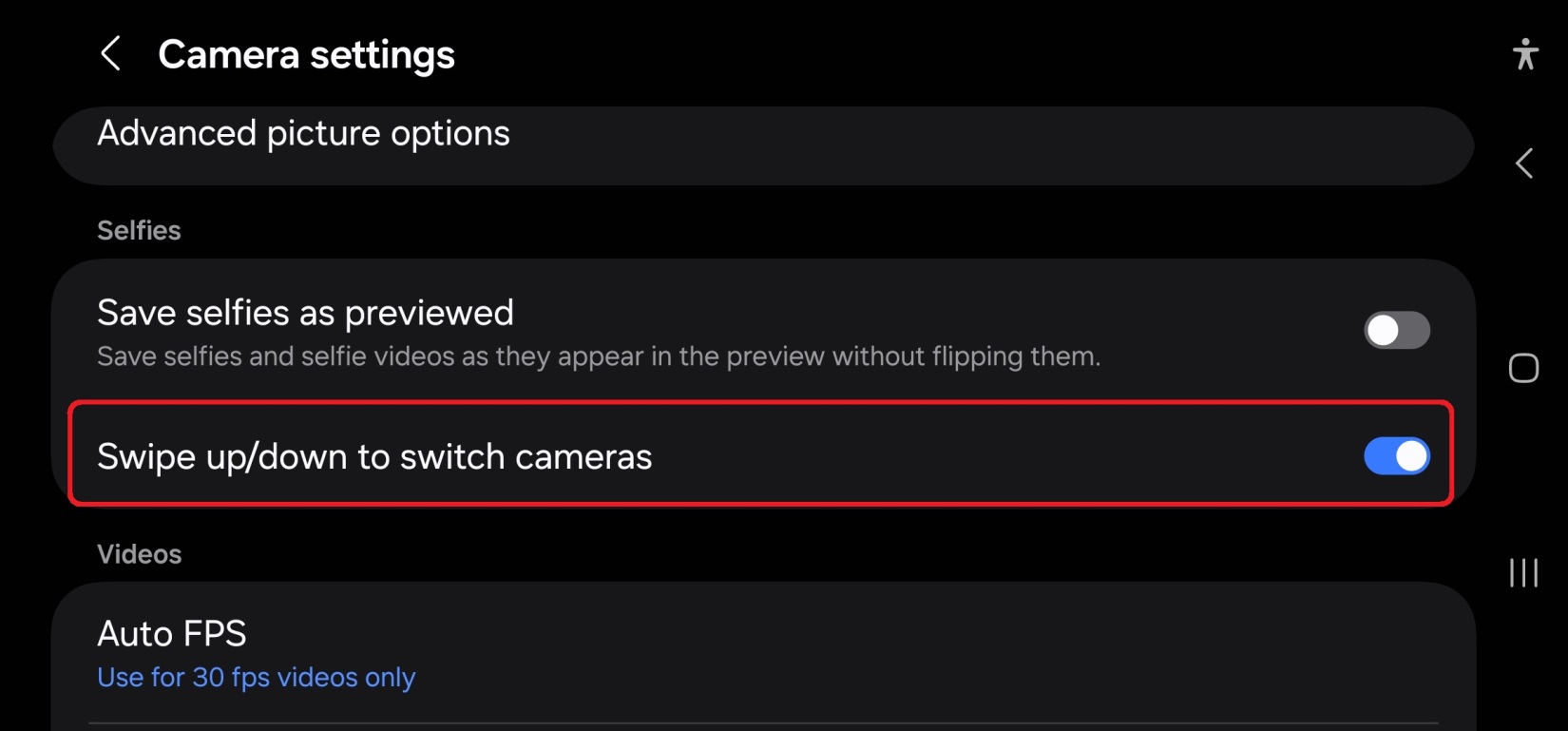
And that's not all. Another interesting addition to the Camera app on One UI 6.0 is an option to disable switching between the front and rear cameras by swiping up and down on the screen. If you have been a long-time Samsung smartphone user, you have probably had a few instances of switching between the front and rear cameras by accident, which can sometimes result in you missing the moment you're trying to capture.
It can also just be frustrating in general, especially on mid-range and budget phones where lag in the camera app can make the process of switching between the front and rear cameras more time consuming than it should be. Because we all know that no matter how optimized Samsung's smartphones get, lag in the camera app is probably never going to stop being an issue.
But once your Galaxy smartphone gets the Android 14 and One UI 6.0 update, those accidental switches will become a thing of the past. All you need to do is to go into the camera app's settings, scroll down to the Selfies section, and disable the Swipe up/down to switch cameras option. If you find that you prefer the convenience of the gesture for switching cameras more than you're troubled by accidental swipes, just go back into the settings and turn the option back on.

Abhijeet's writing career started with guides for custom firmware for Samsung devices (including the original Galaxy S), and he moved to SamMobile in mid-2013 and worked up the ranks to Editor-in-chief. In addition to phones and mobile devices, his interests include gaming on both PC and console, PC hardware, and spending countless hours on YouTube watching videos on tech, movies, games, politics, and internet dramas.














