13 days until XMAS. Our Samsung Galaxy gift guide features smartphones and wearables.
Last updated: April 3rd, 2024 at 05:31 UTC+02:00
SamMobile has affiliate and sponsored partnerships, we may earn a commission.
Reading time: 2 minutes
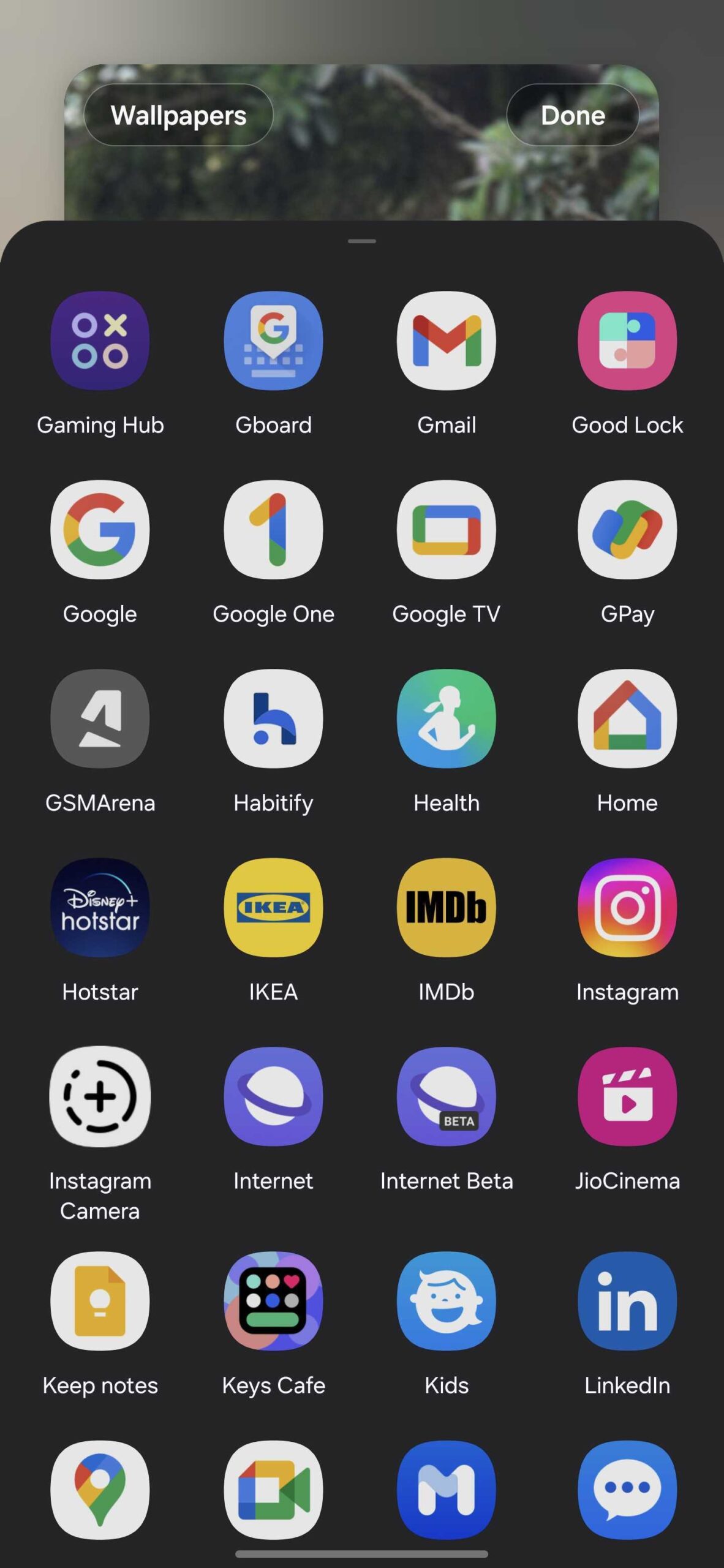
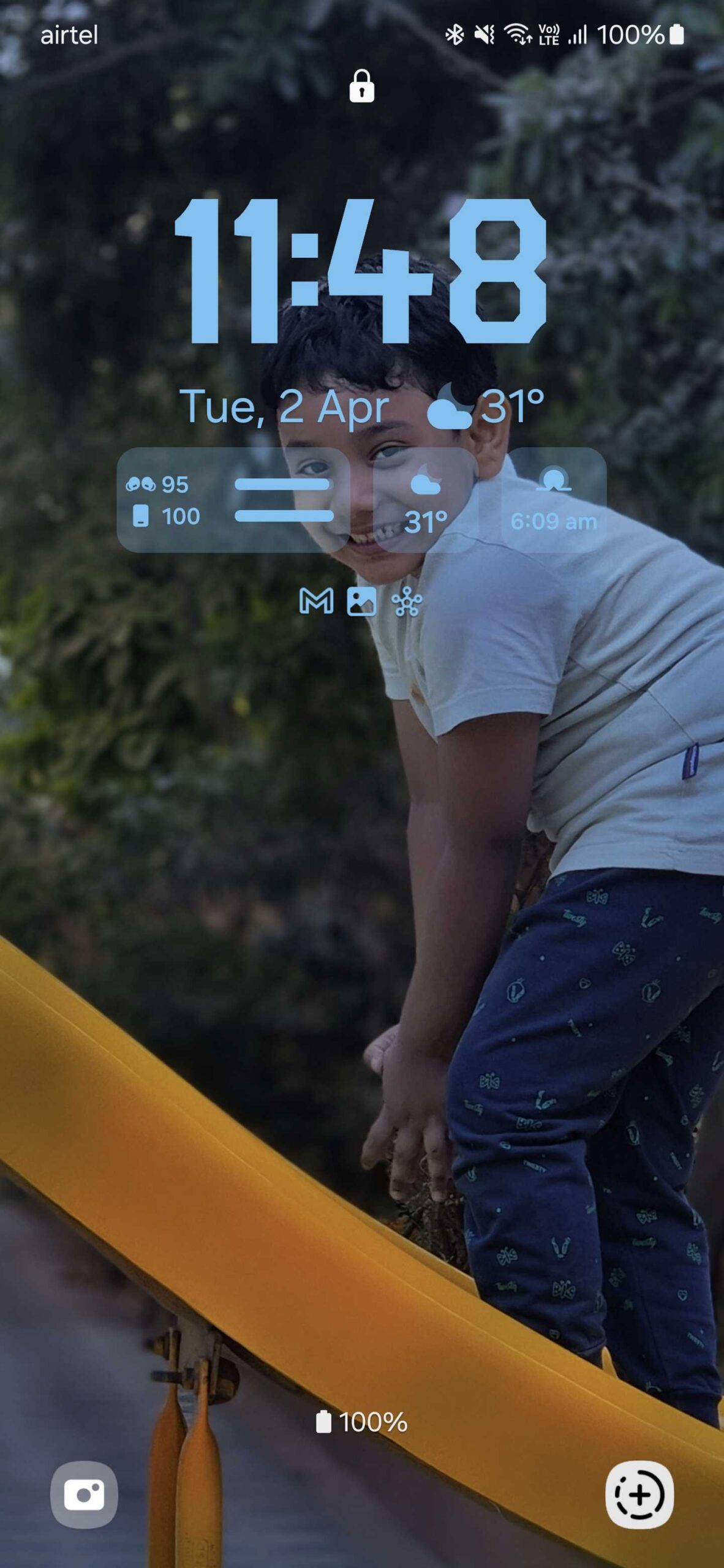
Devices running One UI 6.1 now have a new option for the lockscreen shortcut: Instagram Camera. As you can see in the screenshots below, the feature is present on our Galaxy S23 Ultra and Galaxy S24+. Both devices are running One UI 6.1 and have the latest beta version of Instagram. Once you set Instagram Camera as your phone's lockscreen shortcut, you can jump directly to Instagram's camera view, making it easier to create stories or post images and videos on your social media profile.
You can set Instagram Camera as your phone's lockscreen shortcut by long-pressing on your phone's lockscreen, entering your lockscreen password, selecting any of the lockscreen shortcuts (left or right), and then choosing the Instagram Camera option from the grid.
We couldn't find the option to set Snapchat Camera as the lockscreen shortcut. Maybe the feature is still under development and could be released later. However, we can't say for sure if Snapchat Camera will also appear as a lockscreen shortcut on Samsung phones.
With the Galaxy S24, Samsung introduced the Super HDR feature. The Galaxy S24 can capture, display, and upload (to instant messaging and social media apps) Super HDR images and videos. The Super HDR feature is built using Google's Ultra HDR format and was introduced with One UI 6.1. Older phones won't get the Super HDR feature.
Asif is a computer engineer turned technology journalist. He has been using Samsung phones since 2004, and his current smartphone is the Galaxy S21 Ultra. He loves headphones, mechanical keyboards, and PC hardware. When not writing about technology, he likes watching crime and science fiction movies and TV shows.