Last updated: November 17th, 2023 at 22:22 UTC+01:00
SamMobile has affiliate and sponsored partnerships, we may earn a commission.
Reading time: 2 minutes
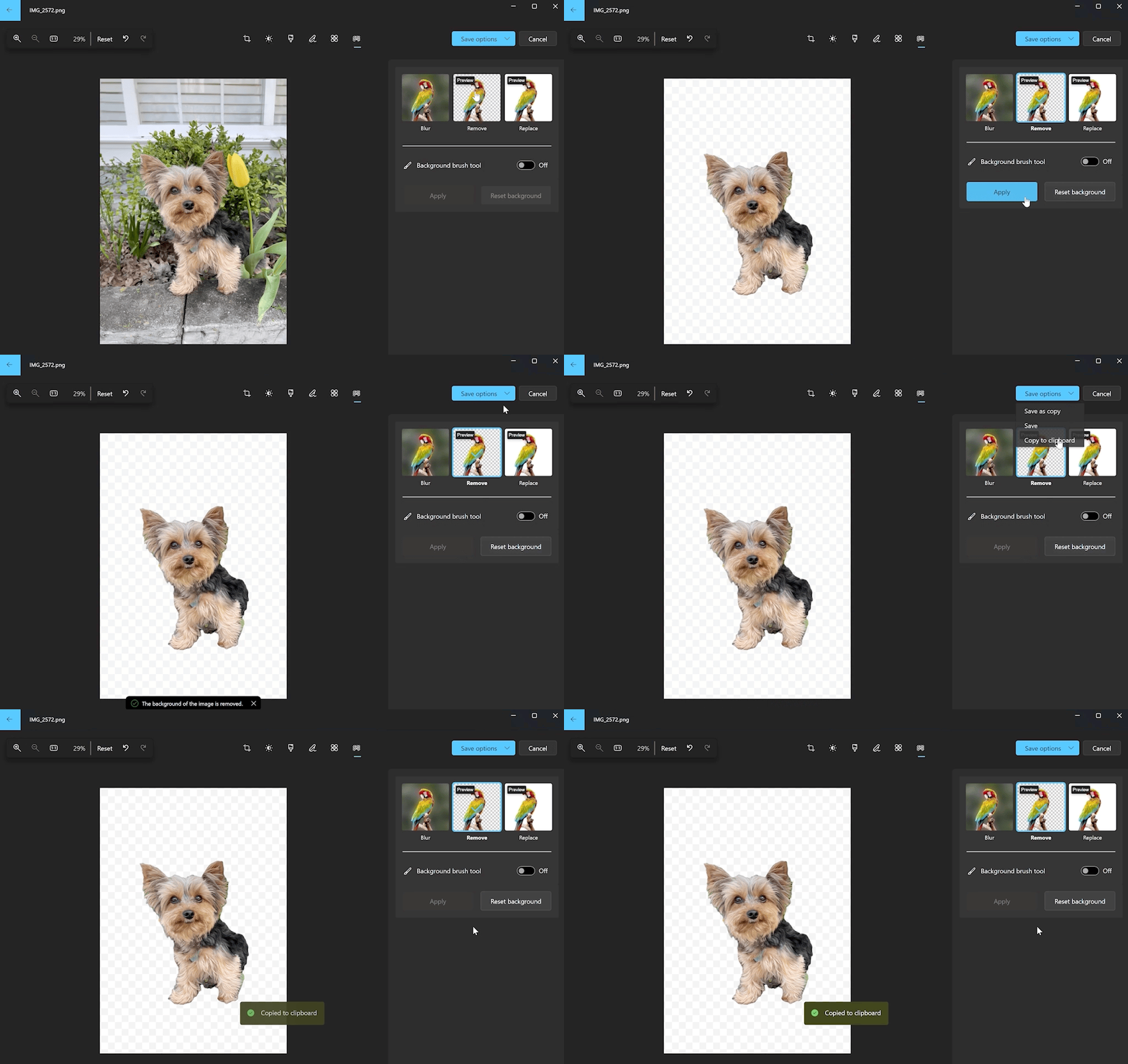
Background removal is the major highlight here and comes to Windows Photos a few weeks after it was added to Microsoft Paint. Like other photo editing apps, Windows Photos can automatically remove the background from images with a single click.
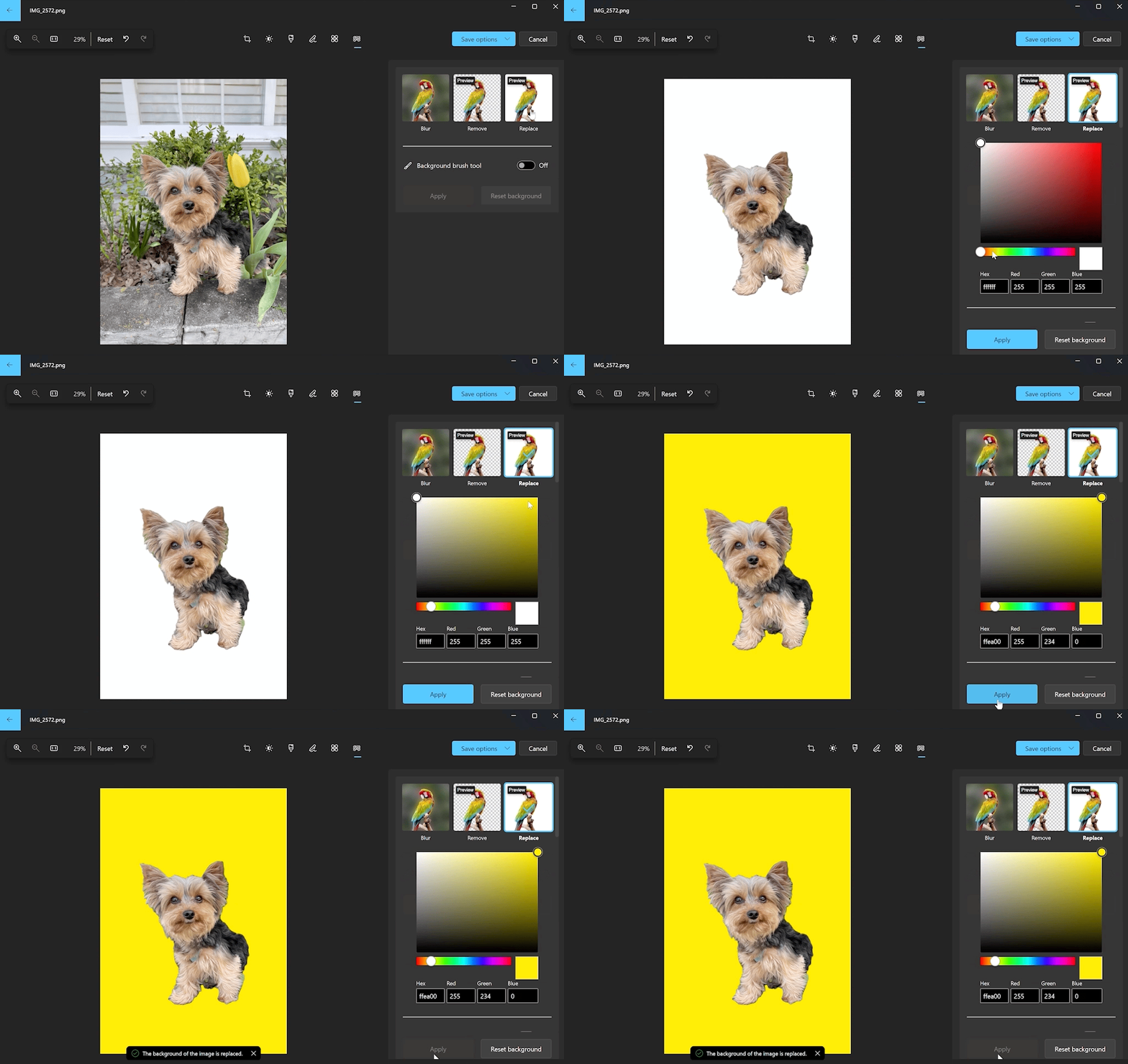
The resulting images can be copied to the clipboard or saved, and there's also the option to replace the background with a solid color. The results probably won't be perfect in most cases, but it's always good to have as many features as possible in Microsoft apps that come set as default for various day-to-day tasks, such as viewing photos or browsing the internet.
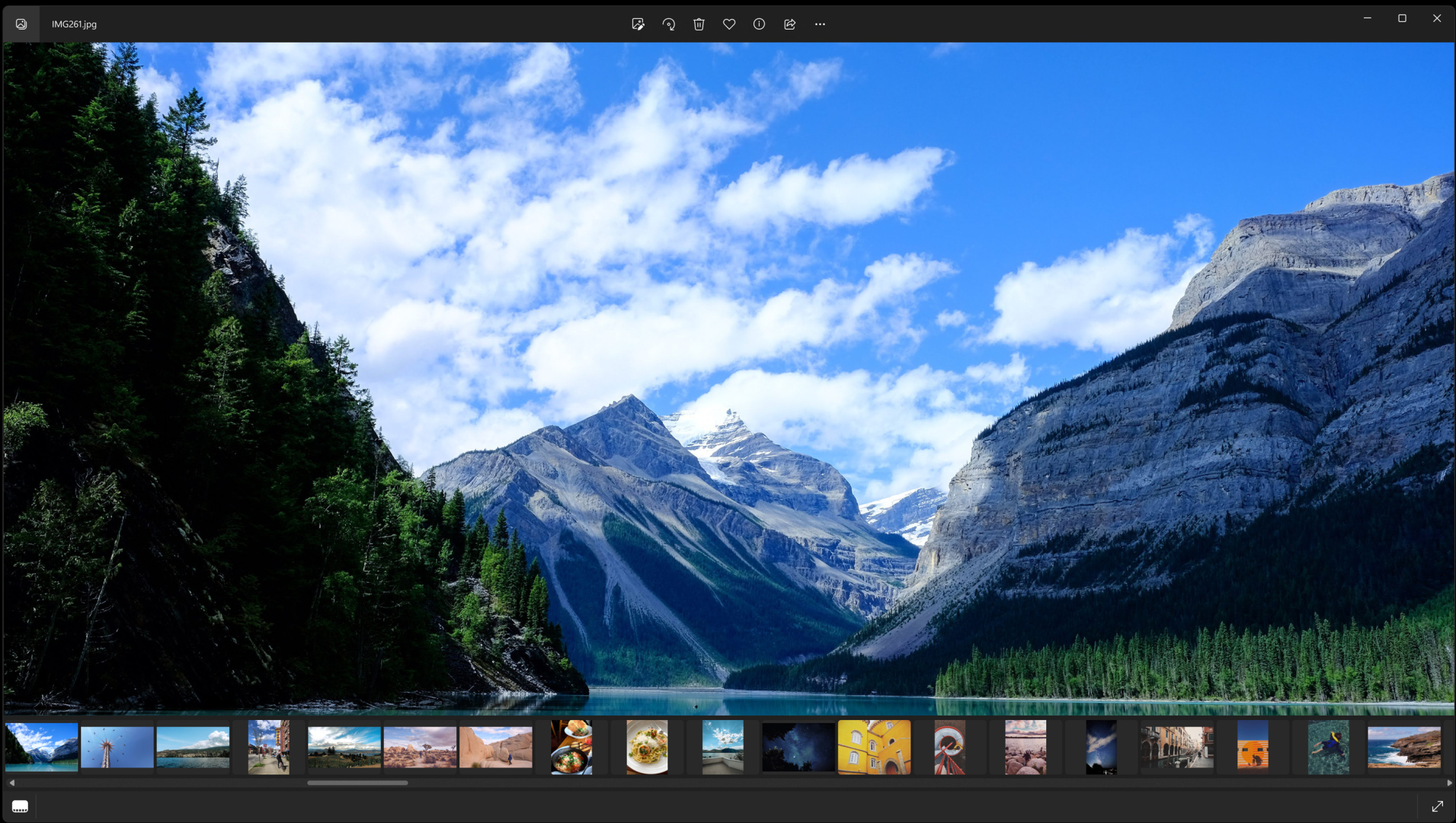
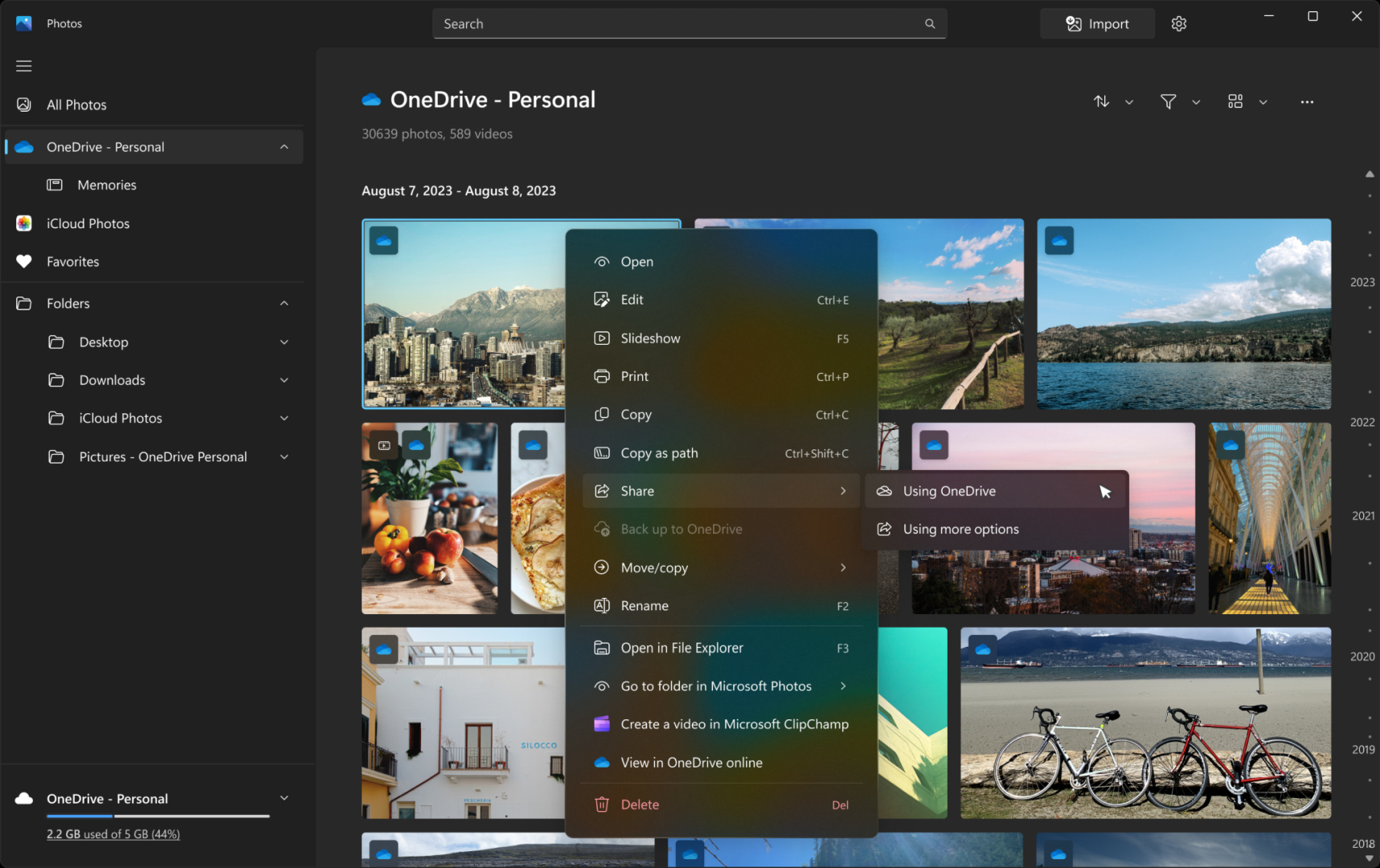
The Photos update also changes how features like photo sharing and filmstrip work. Individual photos backed up to the user's OneDrive account can now be shared from within Photos using the Share option. The filmstrip that shows other images in the same folder at the bottom of the app is now hidden by default for a better viewing experience. Pressing the filmstrip icon or the F key will bring it back up, now with larger thumbnails and a larger scrollbar for easier navigation.
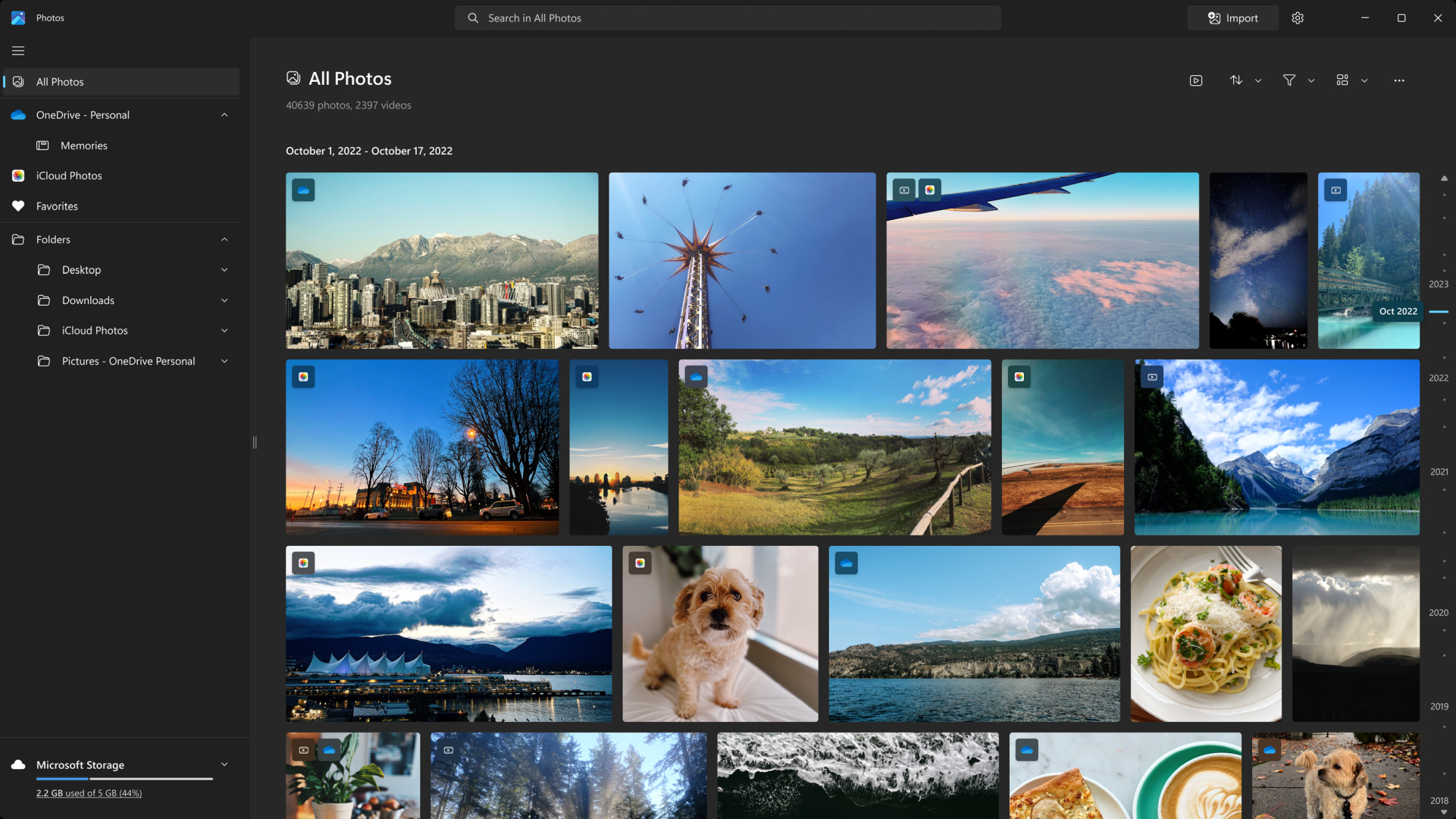
There are a few other changes, such as a timeline scrollbar for all folders, a print button at the top for quicker access to printing when viewing a single image, and performance and stability improvements for the Slideshow feature, navigation between tabs, and opening images.
As mentioned earlier, only Windows Insiders can access the improved Photos app in the Microsoft Store at this moment. Microsoft will spend some time collecting feedback and making further improvements before it brings the updated app to regular Windows users.
Image credit: Microsoft/Windows Insider Blog

Abhijeet's writing career started with guides for custom firmware for Samsung devices (including the original Galaxy S), and he moved to SamMobile in mid-2013 and worked up the ranks to Editor-in-chief. In addition to phones and mobile devices, his interests include gaming on both PC and console, PC hardware, and spending countless hours on YouTube watching videos on tech, movies, games, politics, and internet dramas.














