Last updated: March 8th, 2023 at 06:47 UTC+01:00
SamMobile has affiliate and sponsored partnerships, we may earn a commission.
Reading time: 2 minutes

Previously, Google Messages would cycle through ‘Sending,' ‘Sent,' ‘Delivered,' and ‘Read' for messages. Now with a new update, Google Messages now shows a stopwatch or a clock icon when the message is on its way (sending). For sent messages, it will show one checkmark. For delivered messages, it will now show double checkmarks, and for read messages, it will now show a filled double checkmark icon. Also, the group conversations now show the ‘Seen by X' and ‘Read by all' icons.
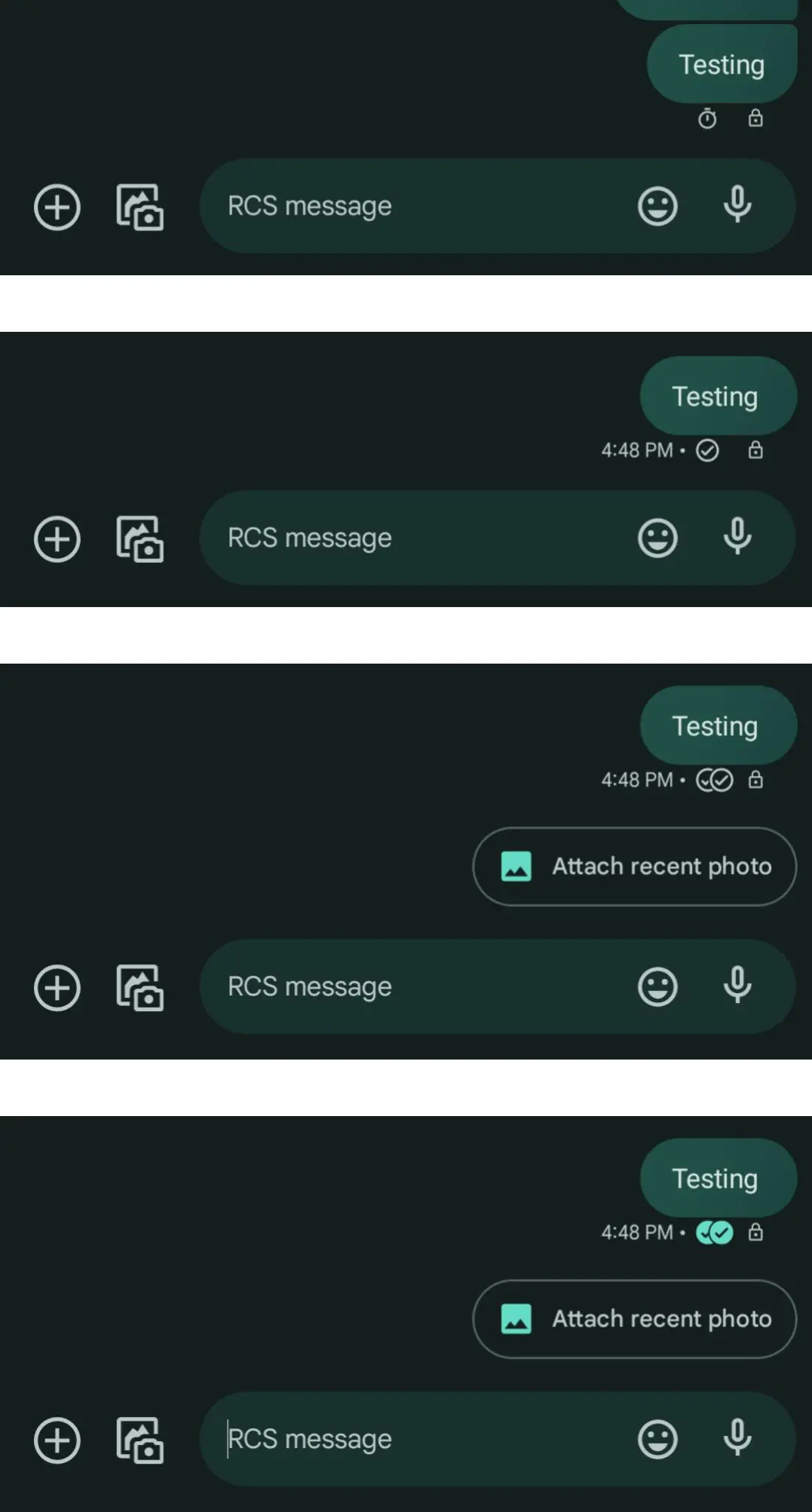
A few people already had this new Google Messages icon system for reading receipts back in October 2022. More users used this feature as the redesign became available to them after joining the Google Messages Beta. Fast forward to now, and Google Messages stable app users are also seeing the read receipt icons.
Frankly, the new Google Messages icons should have been explained thoroughly using prompts for each icon. This would make it easier for new users or users viewing it for the first time to better understand the changes. That being said, positive feedback could have been the basis for Google not properly explaining these new icons with words and simply redesigning the whole icon.
Whatever the case may be, Google might have gone ahead with the icons approach as icons are more universal than texts. In fact, many of the major messaging platforms such as WhatsApp and Telegram use checkmark icons to show the status of the messages.














