Cyber week deals! Galaxy Watch8 Classic, Fold 7, S25 Ultra. Follow us on YouTube, TikTok, or LinkedIn
Last updated: March 15th, 2025 at 03:00 UTC+01:00
SamMobile has affiliate and sponsored partnerships, we may earn a commission.
On the Galaxy Z Flip 6, the Android 15-based One UI 7.0 informs users that they can download MultiStar to use more apps on the cover screen.
Reading time: 2 minutes
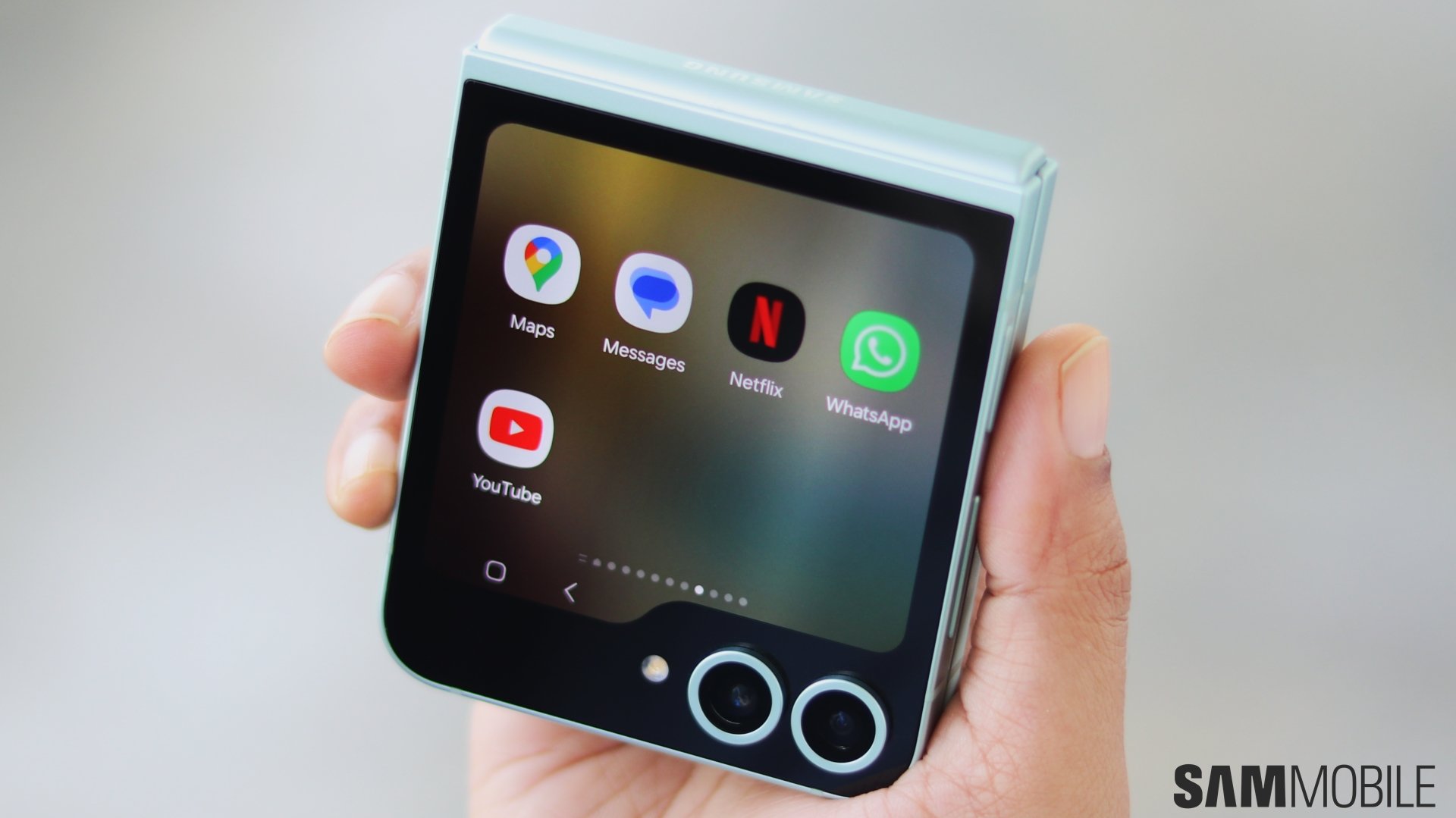
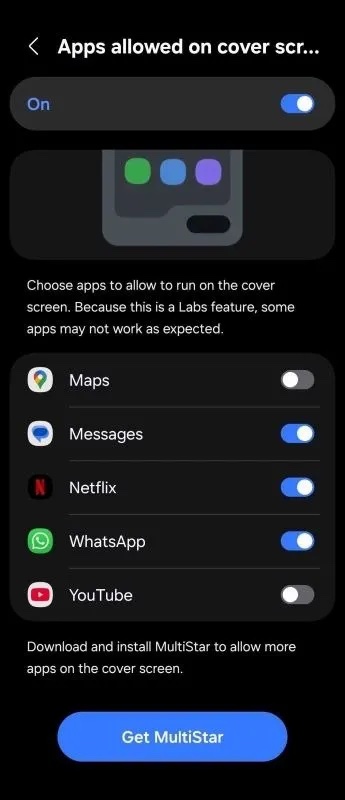
Samsung’s latest clamshell foldable smartphone, the Galaxy Z Flip 6, allows you to use apps on the cover display. To enable the functionality, you have to go to Settings » Advanced features » Labs, enable Apps allowed on cover screen, and select the apps you want to use on it. However, it offers limited apps to choose from.
Fortunately, Samsung allows you to use even more apps on the Flex Windows with the help of Good Lock and MultiStar. However, not many people know about it because the Flip 6 doesn’t tell users about it. Well, with Android 15-based One UI 7.0 beta, the brand is informing users about this feature so that more people use it.
As spotted by 9To5Google, in the beta version of Android 15-based One UI 7.0 for the Galaxy Z Flip 6, which Samsung rolled out earlier this week, when you go to Settings » Advanced features » Labs to enable apps on the cover display, you will see a message that says “Download and install MultiStar to allow more apps on the cover screen.” Plus, you will see a button to ‘Get MultiStar’
The message informs users about the feature and the button makes it easier for them to get it. While that’s great, if Samsung offered users the option to use more apps as part of the OS/One UI (in the Settings menu, without the need to install MultiStar), it would have been even better. What will be even better is if Samsung allows people to use apps without tinkering with any settings. We hope to see it with the Galaxy Z Flip 7.
I’m a computer science engineer living in Hyderabad, India, who has a keen interest in automobiles and consumer electronics. My journalism career kicked off in 2017 with MySmartPrice where I wrote news, features, buying guides, and explanatory articles about technology among other things, and reviewed many products, including smartphones, tablets, laptops, PC components, smartwatches, audio devices, wearables, and smart home products. Since then, I have worked for 91Mobiles, Apple, and Onsitego, before finally landing on SamMobile.