Last updated: September 18th, 2024 at 17:21 UTC+02:00
SamMobile has affiliate and sponsored partnerships, we may earn a commission.
Reading time: 2 minutes
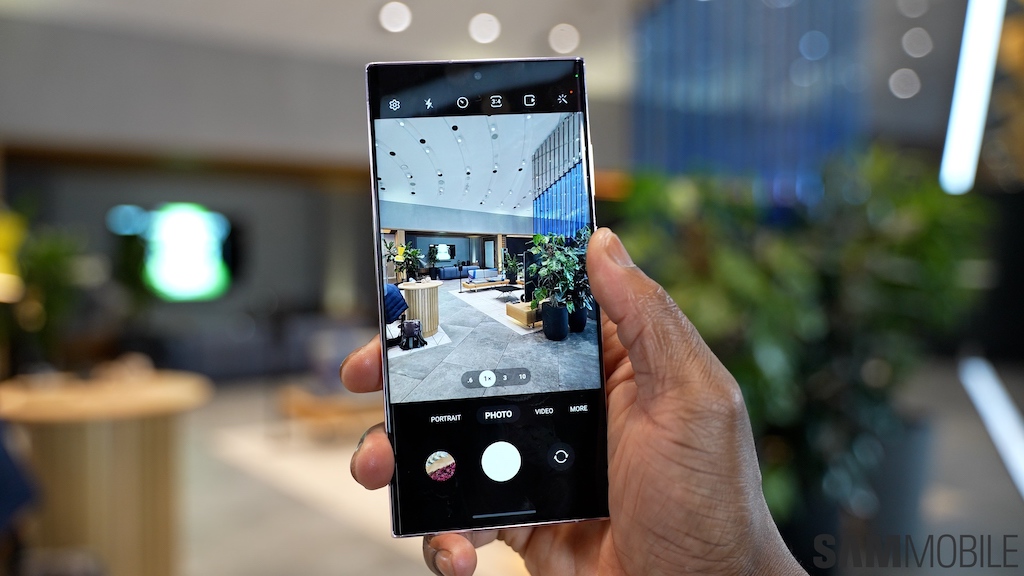
Samsung is working to fix the issue and will release a new update soon. The issue doesn't affect the Galaxy S23 and Galaxy S23+, so the update is still available for these models over the air and you can grab it from your phone's Settings » Software update menu if you haven't already updated.
More details after the video…
Thankfully, the zoom range affected by the issue is one most users probably don't use often. But for those who do, there's a temporary workaround if they have updated to One UI 6.1.1: they can open the settings in the camera app, tap Intelligent optimization, and switch to the medium quality optimization setting, as shown in the screenshots below.
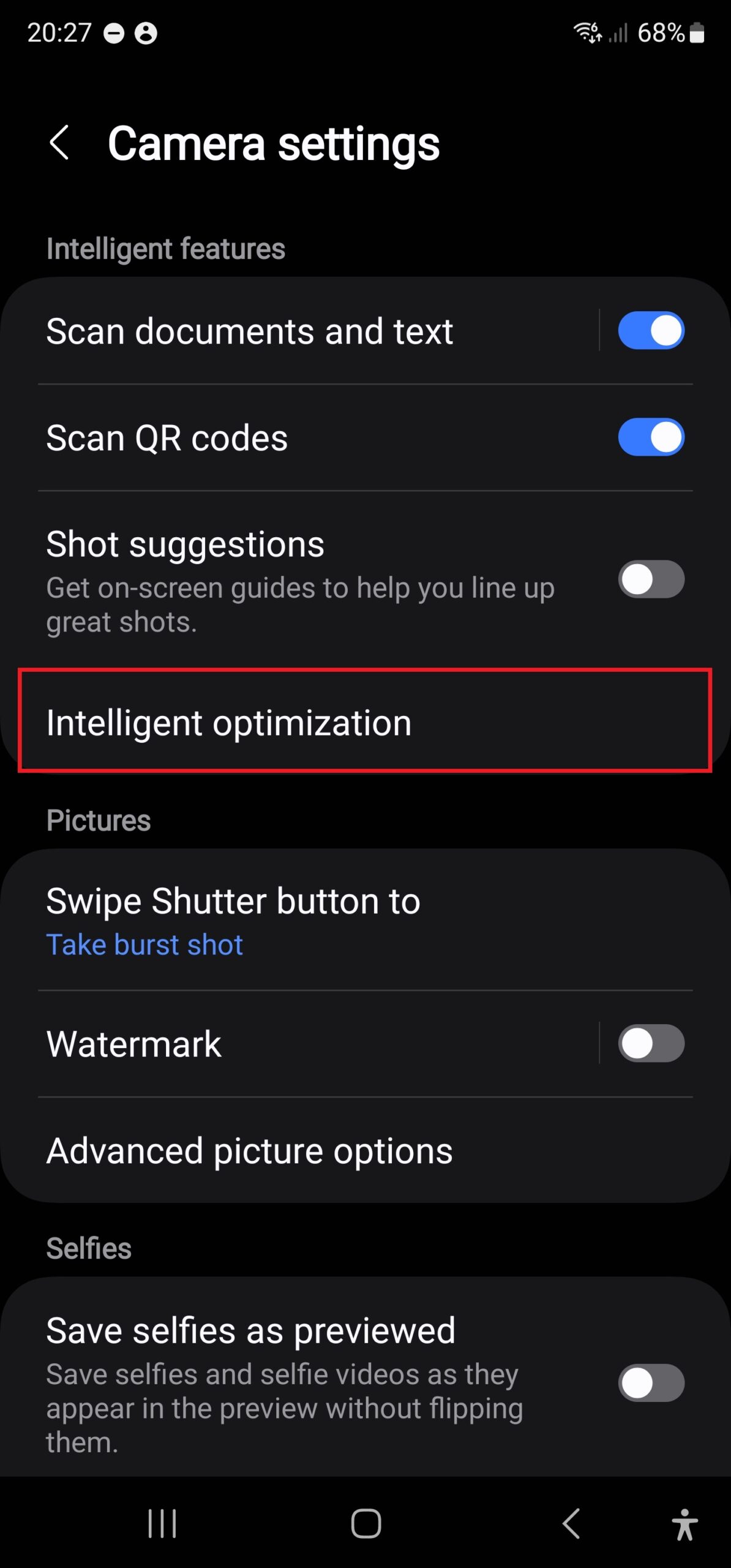
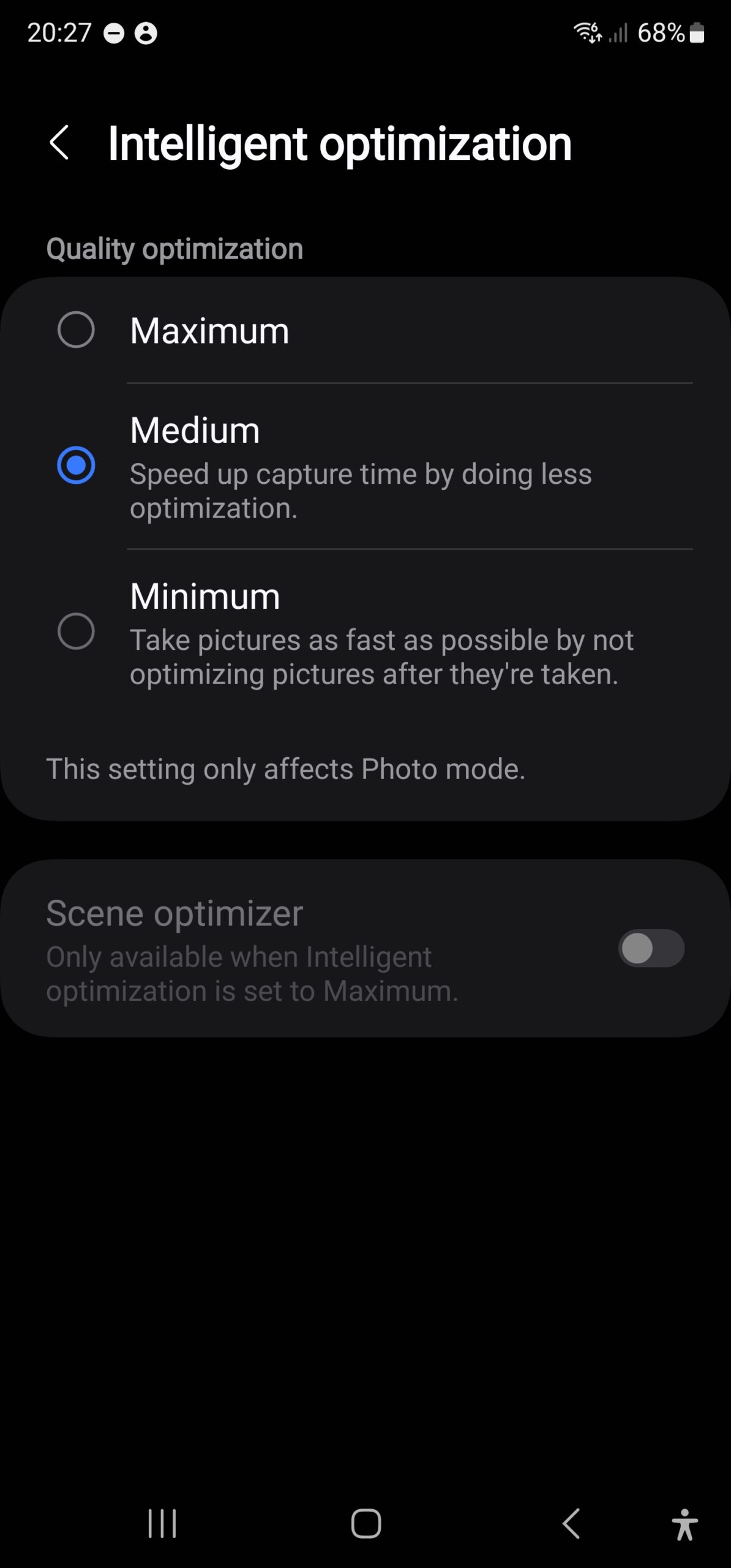
The medium optimization quality can slightly reduce image quality, so you may want to stick to the maximum setting unless you're taking photos at 16x-19.9x magnification. Another alternative is to use Samsung's Expert RAW camera app, which isn't affected by the ghosting issue. You can access Expert RAW from the default camera app's Modes section.

Abhijeet's writing career started with guides for custom firmware for Samsung devices (including the original Galaxy S), and he moved to SamMobile in mid-2013 and worked up the ranks to Editor-in-chief. In addition to phones and mobile devices, his interests include gaming on both PC and console, PC hardware, and spending countless hours on YouTube watching videos on tech, movies, games, politics, and internet dramas.














