Last updated: September 23rd, 2019 at 15:06 UTC+02:00
SamMobile has affiliate and sponsored partnerships, we may earn a commission.
Reading time: 1 minutes
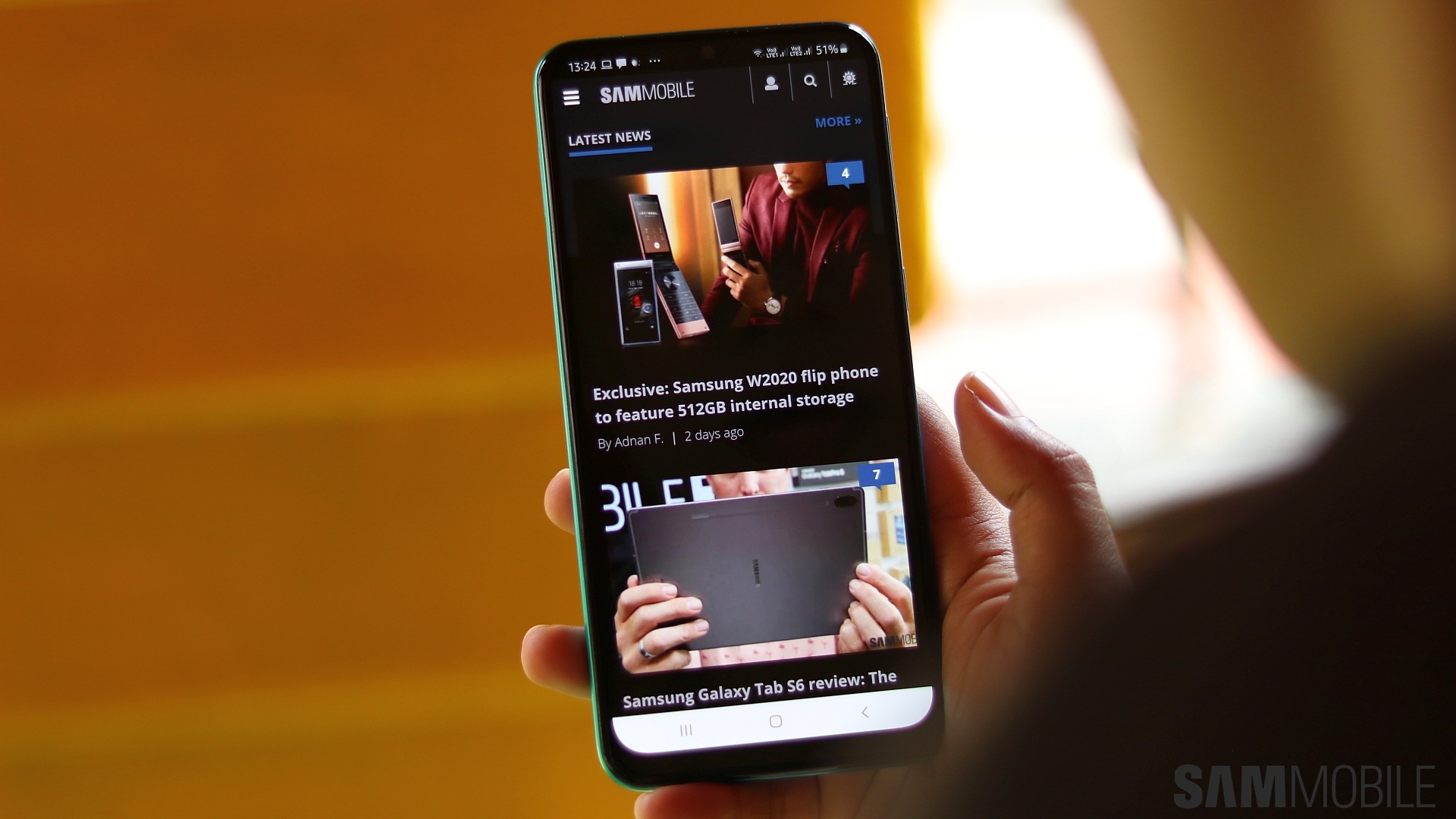
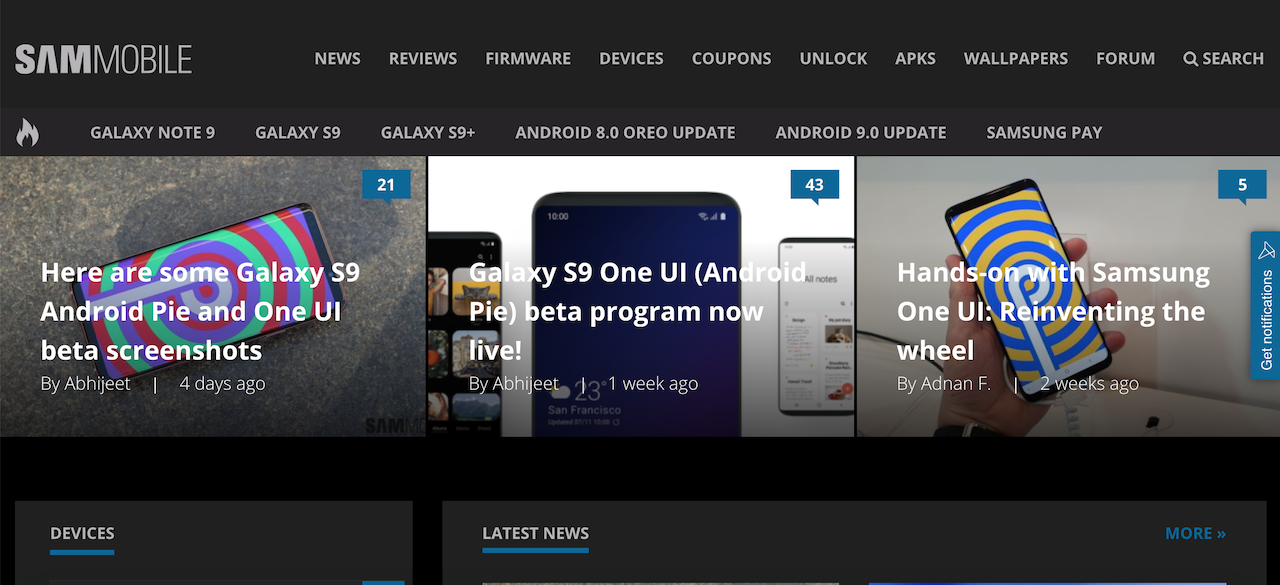
Clicking on that little moon icon will instantly apply the Dark Mode to the entire site. Not only is it more visually comfortable but it looks great as well, if I do say so myself. You can click on the sun icon that appears in the moon's place to enable the light mode whenever you want. The Dark Mode is available on both the desktop and mobile versions of the site. The button is in the hamburger menu of the mobile site.
Do keep in mind that our Dark Mode is still in beta. We're rolling it out so that our readers can also experience it and provide feedback if they find anything that's not as it should be. What do you think about SamMobile's site-wide Dark Mode? Vote below and do share your thoughts with us in the comments section.

Adnan Farooqui is a long-term writer at SamMobile. Based in Pakistan, his interests include technology, finance, Swiss watches and Formula 1. His tendency to write long posts betrays his inclination to being a man of few words.














