8 days until XMAS. Massive discount Galaxy Z Fold7, Watch8, S25 Ultra and S95F OLED TV
Last updated: May 16th, 2017 at 06:36 UTC+02:00
SamMobile has affiliate and sponsored partnerships, we may earn a commission.
Reading time: 2 minutes
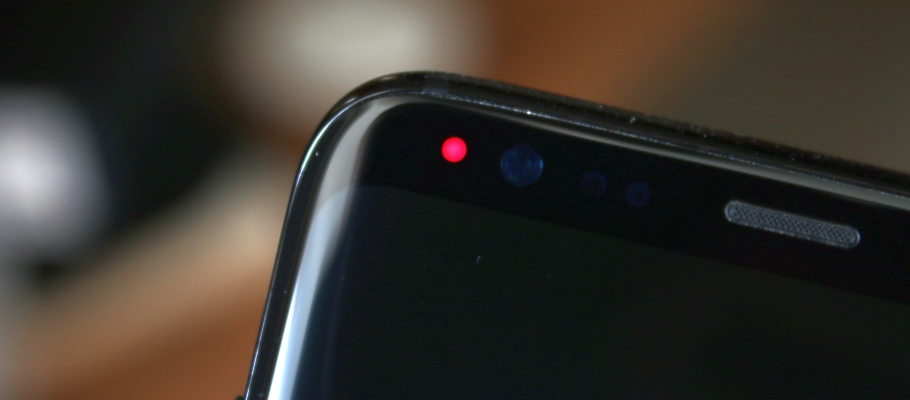
A thread on the XDA forums has several people complaining about this, and according to our tipster, Samsung is simply asking consumers to get the phone replaced. It's unclear if apps like Light Manager are the sole culprit; they do seem to be a major cause, as at least three users say the LED stopped working after they used the Light Manager app. Others say the LED stopped working of its own volition. We tried the aforementioned app but were unable to replicate the issue, but that's probably because you need to have the app enabled for a while before things go wrong.
But if these apps are to blame, it could be that the notification LED on the S8 and S8+ is not meant to light up in as many colors as these apps make possible. LED customization apps also let the notification light stay on continuously for any app you select, which could cause the LED to burn out. These apps never caused havoc on previous Galaxy S flagships, however, so the issue could be confined to the LED on the S8 and S8+.
We've reached out to Samsung for comment on the matter. In the meantime, we suggest you refrain from using apps like Light Manager and Light Flow, as these could ruin an otherwise good phone. Have you noticed issues with the notification LED on your Galaxy S8 or S8+?
Thanks, Luk4shO!
Abhijeet's writing career started with guides for custom firmware for Samsung devices (including the original Galaxy S), and he moved to SamMobile in mid-2013 and worked up the ranks to Editor-in-chief. In addition to phones and mobile devices, his interests include gaming on both PC and console, PC hardware, and spending countless hours on YouTube watching videos on tech, movies, games, politics, and internet dramas.