Cyber week deals! Galaxy Watch8 Classic, Fold 7, S25 Ultra. Follow us on YouTube, TikTok, or LinkedIn
Last updated: June 3rd, 2015 at 21:32 UTC+02:00
SamMobile has affiliate and sponsored partnerships, we may earn a commission.
Reading time: 2 minutes
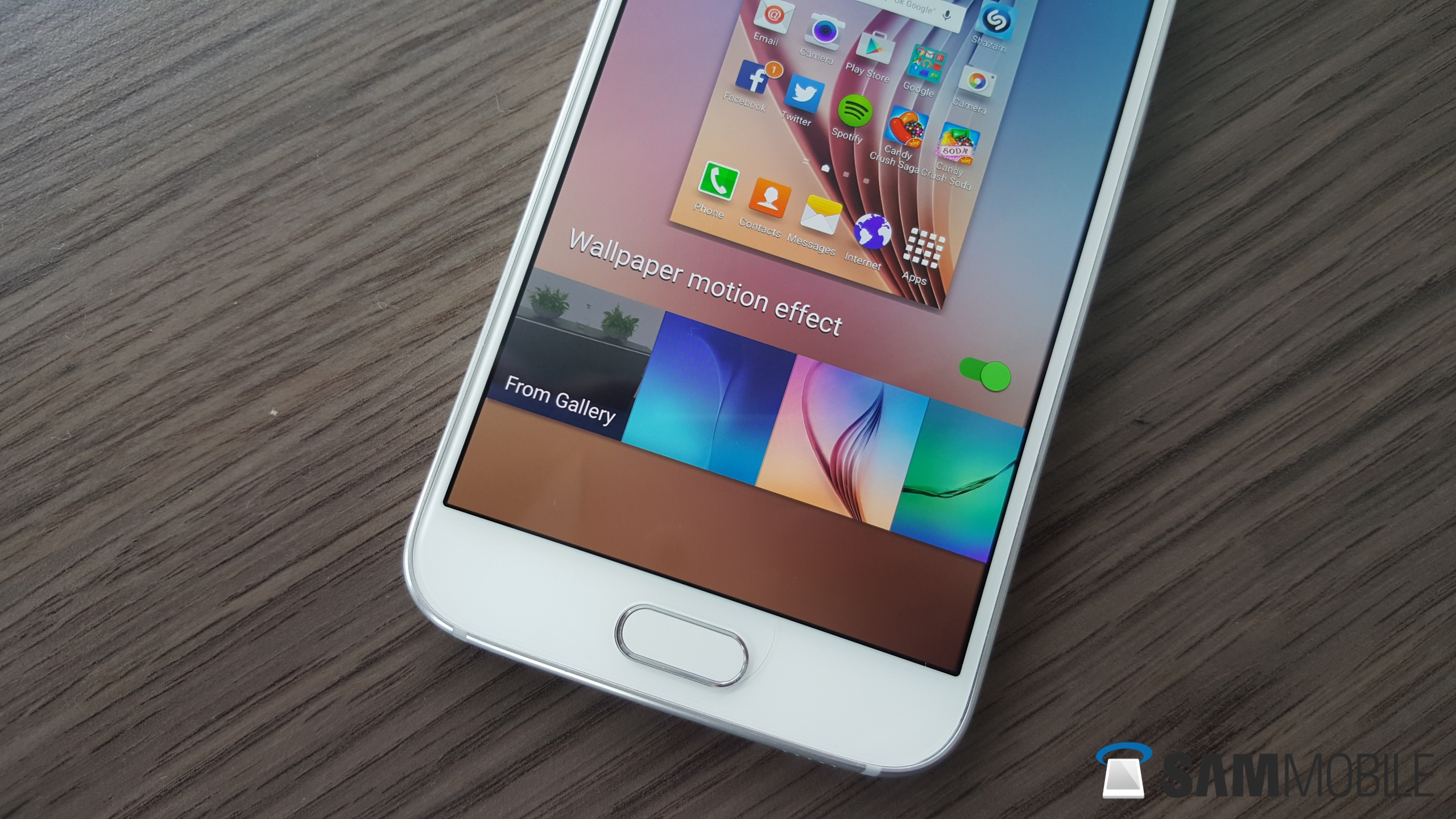
We have revealed quite a lot about new features and changes the Android 5.1 update will bring, including new modes in the camera and multi user support, but as you can see in the video, the update will also include some subtle changes. Perhaps the most notable change, especially for those that like an uncluttered notifications menu, is the addition of the option to disable the S Finder and Quick Connect buttons right below the quick settings toggles. Also new is an option for enabling a motion effect on the homescreen wallpaper, which basically makes it look like the wallpaper is coming right at you.
The Themes menu also has a UI change that adds a purple Themes Store button at the bottom of the installed themes list, and you can also check out the new exposure control feature in the camera app. It's all there in the video below, so go on and hit the play button!
REMEMBER: EARLY BUILD!
Abhijeet's writing career started with guides for custom firmware for Samsung devices (including the original Galaxy S), and he moved to SamMobile in mid-2013 and worked up the ranks to Editor-in-chief. In addition to phones and mobile devices, his interests include gaming on both PC and console, PC hardware, and spending countless hours on YouTube watching videos on tech, movies, games, politics, and internet dramas.