Last updated: October 7th, 2013 at 14:03 UTC+02:00
SamMobile has affiliate and sponsored partnerships, we may earn a commission.
Reading time: 2 minutes
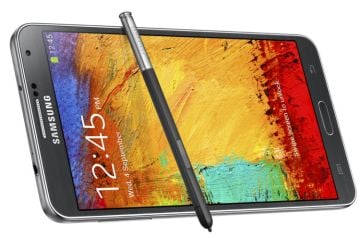
The region lock, which has been heavily criticized over the past week or so for not working the way Samsung said it does, is not exactly a SIM lock as was previously thought – a SIM lock whitelists a particular carrier for use with the device, but Samsung's region lock does the opposite and blacklists a number of countries and carriers on the Note 3. RegionLock Away removes the network blacklist, negating the need to buy an unlock code that you'd normally need to remove the region lock. There's a possibility that firmware upgrades may activate the region lock by updating the blacklist, but for now, RegionLock Away should do the trick.
RegionLock Away is in its early stages and has currently been tested only on the Snapdragon variant of the Galaxy Note 3 (SM-N9005), though it is being reported to be working on some US variants as well. You'll need to have root access, though if you're not too comfortable with trying out experimental tools, you should steer clear of attempting anything at this point.
RegionLock Away can be downloaded for free from its XDA thread, where you'll also get all the details on how the app works, or for $2.79 from the Play Store if you wish to support Chainfire (something you should definitely do). Go grab it.
Source: XDA

Abhijeet's writing career started with guides for custom firmware for Samsung devices (including the original Galaxy S), and he moved to SamMobile in mid-2013 and worked up the ranks to Editor-in-chief. In addition to phones and mobile devices, his interests include gaming on both PC and console, PC hardware, and spending countless hours on YouTube watching videos on tech, movies, games, politics, and internet dramas.













