Last updated: June 29th, 2021 at 15:08 UTC+02:00
SamMobile has affiliate and sponsored partnerships, we may earn a commission.
Reading time: 2 minutes
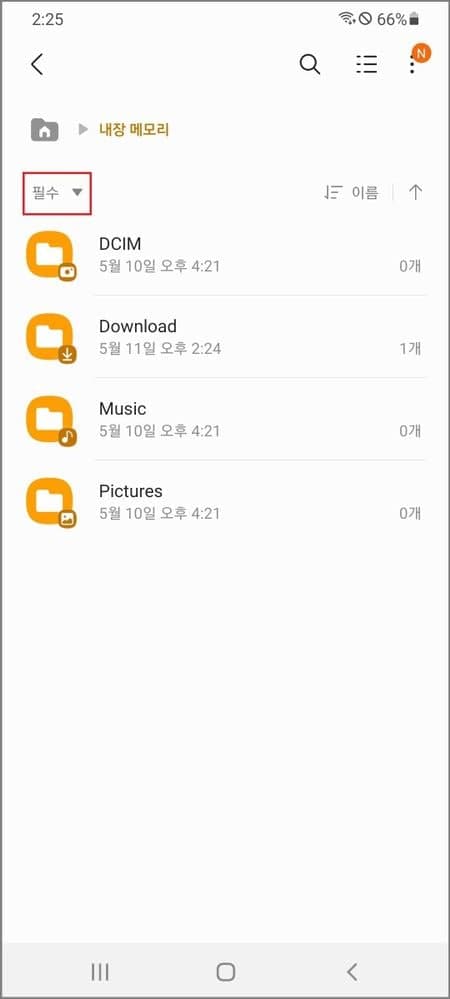
A Samsung engineer, who is in charge of the My Files app, has mentioned in the company's official forum that the upcoming version (v12.2) of the app will bring a multi-column UI and usability improvements. The current default view of the file manager app shows all the folders present in the root folder, and that might confuse some users. So, Samsung is adding an ‘Essential' filter, and when you select it, it just displays essential folders such as DCIM, Downloads, Music, and Pictures. Other folders such as Alarms, Audiobooks, Documents, Movies, Notifications, Podcasts, Ringtones, and Recoding won't be displayed if they are empty.
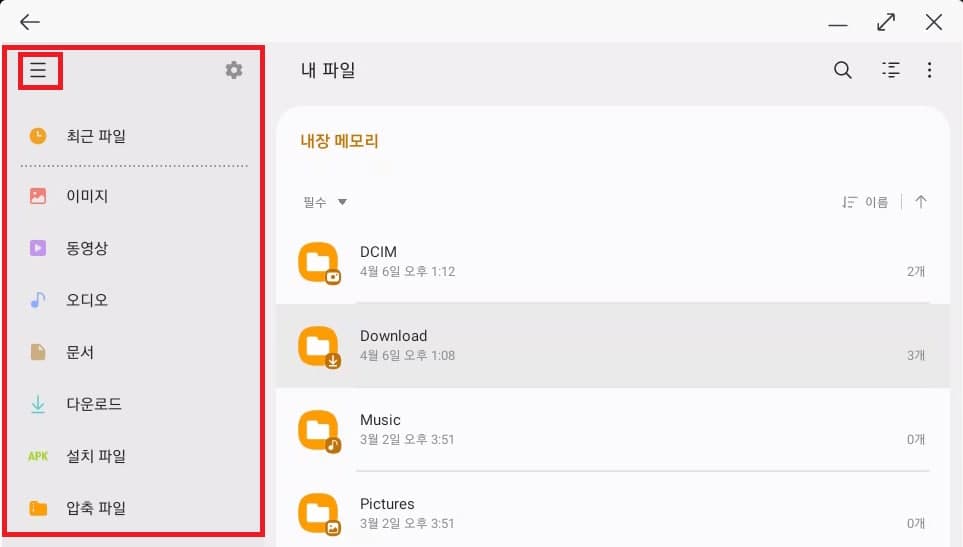
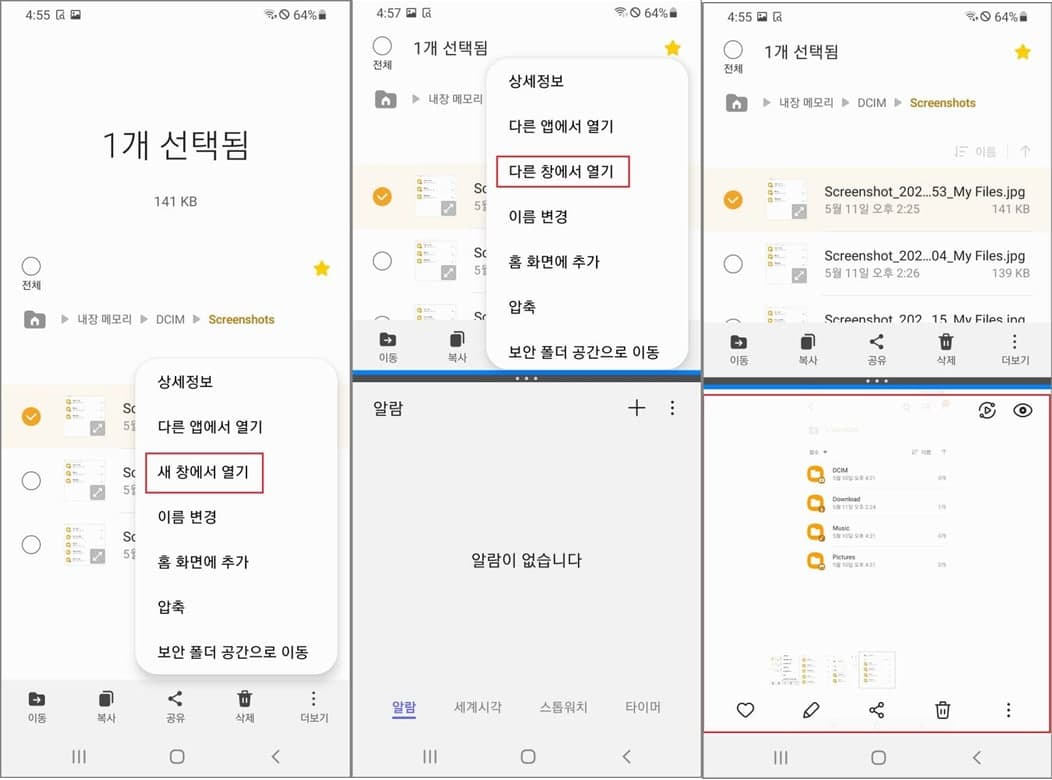
The South Korean firm is also adding an always-visible side column (Navigation Rail) for large-screen devices like tablets and Galaxy Z Fold series smartphones. This will help the app in scaling better across the large display and offer better productivity. The company is also adding a feature that will allow users to open files in a separate window and then view the file and the file manager in a side-by-side window layout.
Samsung is also adding an option to backup and restore users' favorite folders. The upcoming version of the My Files app will also allow copying and moving files from one category to another.

Asif is a computer engineer turned technology journalist. He has been using Samsung phones since 2004, and his current smartphone is the Galaxy S23 Ultra. He loves headphones, mechanical keyboards, and PC hardware. When not writing about technology, he likes watching crime and science fiction movies and TV shows.














