Last updated: May 14th, 2024 at 12:05 UTC+02:00
SamMobile has affiliate and sponsored partnerships, we may earn a commission.
Reading time: 2 minutes
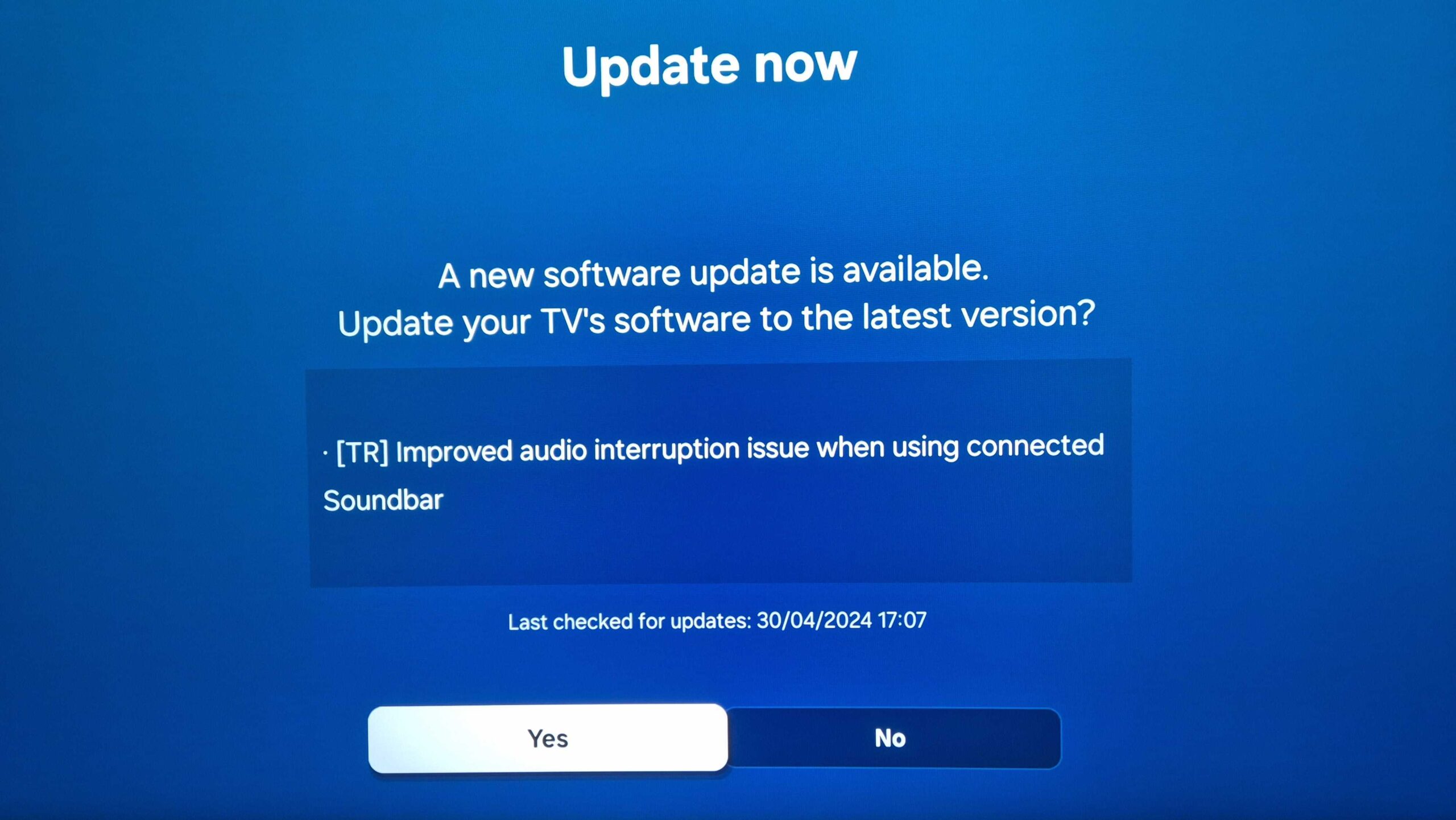
Samsung is rolling out another Tizen update, version 1410. The official changelog is short and straight to the point. It mentions “Improved audio interruption issue when using connected Soundbar.”
The good news continues, as this new Tizen update for 2023 TVs might offer more than meets the eye.
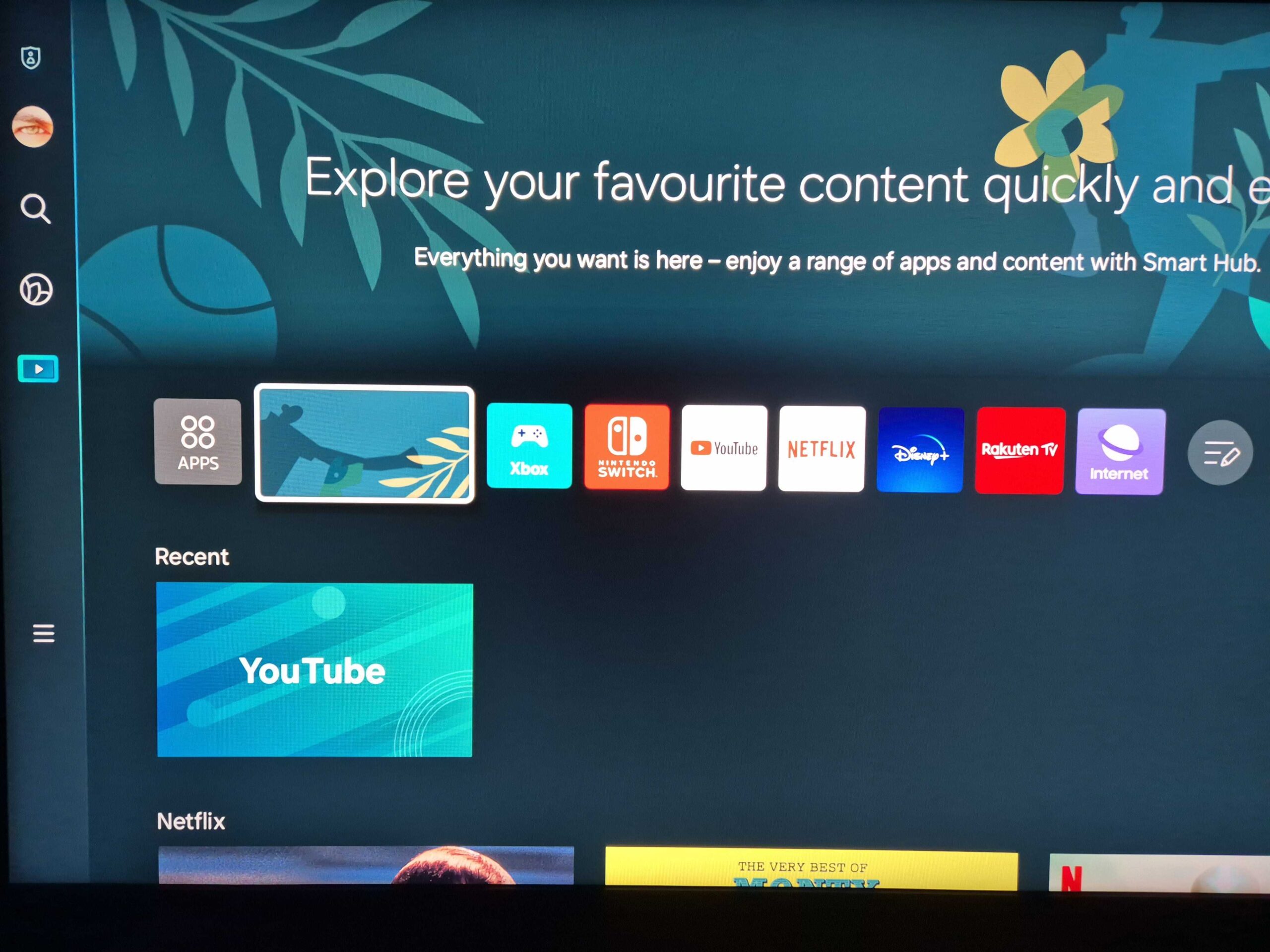
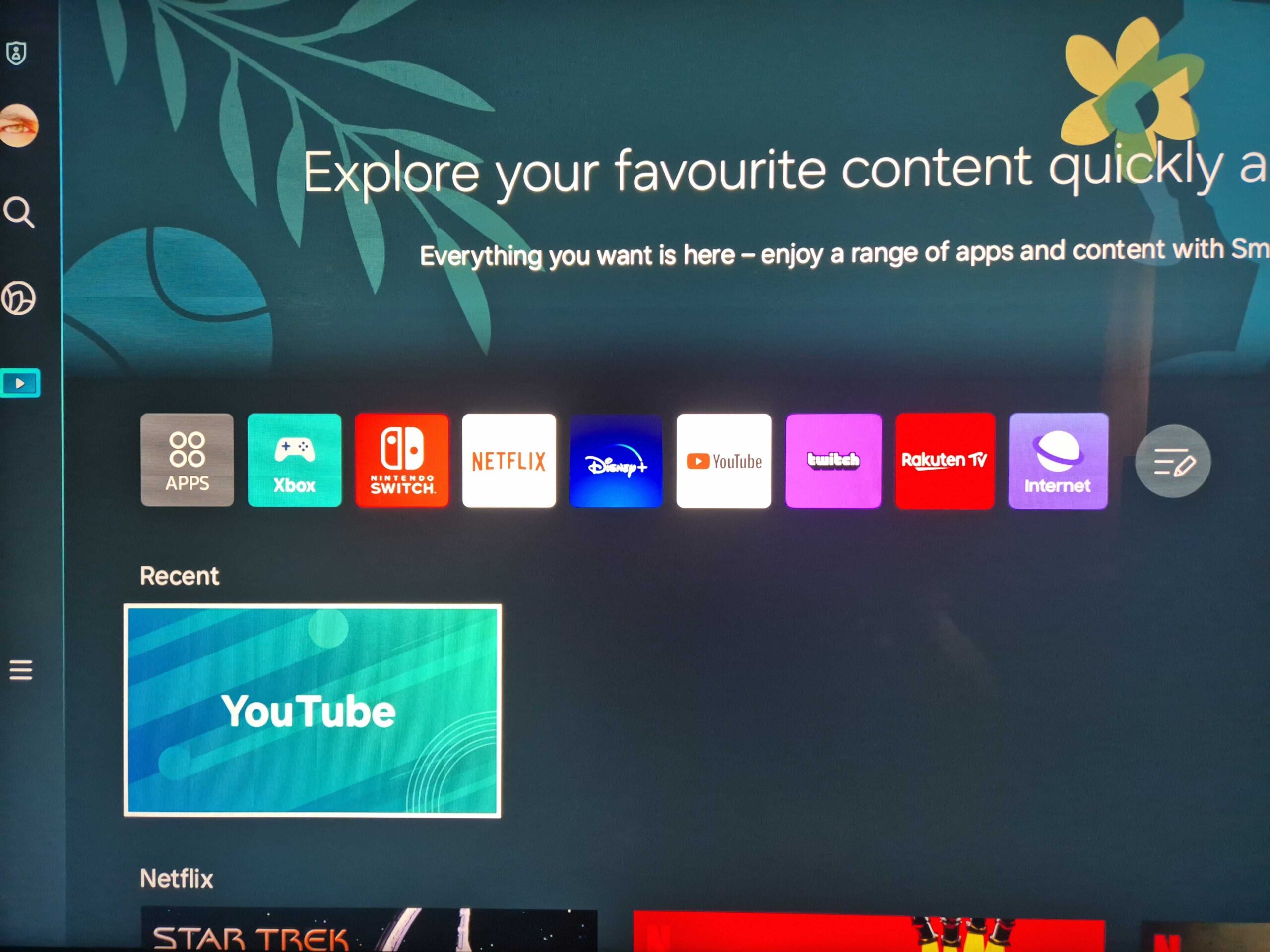
As you might recall, in addition to the soundbar issues, the previous Tizen update introduced a UI glitch consisting of a non-interactive rectangular app icon in the Media screen.
This app icon seemed like it shouldn't have been there, as it had no practical purpose. It merely reflected the design of the Media screen background but had no functionality, even though users could highlight it using the remote.
Samsung's new Tizen 1410 update has removed this unused app icon, as seen in the two comparison screenshots below, which were both captured on a QN90C Neo QLED TV (Tizen 1402.5 is to the left; Tizen 1410 is to the right).
We haven't experienced soundbar problems with the previous version or noticed any other improvements or oddities with this new Tizen update. However, we haven't yet had time to use it extensively. We'll let you know if something else comes up.
If you skipped the previous update after hearing about the soundbar connection issues, you might want to try this new release or perhaps wait for more reports from affected soundbar users, if there will be any. Apart from introducing those bugs, which Samsung says have been addressed, the last update also modernized the Settings and All Settings menus with blur and transparency effects. So there is a lot to enjoy from updating your TV.
Story continues after the video…
If you've disabled automatic updates on your Samsung TV, you can search for this new Tizen version (1410) manually by pressing the Settings button on the remote, accessing “All settings,” navigating to “Support,” selecting “Software update,” and then pressing “Update Now.”

Mihai is a blogger and column writer at SamMobile. His first Samsung phone was an A800 which took a lot of beating, and a part of him still misses the novelty of the clamshell design. In his free time, he enjoys watching shows, documentaries, and stand-up comedy; listening to music, taking walks, and occasionally playing old(er) video games.














