Last updated: June 11th, 2021 at 17:56 UTC+02:00
SamMobile has affiliate and sponsored partnerships, we may earn a commission.
Reading time: 2 minutes
Whatever the case may be, you can disable 5G on your Galaxy phone at any moment in just a few simple steps.
First, you'll need to open the Settings app on your Samsung Galaxy phone and access Connections. Next up, go to Mobile networks, tap Network mode, and select any option available in the drop-down menu, aside from 5G/LTE/3G/2G (auto connect).
You'll preferably want to switch to LTE/3G/2G (auto connect) unless you want to forego 4G as well.
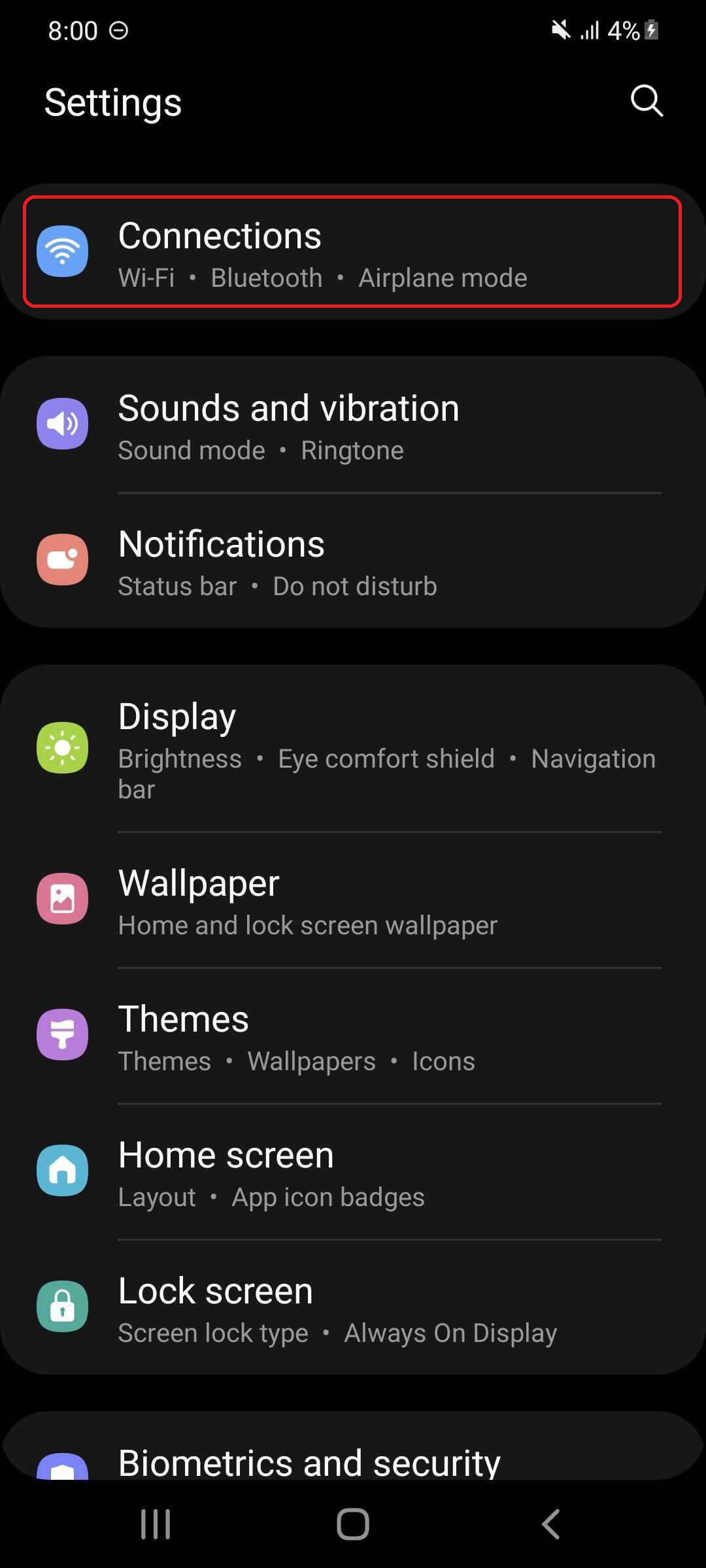
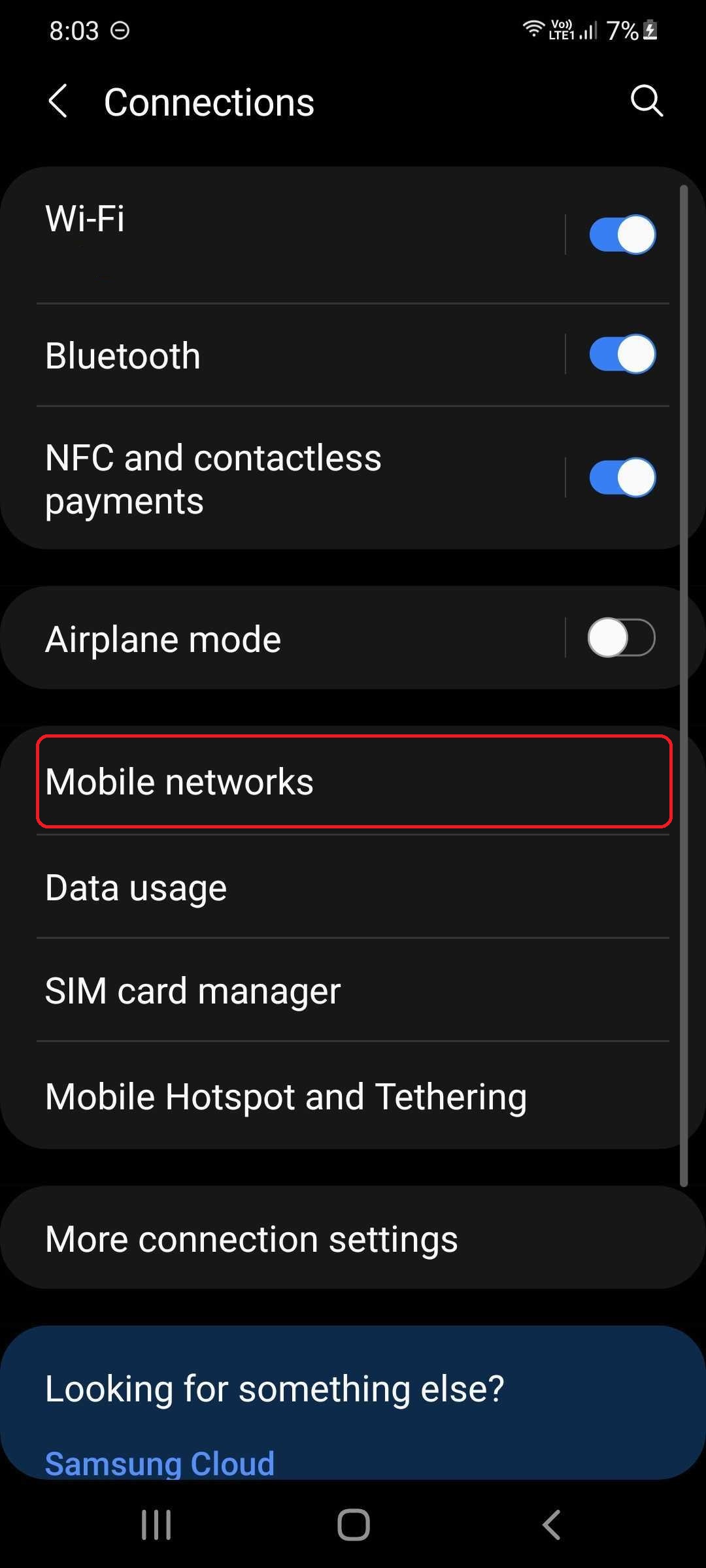
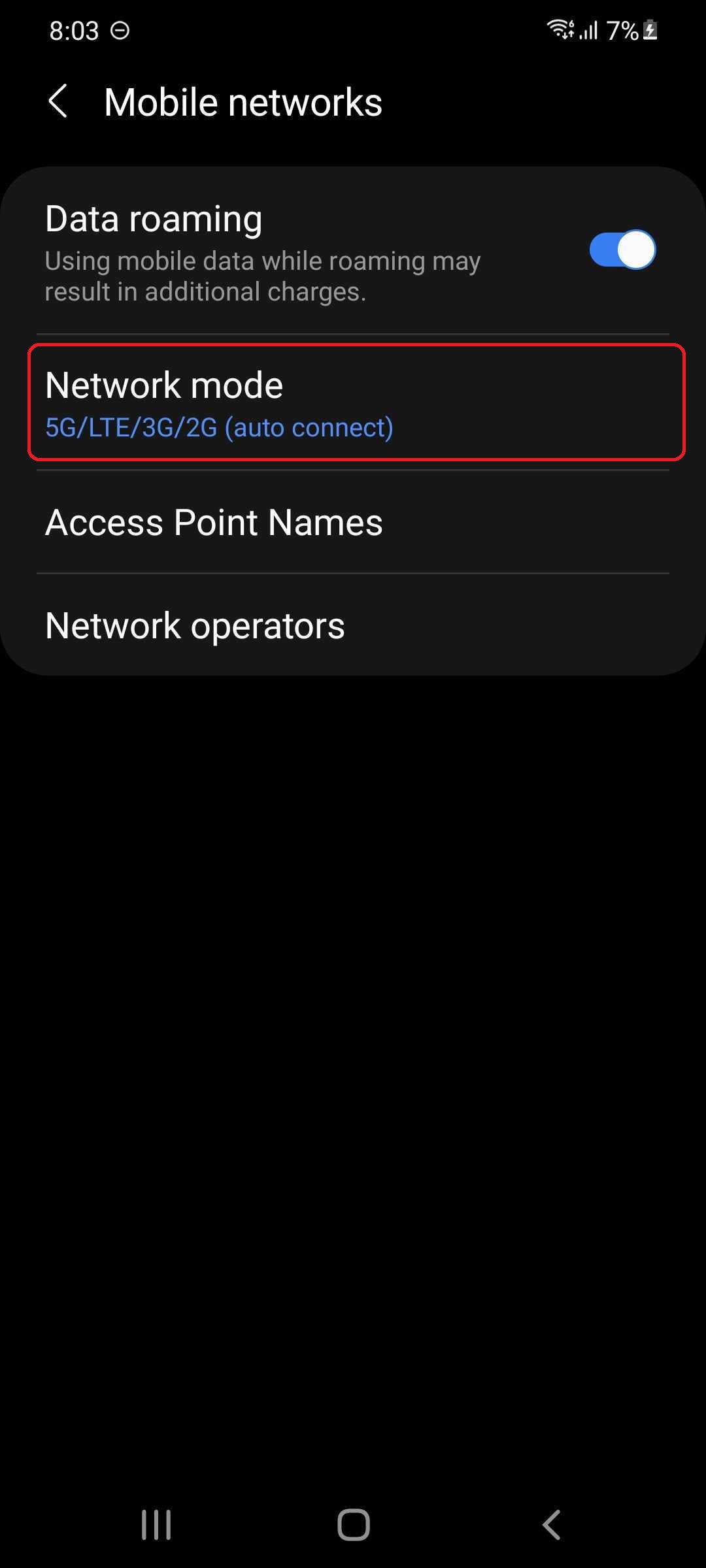
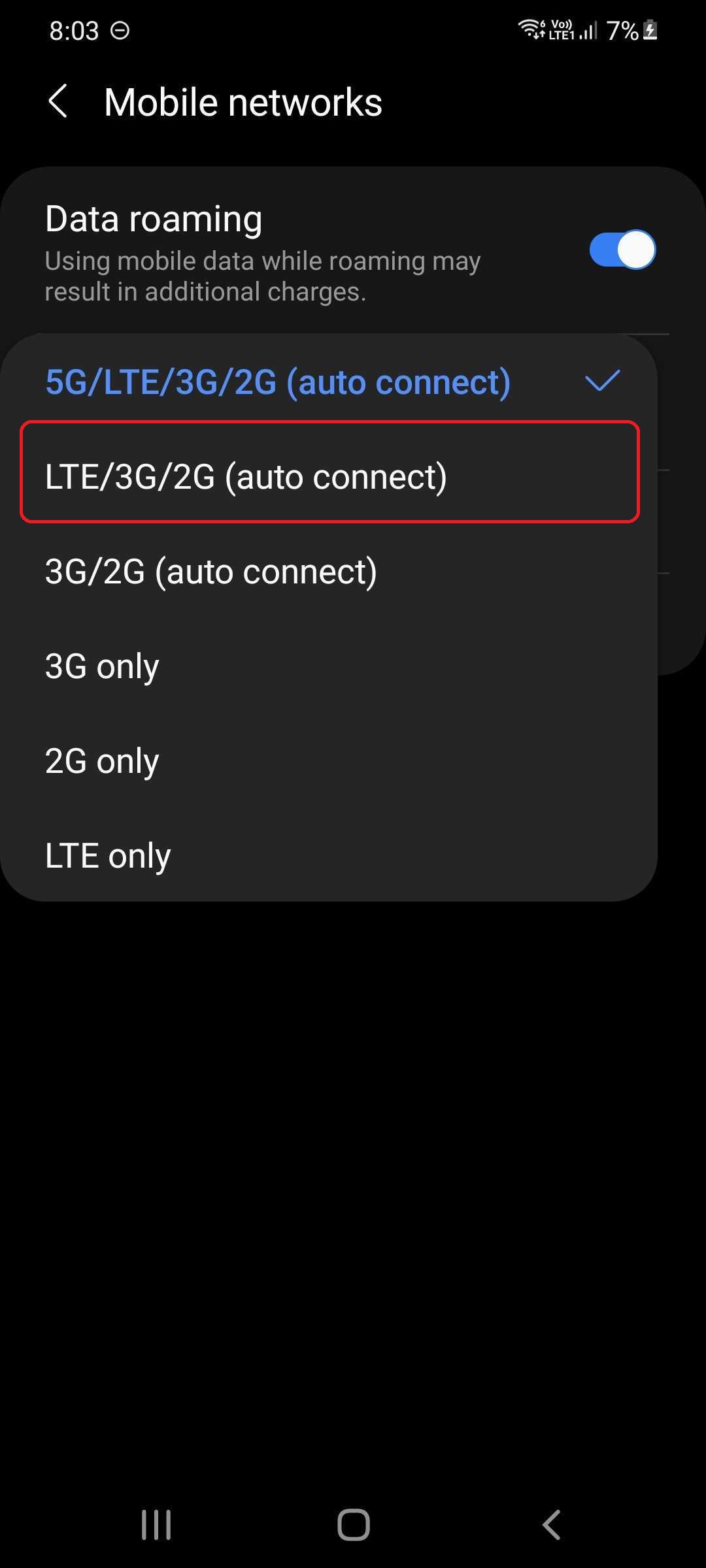
Keep in mind that your phone will automatically turn off 5G when it can't detect / connect to a 5G network, so it's not as if the 5G chip inside your Galaxy device will run constantly and consume energy for no good reason. But if you want to prevent your phone from even attempting to find 5G networks, you can simply limit the device to LTE or lower by following the steps above, and you'll be good to go.

Mihai is a blogger and column writer at SamMobile. His first Samsung phone was an A800 which took a lot of beating, and a part of him still misses the novelty of the clamshell design. In his free time, he enjoys watching shows, documentaries, and stand-up comedy; listening to music, taking walks, and occasionally playing old(er) video games.














