Managing screen time and phone addiction requires understanding your usage patterns and implementing practical strategies that work with your lifestyle. Digital wellbeing starts with recognizing problematic smartphone usage and using built-in tools to create healthier boundaries. This guide addresses common questions about reducing phone dependency and building sustainable digital wellness habits.
What is phone addiction and how do you know if you have it?
Phone addiction occurs when smartphone usage interferes with daily life, relationships, or responsibilities. Unlike normal use for communication and productivity, addictive behavior includes compulsive checking, anxiety when separated from your device, and difficulty controlling usage despite negative consequences.
Common warning signs include:
- Reaching for your phone immediately upon waking
- Checking it during conversations or meals
- Feeling anxious when the battery dies or you're without signal
- Using your device late into the night, affecting sleep quality
- Difficulty concentrating on tasks without checking notifications
- Feeling phantom vibrations when your phone isn't actually buzzing
The difference between healthy and problematic use lies in control and impact. Normal smartphone usage serves specific purposes and doesn't significantly disrupt your life. Addictive patterns involve mindless scrolling, using your phone to avoid uncomfortable emotions, or continuing usage despite knowing it's harmful to your wellbeing or relationships.
Physical and mental symptoms may include:
- Eye strain and neck pain from looking down frequently
- Disrupted sleep patterns
- Irritability when unable to use your phone
- Declining performance at work or school
- Reduced face-to-face social interactions
How do Samsung devices help you track and control screen time?
Samsung devices include comprehensive Digital Wellbeing features through One UI that monitor app usage, track screen time, and provide tools for limiting smartphone usage. These built-in controls help you understand your patterns and set meaningful boundaries without requiring third-party applications.
The Digital Wellbeing dashboard shows daily and weekly usage statistics, including total screen time, app usage breakdowns, and notification counts. You can view which apps consume most of your time and identify patterns in your smartphone usage throughout different days and times.
Key Samsung Digital Wellbeing features include:
- App timers and usage limits – Set daily restrictions for specific applications that turn app icons gray when limits are reached
- Focus mode – Temporarily pauses distracting apps during work or study periods
- Wind Down mode – Gradually transitions your screen to grayscale before bedtime
- Notification management – Pause notifications during specific times or activities with granular control
Wind Down mode can be scheduled to activate automatically, supporting better sleep hygiene by making your device less appealing while maintaining functionality for important calls or messages.
What are the most effective strategies for reducing phone usage?
Effective phone usage reduction combines practical techniques that focus on making your phone less immediately appealing rather than relying solely on willpower. The most successful approaches create friction between you and problematic usage patterns.
Home screen optimization strategies:
- Remove social media and entertainment apps from your home screen
- Keep only essential tools like phone, messages, and calendar visible
- Place distracting apps in folders or on secondary screens
- Create friction that makes mindless opening less automatic
Notification management techniques:
- Turn off non-essential notifications from social media, news, and entertainment apps
- Keep notifications only for important communications like calls and family messages
- Maintain work-related application notifications during business hours only
Environmental boundaries:
- Create phone-free zones and times in bedrooms and dining areas
- Charge your device outside the bedroom
- Use a traditional alarm clock instead of your phone's alarm
- Implement “phone parking” during focused activities by placing your device in another room
Replacement activities for phone habits:
- Deep breathing exercises when feeling the urge to scroll
- Stretching or brief physical movement
- Reading physical books or magazines
- Engaging in conversations with people around you
How do you create healthy phone habits that actually stick?
Building sustainable digital wellness routines requires gradually replacing phone habits with healthier alternatives and creating systems that support long-term behavior changes. Success comes from consistency rather than dramatic restrictions that are difficult to maintain.
Start with manageable changes:
- Wait 30 minutes after waking before checking your phone
- Put your device away during all meals
- Designate the first and last hour of your day as phone-free time
- Check social media only at predetermined times
Develop replacement behaviors for common triggers:
- When bored: Observe your surroundings or plan your next task
- When anxious: Practice brief breathing exercises
- When waiting: Engage with your environment or people nearby
- During transitions: Take a moment to reflect instead of scrolling
Create positive phone usage rituals by designating specific times for social media or entertainment apps. This transforms mindless scrolling into intentional consumption, helping you feel more in control of your digital habits.
Track and maintain progress:
- Use your device's built-in screen time tools to monitor improvements
- Celebrate small victories rather than focusing on perfection
- Notice positive changes in mood, productivity, and relationships
- Share your digital wellness goals with family or friends for accountability
What should you do when screen time limits aren't working?
When basic screen time controls prove insufficient, advanced strategies focus on addressing underlying causes of phone dependency rather than just limiting access. Persistent phone addiction often requires examining emotional triggers, environmental factors, and potentially seeking additional support.
Identify emotional triggers by examining:
- What emotions lead to excessive phone use (anxiety, loneliness, boredom, overwhelm)
- Specific situations that trigger compulsive checking
- Times of day when phone usage feels most compulsive
- Underlying needs your phone usage might be attempting to meet
Consider temporary digital detox strategies:
- Take breaks from your smartphone for several hours or full days
- Start with short periods and gradually extend the time
- Use breaks to engage in offline activities
- Notice how you feel without constant digital stimulation
Modify your physical environment:
- Keep your device in a different room while sleeping, working, or relaxing
- Create charging stations away from areas where you spend significant time
- Make phone access less convenient throughout your living space
- Remove phone chargers from bedside tables and work areas
When to seek professional support:
- Phone addiction significantly impacts relationships or work performance
- Digital usage affects mental health or causes persistent anxiety
- Self-implemented strategies consistently fail after sustained effort
- Underlying issues like depression or anxiety contribute to compulsive use
Explore alternative phones or settings that limit functionality while maintaining essential communication capabilities. Some people benefit from using basic phones during weekends or switching to simplified interfaces that reduce the appeal of endless scrolling.
Managing screen time and phone addiction is an ongoing process that requires patience and experimentation to find approaches that work for your lifestyle. Start with small changes, use your device's built-in tools effectively, and remember that developing healthier digital habits takes time. Finding the right balance between staying connected and maintaining wellbeing can be challenging, but with consistent effort and the right strategies, you can develop a healthier relationship with your smartphone that enhances rather than detracts from your daily life.













 Apple surprised Samsung on its own home turf
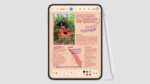 iPhone Duo's Apple Pencil support makes Z Fold 8’s missing S Pen harder to excuse
 The iPhone Duo didn’t make me jealous as a Samsung fan, the iOS 27 release date did
 Samsung used variable aperture to improve night shots, but Apple is taking a different approach
 I thought Samsung's Galaxy AI Call Brief feature doesn't work, until it did
 Samsung made history with foldables, Apple rewrites it tomorrow
 Why I miss when Samsung made weird Galaxy phones
 Apple sets the pace, but Samsung drives the heartbeat
 The two problems Samsung's FE branding causes for both average consumers and fans



