New ICS for the Galaxy S II. (I9100XXLPB)
A new firmware for the Galaxy S II is online.
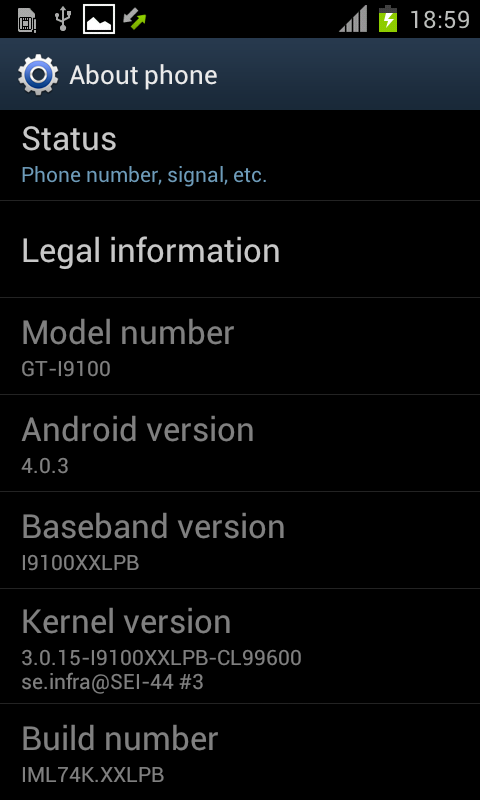
This firmware based on Android 4.0.3 and got some new things.
This rom is still in beta/alpha fase but this one is looking really stable!
We of SamMobile can say: This rom is ready for daily use.
Samsung planned Galaxy S 2 updates in March
Some information about the firmware:
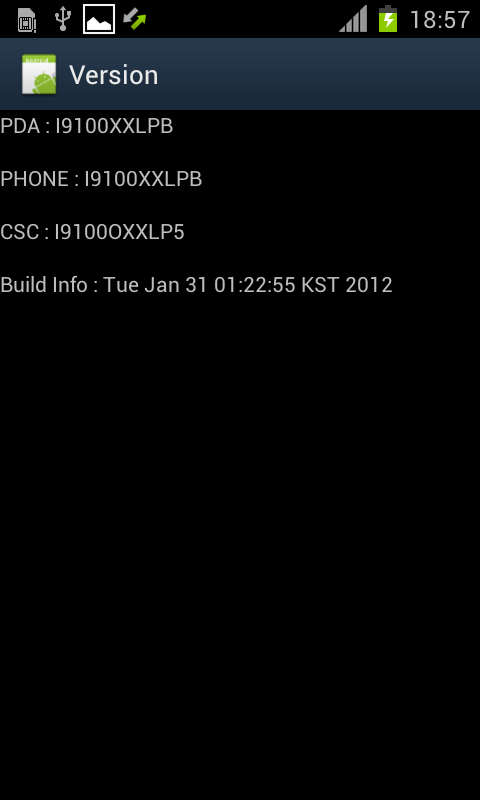
The firmware name is I9100XXLPB.
The date of build is January 31.
So only 4 days old!
We compared this rom with the latest ICS rom (I9100XXLP6)
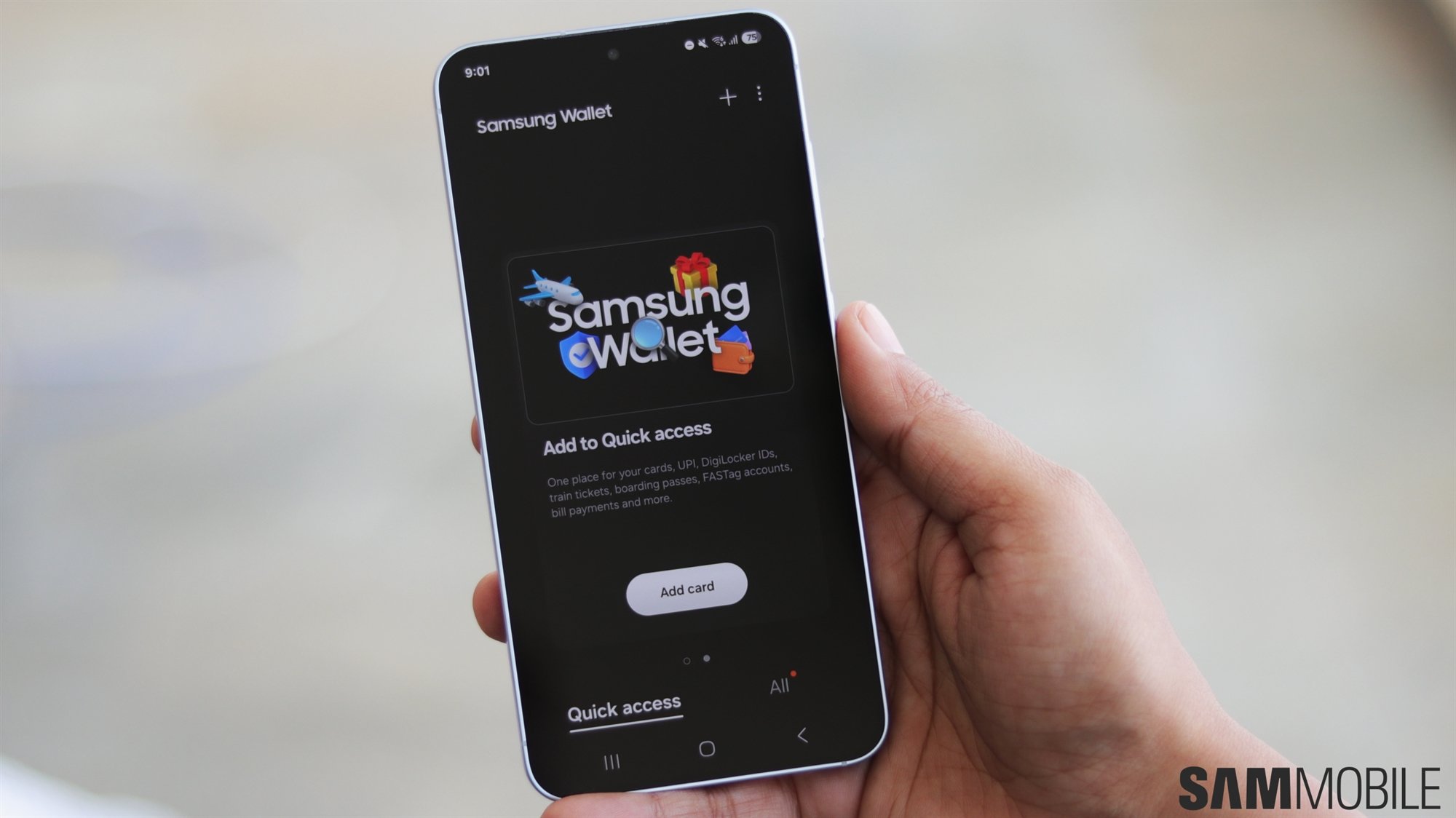
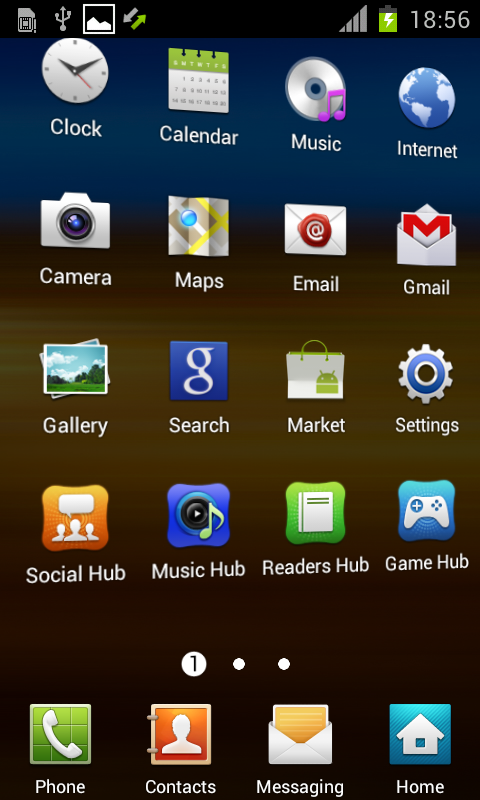
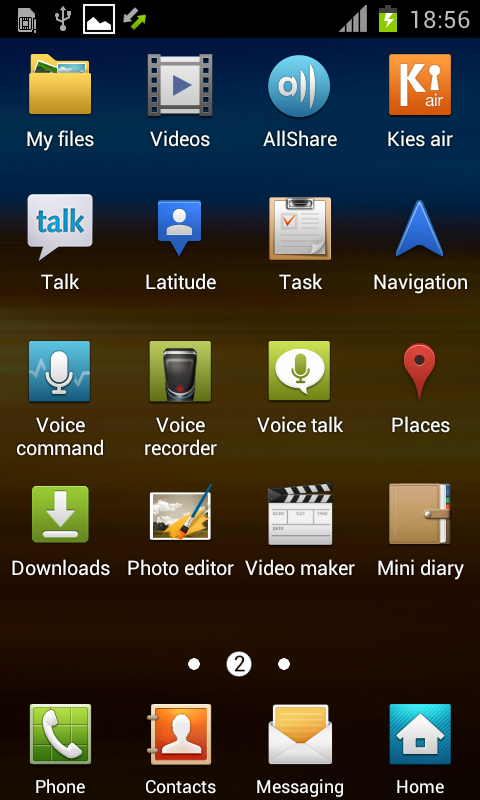
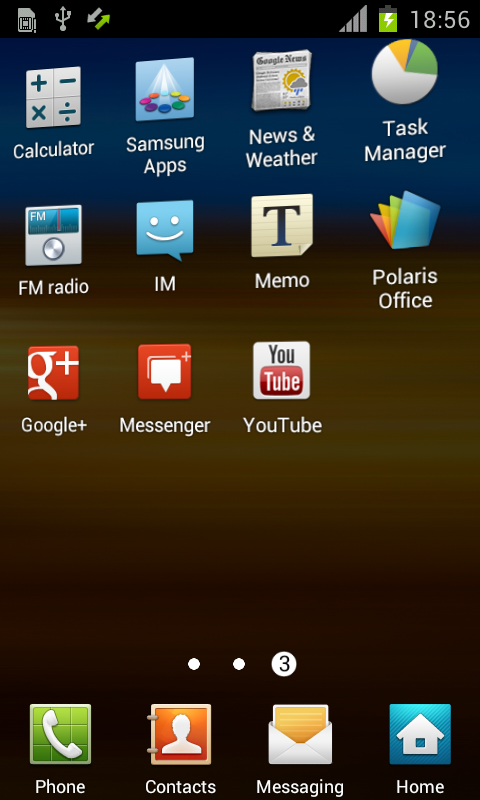
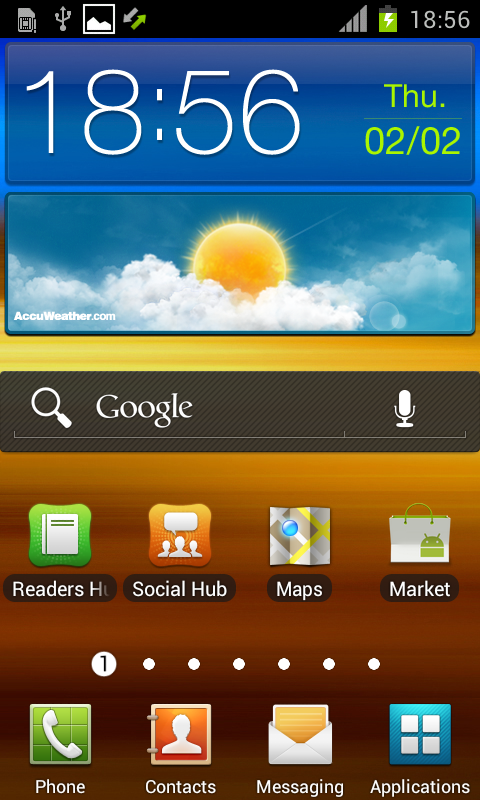
Check below for all information plus some pictures and a small movie.
If you want to download this rom go to www.SamMobile.com/firmware
If you want to talk about this rom check this TOPIC!
Changes we found so far…
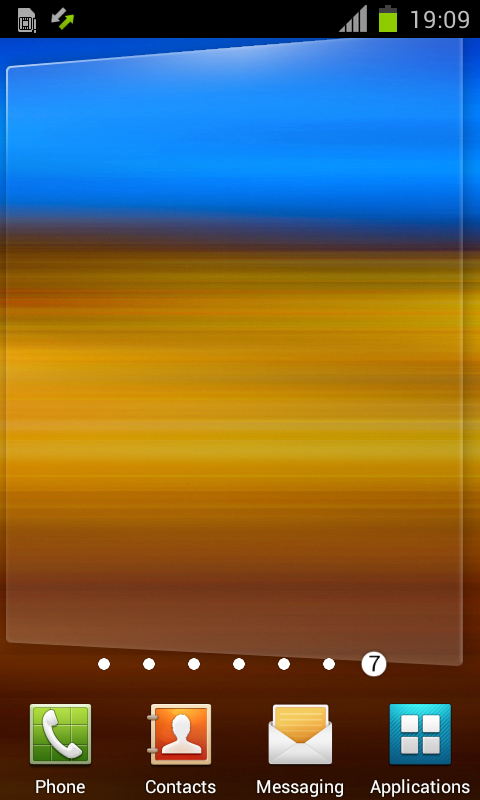
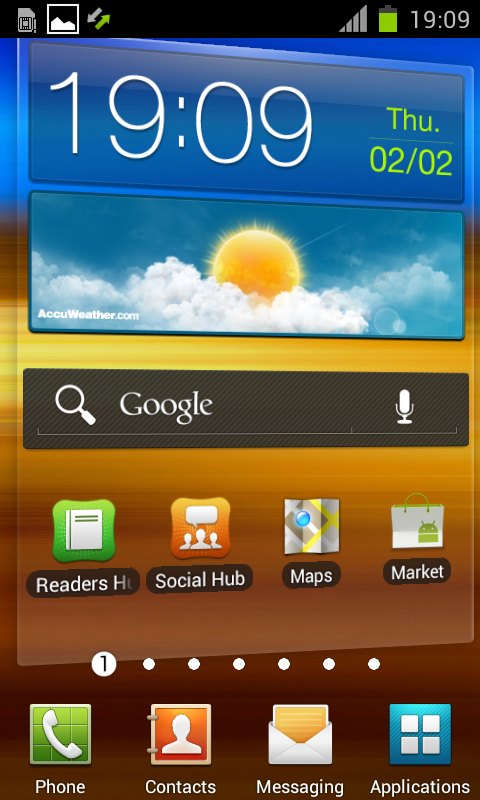
Interface: Kind of 3D effect when scrolling.
Battery: Lots better than early ones.
Faster: Feels the same as LP6
Touch: Same as LP6.
Overall: Better score in our eyes than LP6 .
Facelock: Same as LP6 working fine.
Task: Same as version LP6.


Changes we found so far…
Interface: Kind of 3D effect when scrolling.
Battery: Lost better than early ones.
Faster: Feels the same as LP6
Touch: Same as LP6.
Overall: Better score in our eyes than LP6 .
Facelock: Same as LP6 working fine.
Task: Same as version LP6.
Battery – LOST BETTER than early ones? you wanted to say LOOKS
Report this comment
GOOD JOB ANYWAY
!!!!
IS THE BATTERY BETTER OR NO? on LP6, there was a BIG DRAY OF BATTERY
Report this comment
ok thanks
Juliie zijn Heeeeeeeeeel goed jongens
Report this comment
wanna give it a try..;))
Report this comment
I guess they mean ‘lots’ instead of ‘lost’
makes sense
Report this comment
thanks
Report this comment
yes FRD, probably
Report this comment
Hope the battery can last longer..
Report this comment
just with the shi…. TW Launcher…
and not in blue … I hope the originalewill ICS Launcher will come .. like the Galaxy Nexus it is realy better even the Contacts, Email, Calender etc..
Report this comment
Does any one tried to install this ROM?
Report this comment
no internet working
Report this comment
try out te darkyrom! it comes with the ics launcher. anyway i will not update the firmware becase i don’t see any remarkable updates. just some poor visual upgrates.
Report this comment
Internet working fine make hardreset and set your APN.
Report this comment
this firmware looks like gingerbread. we want ics more similar to the aosp ics.
Report this comment
more change to the touchwiz in the dock
Report this comment
ICS launcher is ugly, i like more the touchwiz stuff, better more functions that less.
Only 5 Homescreens on ics this sucks, and some other stuff, it is boring after a week usage. But who cares, others that are using stock ICS launcher are installing anyway a other launcher cuase stock android was always boring and the launcher with the less functionality.
Report this comment
I cant get internet to work with apn settings, im on o2 pay monthly anyome else have same problem?
Report this comment
the new rom works well , wating for other update !!
Report this comment
any idea how can i delete the notification of upgrade sw. please.
Report this comment
hope samsung will remain the ics launcher, this just look the same like gingerbread =(, at least let the user to choose which to use then will be nice
Report this comment
I would like to have a faster camera, like Galaxy Nexus or Iphone 4S, i need to take many photos in my work… I would like OTA and automatic download of my apps
Report this comment
My centre “HOME Button” is not working on LP6.. Is it fixed in this version?
Report this comment
Just installed
Everything works fine ( i had trouble with 3g internet connection. Do a hardreset then set youre APN and everything works very nice! )
2 problems i found
1, touchwiz is on it
2, update notevication keeps hanging around on the top of the screen!
Lpb very nice
Peace
Report this comment
Superb firmware and leak by Sammobile.
If anyone want to have a installation guide check DialAndroid
http://www.dialandroid.com/2012/02/i9100xxlpb-daily-use-ics-rom-for-galaxy.html
Report this comment
Just tried it. Lots of improvement over previous version especially stability. Cant wait for the stable official release. Hopefully with an updated touchwiz. lol
Report this comment
ICS icons please.
and what’s up with the green battery??? they should put ICS icons so it would feel a TW ICS.
and i hate the samsung update in the upper drawer. Can’t remove it….
the only good thing on this the fast interface and 3d like feel.
i have read at XDA that GPS is not working properly. please update and fix some minor issues…
thanks!!!
Report this comment
Installed and looks good.
I haven’t 3g internet.
How did you :
- Do a hardreset
- set youre APN, normally, with all previous ROM configuration was done automatically, I don’t receive them from my provider.
Thanks for any help
Report this comment
@jpm5411
this FW will not take default APN settings from your operator… you need to get them again or add manually…
Rahul
DialAndroid.com
Report this comment
Again TW ****…… change icon and colour and remove tw
Report this comment
this rom can lock the network to 3g or 2g or not ?
Report this comment
@mo2005
Yes it can work on both 3G or 2G data.. the only thing i noticed is that you need to get the APN settings again either from operator or manually. This doesn’t take default APN settings automatically.
Rahul
DialAndroid.com
Report this comment
this new 4.0.3 rom can choose the network mode or not ?like the 2.3rom can choose the network mode wcdma only or gsm only or gsm,wcdma (auto mode)
Report this comment
Not bad, we hope that gradually things change, like files, change file plz not more folder plz make something diferent. for me I’m fine with the 3D TW but really do not like the TW but I think samsung did not listen to daily to its users soo nating yo said, Oh things like opening applications is very slow, the browser continues to lag in flash videos and music goes very fast i have the international version
Report this comment
@mo2005
Yes you can do that from settings>>wireless and networks >>more>>mobile networks>>network mode
Rahul
DialAndroid.com
Report this comment
battery: lost better or lasts better?
Report this comment
@Rahul
i try before the LP6 rom ,not the function network mode.
Report this comment
How to install tun.ko and cifs.ko in ICS? This is the only thing I need to use every day ICS on my S2.
Please ideas!
Report this comment
I tried this ROM. The touch is irresponsive. Seems too slow compared to LP6, on the other hand, GPS is working in this ROM. I went back to LP6 because of the performance issue.
Report this comment
I am using this for 5 hrs from now….there are only 2 problem as of now :
1. Upgrade Software icon which was there on Notification bar even in XXLP6, is still there — Any idea about how to remove it as getting error msg ” Processing Failed”
2. I am not able to configure my Hotmail Account in Email section — Any suggestion?
Report this comment
Hi there. Firstly, thanks for all the roms etc. Great work.
Just a few quick questions. I haven’t installed any roms on my SGSII since I’ve had my phone. So I’m fairly new to all this. (Had a Wave S8500 – flashing was a quick and easy task)
1. If I want to install this (official) rom, do I have to root my phone?
2. If I don’t have to root my phone to install this rom, will the warranty void counter be enabled
(Yellow notification triangle-thingy at phone start-up)
3. Do I need an SD card in my phone to flash?
Thanks
Report this comment
Hi,
How to get rid of “Software update” notification? Its really annoying…. If anyone knows please help how to stop it?
Thanks.
Report this comment
not any visually major changes over gingerbread i will wait till march i think..still great work sammobiles ,hats off to u guys.
———@Troffel @—- i will try to give ur answers.ans1-) no for official roms u do not have to root ur phone , you can just flash it by adin named software with ur (official) rom.
ans2–) first of all u should know this rom is not officially released yet, if u dont want to lose ur warranty update ur phone through kies only.(if ur country is quick with updates) and yes rooting ur phone will lose warranty,that yellow trangle comes only after rooting phone not by updating rom.
ans3-)no u dont need it atall. even cwm uses internal memory to update zip.if u uses it… so big NO. just back up all ur data beforeing trying this stuff ,good luck.
Report this comment
With that rom, i’m unable to access Android Market, i always receive “Network error”
I restored Android Market 3.4.4 and i still have this problem.
Back to LP6 who is working fine.
ps : internet connectivity is up and working (i can access gmail …)
Report this comment
This is probably the best ICS Rom ever!
Everything is working for me, even GPS and Market, Battery-life seem to be much better.
APN has to be set manually, when done working perfect!
Report this comment
Found bug/issue.
On Gingerbread you could switch vibration always –> settings –> sound –> vibration
But no there’s just an option for the vibration intensity and silent mode. Thus for me the option for always vibrate is missing?! Or did samsung put it somewhere else?
Please confirm or disconfirm this. by the way if anyone knows how to turn always vibrate back on, please let me know.
Thx
Report this comment
is this a wipe version or non wipe?
Report this comment
ROM is good. The best Beta ICS till now. Good progress Sammy and keep up the good work.
Report this comment
You can disable the update notification with titanium by freezing it.
All is working it s almost totally stable on this new release, no problem at all
Thanks Sammy!
Report this comment
I was looking forward to ICS when seeing the Galaxy Nexus but samsung still like to load TW crap on these devices. Looks like ill have to wait for a stable ICS custom rom!
Report this comment
this software update icon is really annoying.
If anyone did manage to remove it please let us know how.
Report this comment
Also no matter how correctly i put the settings for mms ,mobile doesnt send picture messages.
Report this comment
removed the software update icon. used root file manager (Super Manager), simply deleted the app from /system/app
system working fine without this app… to be honest, I don’t care about my warranty, I don’t care about TW (using Slide Screen), I don’t care about widgets, home screens, live wallpapers (any wallpapers), but it seems, that’s only me. everything is working just fine for me. and there 2-3 apps (which I use on daily basis) which need a root ROM, so I’m fine with being rooted.
thank you sammobile.com for this leak.
Report this comment
its working fine on my sgs2..good..
Report this comment
Atencion para los usuarios de orange españa que al igual que yo no podian configurar el internet , es decir las redes mobiles haced lo siguiente :
Entramos en el menú “Ajustes / Conexiones inalámbricas / Más / Redes móviles / Nombres de punto de acceso / le damos al boton izquierdo (el de opciones) y clicamos a nuevo APN.”
a continuacion creamos un APN para conectar a internet por la red telefónica escribiendo lo siguiente :
Nombre: orange internet
APN: internet
Proxy:
Puerto:
Nombre de usuario: orange
Contraseña: orange
Servidor:
MMSC:
Proxy MMS:
Puerto MMS:
MCC: 214
MNC: 03
Tipo de APN: default
le damos a guardar y ya tenemos las redes moviles perfectamente configuradas !!
Report this comment
pdt : los campos en blanco los dejamos marcados como no definido o sin especificar
Report this comment
Soy de chile e intente descargar mediante mi S2 y me arrojo descarga incorrecta alguna ayuda por favor. Gracias Slds.
Report this comment
I cant find the Canadian version under firmware. Might I be looking in the wrong place or is it even there?
Report this comment
It’s the most stable build by far. Thanks guys!
Overall, I can say that this can be used as a daily ROM.
You can read a full review at:
http://shetalksandroid.blogspot.com/2012/02/review-of-original-xxlpb-ics-leak-for.html
It’s really smooth, fair battery consumption, and functional on most aspects.
Report this comment
FIX FOR SOFTWARE UPDATE STATUS: (From forum)
Go to Settings > Apps > ALL (not Running) > Select Software Update (one with green icon) > Select DISABLE
Report this comment
gps still got problem ~~~any solution can fix it ???
Report this comment
@androidada: Thanks!!!
And thanks to sammobile.com for the firmware. With some quirks works almost perfect.
Report this comment
Forgive my previous comment. Turns out Im just a handytard who doesnt know how to work the internet.
Report this comment
On my Galaxy S2 italian version, the central push not work and the lock screen not is present.
Report this comment
no wifi, i can use telephone network, but battery looks better, only that I not like is the Touchwiz and that I can´t connect WIFI.
Report this comment
Time to flash guys’ i hope that works well at least. Thanks sammobile. Coming soon, my feedback…
Report this comment
I’m waiting for Camera Life Effects like Galaxy Nexus, can anyone tell me if this feature will be in Galaxy SII ICS ?
Report this comment
tired of flashing ics roms & again going back to gingerbread. i will give last try…..
Report this comment
GPS not working guys.. Does anyone has a fix for it yet.. I have tried GPSfix.zip but it did not work. tried to change the GPS satellite as well using System Toolbox, still it doesnt work..
Report this comment
Everybody got problems, running ics 1 day now. NO PROBLEMS
When i installed 3g whasnt working, fix: just set APN and done
Gps is working ( for me ) just make sure that not only gps is on but olso the location optios in the menu
Update notivicatio fix
Go to Settings > Apps > ALL (not Running) > Select Software Update (one with green icon) > Select DISABLE
Report this comment
The software update icon disappeared after letting yer phone check for updates. The market error disappeared after the first reboot. Tried it on three phones, all had the initial market “network error” but after the first reboot market worked fine on all of them. Google background services are asking for WAKE_LOCK and getting it, draining the battery (on my phone) in 3 hours. Apart from that it’s a nice rom for a alpha/beta (whatever it is). Kind of stable, turns off the screen every now and then but no serious hang-ups. I kinda get that samsung wanna brand their phones by putting TW on top of everything, I don’t say that I like it, but I get why they’re doing it. We can all go, say CyanogenMod, in a couple of weeks, right? Even though right now, without kernel sources available to fix ****ty things like hardware codecs and stuff, its not as good as this leaked rom (for everyday usage). I’m happy with this version. For me 2G/3G worked out just fine, no manual configuration required.
Report this comment
I find one problem with this rom: market Android apps can’t be started. Some body can tell me please why?
Report this comment
cant send pictures via mms no matter if i use the correct settings.
The internet keeps crashing.
Report this comment
Configuring APN never was a problem, give a name, apn name, save and ready, until you can install an APN SWITCH WIDGET to save battery, works fine in my opinion.
The UI look some interesting, by the style to scroll the desktops with that semi-3d effect, at least TW looks some different, the wallpaper now slides sweet and not framed like old ics roms, the TW in this rom have some interesting thing that makes it different from the xxlp6 ics rom.
The call user interface works fast when you make a call from TW, and returning to TW, without glithes, also changing between apps, or apps folders in the desktops, or simply configuring, watching options or settings, changing wallpapers, the same gallery.
Still left me test the camera, multimedia, bluetooth, mail client, and video performance on games. Well, i have installed several apps that use in my job, having advantage over all sensor, still haven’t problems.
Maybe that SAMMOBILE have reason:
“This rom is still in beta/alpha fase but this one is looking really stable!
We of SamMobile can say: This rom is ready for daily use.”
I’ll continue testing on daily use.
Good luck guys!
Report this comment
there is not Subnet mask.
can’t setting Static ip.
Report this comment
With the new version I suddenly have strange issues with touchscreen. To write this text I have to do what an iPhone User would call a death grip to make the touchscreen work. Otherwise it jumps, or does not react at all.no chance to edit this text at all, because no fine touching can be performed.I write this text partially blind, because the browser jumps over the whole site as I would do some touching and scrolling…
Report this comment
@billy78: System Settings/Wi-Fi/Long Tap on your Network/Modify Network
Report this comment
not fully functional . no msn mail and no market.
Report this comment
i set my APN manually but still no 3G/H?
what do i do wrong????
Report this comment
p***word pleese,,
thx
Report this comment
So far there seems to be much better battery life in standby (I flashed the phone before bed).
Also, the signal level indicator icon actually works now. Wifi has upload and download arrow indicators and 3G and H+ networks are displayed using Bell Canada network.
One issue is that my keyboard has the “Y” and “Z” keys switched. So, now I am using a QWERTZ keyboard instead of a QWERTY keyboard. Haha! Either way, will check into the keyboard issue and/or replace it with another from the market…
Glad I flashed this release as the previous ICS version was beginning to become quite frustating.
Thank you sammobile.com!
Oh, and thank you to Chainfire from the XDA Developers forums for creating the Mobile Odin application as it made flashing / rooting / etc. so much easier! I recommend checking this out if you flash firmwares a lot.
NOTE: Sammobile should change the p***word on firmware archives from “samfirmware.com” to “sammobile.com” to reflect the new website change.
Report this comment
Hi I have question. After this update SGS2 have problems with autofocus in camera recorder ?
Report this comment
Oh, and my APN needed to be manually re-entered. Minor inconvenience…
Report this comment
This new site sucks, have to find download links elsewhere…
Report this comment
Works like a charm, a few things to care and its perfect.
Internet APN worked by default for me.Didnt have to configure anything at all.
ALSO IPSEC VPN works perfect now.
Report this comment
I did install the Ice Cream Sandwich, looklike the same. The phone stop all the time, the baterry is worst that in the 2.3.4. Many apps lock the galaxy. Furthermore the phone vibrates all the time. I want my 2.3.4 back, how can I do that?
Report this comment
When I remove the widget the fone stop the vibration..
Report this comment
got mine working great with Bell here in Canada, but now the Crackle app won’t work, just goes to a blank screen when the video is about to start. I even upgraded the Adobe flash.
Report this comment
Flashed this morning and everything ok. Only a litlle trouble to configure APN (Yoigo – Spain). Just send an sms with TODAS to 2250 and you’ll get automatic configurations for internet and mms.
Report this comment
I have been using this rom for last 2 and half days. So far this is the best
ICS rom…….only one problem i have got is Skype video quality is not good.
Report this comment
Is this package a wipe or non-wipe package?
Report this comment
Best one yet, I am still having Bluetooth issues when connected to my car, randomly reboots, at least the GPS works…
Report this comment
OMG we are so close for ultimate awesomeness!!! checking every single hour for the latest update ! sooooo close i can smell it !
Report this comment
APN and packet data did not work and tried wiping the data and still no go.
Will try to reflash it and check.
Report this comment
Hi dudes, i installed this ROM 2 days ago and noticed 2 issues: cannot choose between 3G and 2G network mode and GPS is not workingt at all. Does anyone have the same problem and had ir solved??
Had no problems with APN settings i worked fine with my carrier (Telcel, Mexico) and had not to set manually.
Report this comment
Twlauncher always fc after 1day i’m using it. cannot be my daily driver
Report this comment
Can anyone help me to check this out?
After I flash the “no bugs” LPB, I cannot install some of the apps from market.
Just take a try, “Zombie Dash” cannot be installed.
Do others have the same prob?
Report this comment
After installation Power key and home button is not working
Report this comment
Posible solution for some problems , 3G, keyb,etc.: This firm is multi CSC and by default it installs a “rare” one, for me.
Use *#272*IMEI# and search the better for you. In Spain select FOP and then all spanish providers are disposable.
ATENTION: This change wipe the configurations and apps, then it’s better doing this process just after the upgrade or make a back up first and restoring later.
Report this comment
looks fine. but can’t handle games like avatar, asphalt6 and sometimes touchwiz stucks too. still not ok.
Report this comment
eheh
I’m sick to update the roms.
Now I’ll keep the official xila2 until the offical new relase…
Report this comment
Looks good
More stable then before but mms didn’t work
Report this comment
Still no GPS Navigation! finds me in Maps but wont navigate me anywhere…really annoying
Report this comment
Software Disclaimer says “software update processing failed” any kinda help, i am from kuwait
Report this comment
Another small bug: if you write a bit fast in the address bar (default navigator) it will close. While typing slowly it keeps working and ok.
Report this comment
The most stable ics rom . . Thank you for the leak sammobile!!!!
Report this comment
IMO its not a daily driver. Its lagging way way too much, and several of my apps kept force closing. Mind you apps that works fine on 2.3.6. And that being apps native to the phone.
So I think I will wait for the official one from Samsung thank you.
Report this comment
Flashed it now for the third time, set the APN countless times, dis a couple of soft/hard resets, battery in/out, but no internet! Even flashed a Gingerbread build in between (and that had working 3G instantly).
So I really wonder how you guys manage to get 3G internet working on this build.
Report this comment
Turns out there is no XEN CSC for the Netherlands in this build!
That does it!
I’m going back to Gingerbread. Couldn’t see much differnce with ICS anyway.
If you select the same background picture, the only thing you notice is a different menu and shorter battery life
Report this comment
Esta ROMs, no te permite instalar algunas APP como son las de televisión digital tal como TDT a la carta … y todas las parecidas …. parece que le quiere ahorrar baterias y …bit a las empresas de teléfono …. De lo demás está muy buena para uso diario … !! La KK5 sigue siendo la mejor de todas !!
Report this comment
This is a great ROM with the right tweaks. Virginmobile/Bell Canada, and all (mobile/GPS) are file. Add the APN manually, gps is stable. Flashed CF-Root. Flashed Nova Launcher (much prefer it over TW), set it to black wallpaper, Auto Brightness off (major battery savers). No real problems with apps (one restarted it out of nowhere). Froze a lot of bloatware with Titanium Backup. I’m getting 1% battery loss per hour (did full wipes before flashing).
One MAJOR problem (apparently with all of the derivatives of this ROM) is that NONE of the VPN types work. I tried flashing a number based on this one, and all either have timeouts on L2TP, or “Uncuccessful” on PPTP. apparently. tun.ko (and cifs.ko) are missing. The Tun.ko Install app reports tun.ko as loaded, but then no tun.ko available (or installed if you search for it). This apparently has to be compiled into the kernel/has to be compatible, so I don’t know if any are out there. Regardless, I use it as a work driver, so that’s one feature I’ll have to work around. For many on a long thread across various devices (including the Nexus) on another XDA forum, this is a major dealbreaker that Samsung had better deal with this, or they can kiss this distribution goodbye as a viable business alternative — quite a number of people use the VPN functionality.
Overall, however, it’s a good, stable ROM.
Report this comment
Using it for a few days now. Very stable rom.
Gps works, 3g, wifi, market and all apps.
This is only for the international version, maybe thats why al the problems!
I got the same gs2 as everybody here. And i have zero problems! VERY STRANGE!
Report this comment
All praises for this ROM.
GPRS, 3G, GPS, WiFi, Sensors, Touch Screen, Face Unlock….all working fine
missing bits in the browser (compared with nexus S / 4.0.1)…bookmarks access and quick controls are incomplete
need ICS launcher else alpha sort on TW application grid (I prefer ICS launcher)
Report this comment
is it works on i9100g ? what will happing if i install this on device
Report this comment
hi, after flashing the new firmware my home button only wake up the screen!. I CAN’T start the task manager!, also double klick / long pressing dosen’t work.
Is there a solution to bring back the full function?
with regards 4info.
Report this comment
xxlpb not work MMS.
Report this comment
Hi guys back with my report after a few days of use.
The following things should be fixed:
Still missing the option to turn vibration on all the time.
Sometimes short messages won’t arrive even a reboot doesn’t deliver the missing short messages!
Can’t send or recieve mms.
Background synchronisation doesn’t work as it should. Sometimes it doesn’t even work anymore and just a reboot helps to get it working again.
GPS works every now and then.
I manually had to create my carrieres APN (vodafone germany).
It is a bit laggy every now and then also I don’t do any multitasking.
Sometimes it drains much power sometimes it very battery saving (Android OS sometimes sucks my battery empty) – kind of strange!
Every now and then the can’t use my data network so I have to reboot and when checking the battery stats after such a reboot, the system displays that the system is running just for few seconds – it seems to me that the systems hangs up and starts back like if you removed the charger.
Sometimes when using the dialer and I got contacts with the same name I can’t expand the contacts to choose the right contact! Very annoying!
All in all it’s fun to use but in my eyes it is not ready for daily use, cause there still to many issues left which need to be fixed first!
Report this comment
TW has bad visual v.s ICS launcher but has more function.
How can u make folder in apps page with Trecbuche or Nova launcher ?
TW of SS can do it. I always group apps in folders
Report this comment
Works very nice, except from GPS
Report this comment
this rom drain battery like a fool
Report this comment
Not rly yamen. Battery works good here. 2,5 days without charging.
Report this comment
2 days here, there’s nothing to mention !
Good job !
Report this comment
I installed it yesterday, with 98% batt, now ~16h later (making calls, videos, watching youtube, listing FM Radio, etc), it’s 42% batt, without charging, it looks be really better.
Report this comment
bonjour
ROM installe elle fonctionne très bien
le positif : la radio fonctionne bien , meilleur fluidité ,plus de blocages ,plus de redémarrage ,le niveau batterie stabiliser .
négatif : pas de détection 3G . APN fournisseur d’accès téléphonique est a installer manuellement
dans l’ensemble cet rom fonctionne bien ,ont est prés de la version finale
bon boulot!!!
Report this comment
Hello
ROMA installs(settles) she works very well
The positive: the radio works good, better fluidity(flow), more blockings, more restart, the level battery(drum kit) to stabilize.
Negative: no detection 3G. Phone APN access provider is has to install(settle) manually
Altogether this Roma works well, have is meadows of the final version
Good job!!!
Report this comment
I can not I run the third-generation service
On my samsung
How can run the service on the Orange Jordan
Report this comment
Seems ok , Have handledf the minor mentioned problems. But Still unable to configutr my hotmail account ! Am i the only one?
But job is very good !
Report this comment
Just wanted to share. This version is running fast and its stabile! Everything works! A couple of versions before were good, but phone kept soft reseting at least once a day. But this baby is running smooth with lots of apps and google services enabled. Lovin’ it!
Report this comment
I just in the morning install this new ROM, I had troubles with the internet connection, but was solved after configure APN (I wasn´t had this trouble with the previous ROM version LP6). The another issue is related to the Kies backup, since it was not reloaded, also the Kies doesn’t inform any trouble in restore.
For those who has troubles, remember first unlock your phone with the operator before start the Odin process. Make your backups using google and maintain the sync updated.
The battery was really god, I had some locks with the settings app, and the software upload notification is still there after reboot, and disable the app.
Regards from Colombia.
Report this comment
How to remove the software update from notifications pleasee help me i dont like that to have that there. thanks.
Report this comment
@facckmir
Go to Settings > Apps > ALL (not Running) > Select Software Update (one with green icon) > Select DISABLE
Read post before you ask!
Report this comment
Camera not working well is slow and not good quality. how to fix it?
Report this comment
I had problems with the apn i tried with several and nothing even my carrier email me the one they use and nothing i don’t know if i am doing something wrong but i have back to the 2.3.6 and i got my 3g back.
Report this comment
How i download the andriod 4.3.0 for my S2
Report this comment
Samsung thank you for your work, but stop Touchwiz or the opportunity to turn it off. Google prefers the version.
Report this comment
Face unlock is unlocked pressing the back key…
Report this comment
No only back, but ANY key
Report this comment
Missing ICS folders
Overall great rom
Great Job!!!!:):)
Report this comment
Android 4.0 os
Still looks the same with some ics tweaks!?
This is not realy ics! Hope that end feb thay will make same changes!
This looks like touchwiz with some ics tweaks!
Report this comment
Good for me, love it, works fine.
I believe Samsung should use ICS icons as well…
Sometimes is freezing but this is not so bad for a Beta
Thank you!
Report this comment
HELP!
Why does everytime I upgrade my phone to any Ice Cream Sandwich firmware, my home button would not work, video does not work, there is no lockscreen, my phone turns off by press holding the sleep button for only 1.5 sec. I always end up going back to gingerbread. I hope somebody would advise me.
Report this comment
Samsung should take off touchwiz from ics. That´s not what we, users, want. I´m starting to regreat buying sgsii, should have waited for nexus :/
Report this comment
Is there any way to take social hub apps off the phone?? They are always running in the background as a service.. And if there is a way to get the galaxy nexus launcher i the sgs2 please?
Report this comment
Is it compatible here in asia? im new at this stuff so please help me. thanks!
Report this comment
Hi everybody,
For those who have a premium car phone system (like audi, volkwsagen, mercedes, nokia 6xx, parrot ck3500…), the bluetooth sim access profile (SAP/rSAP) is still not supported.
So th XXLPB is unusable in this kind of car phones.
I hope that Samsung did not stop the support of rSAP.
Report this comment
home button won’t exit apps. No lockscreen. sleep button shuts down the phone after 1.5 sec.
besides from that it is a great update.
Report this comment
Any Idea about Galaxy Note ICS Leaks??
Report this comment
I have installed this firmware, it looks stable but i found this:
- no random restarts
- wifi working
- camera working with photos / videos
- 3g worked but after i deleted the APNs and added again, not working anymore
- Various programs which worked on 2.3.6 crashed on 4.0.3 XXLPB (go contacts ex, apn manager, facebook app doesn;t load anything on 3g just on wifi)
- seems stable.
THIS BIGGEST PROBLEM:
- the phone looked that it was on the network (signal full) but nobody could call me (the operator saying that my phone is off or not in coverage) and i could not call anyone. Didn’t work with restart from the phone menu, just with power off and on again.
I’ll go back to 2.3.6 for a while
Report this comment
GPS ohne Funktion, Datenverbindung ohne Funktion, keine rSAP Funktion möglich = sehr instabil
Report this comment
Tried the new ROM, but i didn´t have WLAN or 3G, so not usable for me right now. The previous Version worked better with my phone. But after a few days the battery was getting hot and i switched back to 2.3.6
Report this comment
My GTl9100 has now build no. lCS.XXLP2 and 4.0.3 version with baseband I9100XXLP1.Did it recently How good is it?any sugestion. Or if to change how can i do it .
m experiencing little lagging on screen swipe, and data keeps activating on its own, also the network keeps droping and going to flight mode.
Help me. SAM and all here at the forum .
Report this comment
I have downloaded the official gingerbread XWKK2 I9100KPNKJ1 but is any installation guide please?
Thanks.
Report this comment
To anyone having problems with the stupid Software Update notification, this solution worked for me so I hope it will help you guys out.
1. Navigate to the Apps menu (Settings>Apps) and select the “All” tab
2. Scroll down until you see 2 different “Software Update” apps next to each other
3. There should be one with a green icon, you want to select this one
4. It should now give you the option to “Force Stop” or “Disable”
5. Hit “Disable and good bye stupid notification
I hope this is the solution you guys are after!
Report this comment
The only problem I’ve experienced with this firmware so far (aside from the stupid notification thing) is that my gallery will crash if I try to apply a new home or lock screen background.
I can still browse the gallery without any problem and apply live wallpapers with no problem either. Apart from that, this firmware is the best and most stable release by far (until the next one).
Report this comment
anyone can tell me if multitasking is working before i install it?
Report this comment
SHIT TW…..SUCK AGAIN..REMOVE IT
Report this comment
when i use odin and select the 3 files pda, phone, csci got this error:
GT-I9100-MULTI-CSC-OXALPH.tar.md5 is valid.
Checking MD5 finished Sucessfully..
Leave CS..
Odin v.3 engine (ID:4)..
File analysis..
SetupConnection..
Initialzation..
Set PIT file..
DO NOT TURN OFF TARGET!!
Can’t open the specified file. (Line: 1876)
All threads completed. (succeed 0 / failed 1)
what does it mean? =(
Report this comment
Guys can some one help how do i go back to non rom and offical firmware like the old one someone pls help pls pls help
Report this comment
Excelente recien lo instale y no me dio problema alguno, lo unico que no me gusto es que trae la interfaz touchwiz, hubiera preferido la interfaz original de Android 4. Por lo demas todo bien, puedo navegar en internet, tomar fotos, llamar por telefono, recibir y enviar mensajes.
No se me ha congelado con nada de momento, lo recomiendo.
saludos.
Report this comment
Any ICS for I9100 works well. Return to KL1 !
Phone frieze using games or applications.
“glob trafic et radars” don’t remind our personnal settings.
Only half of Facebook pictures appear in contacts.
Meteo in locking screen don’t works always
Which is the best and most stable ICS rom for I9100 ?
Thanks for the response
Report this comment
Pingback: Galaxy S II’nin ICS ROM’u Sızdırıldı | Techno-Labs
Pingback: Samsung Galaxy S II: Ice Cream Sandwich-Firmware XXLPB verfügbar