Cyber week deals! Galaxy Watch8 Classic, Fold 7, S25 Ultra. Follow us on YouTube, TikTok, or LinkedIn
Last updated: July 17th, 2015 at 20:10 UTC+02:00
SamMobile has affiliate and sponsored partnerships, we may earn a commission.
Reading time: 6 minutes
Android 5.1 for the Galaxy S6 and Galaxy S6 edge has to be among the most anticipated updates to the OS in history, despite being relatively minor in terms of new features. That doesn't mean it isn't important, as it fixes the horrible memory leak issue in Android 5.0 Lollipop. What it didn't fix is the horrendous memory management on the Galaxy S6 and S6 edge, but it does bring a couple of new features and changes/improvements.
Most of these changes are not easily noticeable, so if you're rocking the Galaxy S6 or S6 edge, here's a list of what Android 5.1.1 brings to Samsung's greatest Galaxy S flagships.
New camera features
New battery power optimization option
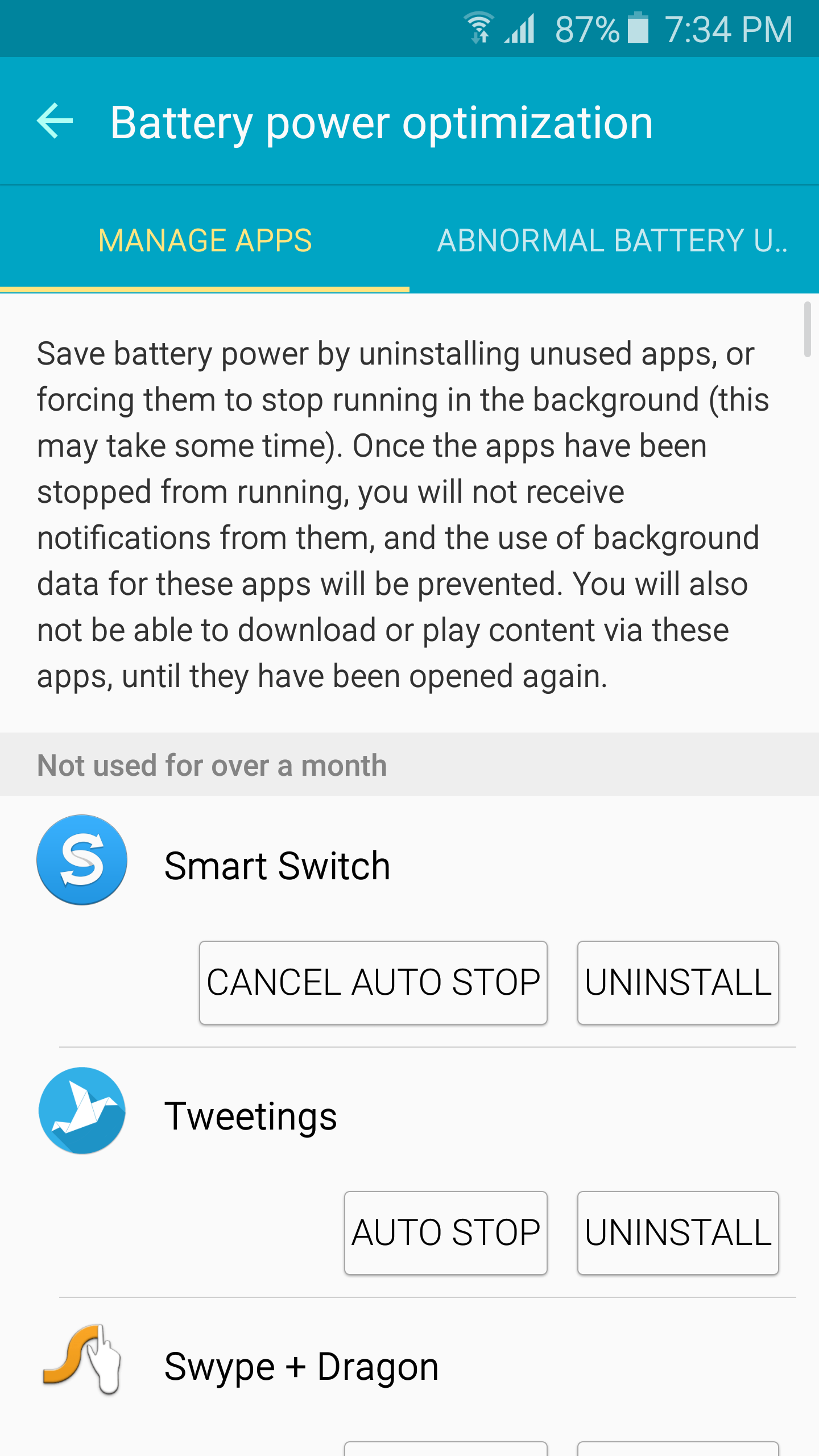
You're probably not alone if you have never been able to get the DETAIL button in the battery usage stats (under the Battery power optimization tab) to work. This option is for detecting apps that use an abnormally high amount of battery, and in our case, we have never actually seen the devices detect any such app.
With Android 5.1.1, that still seems to be the case, but pressing that DETAIL button now takes you to a menu where you can uninstall unused apps and set some background apps to automatically stop running. Hitting the AUTO STOP button will make these apps stop after 10 minutes, a delay that is no doubt there to allow these apps to finish whatever it is they might be doing in the background.
Apparently, an app set to auto stop will always quit running in approximately 10 minutes every time you open them. This should come in handy for apps that you don't use very often, and even when you do, you don't need them to keep running in the background once you're done.
Rotate button in the calculator
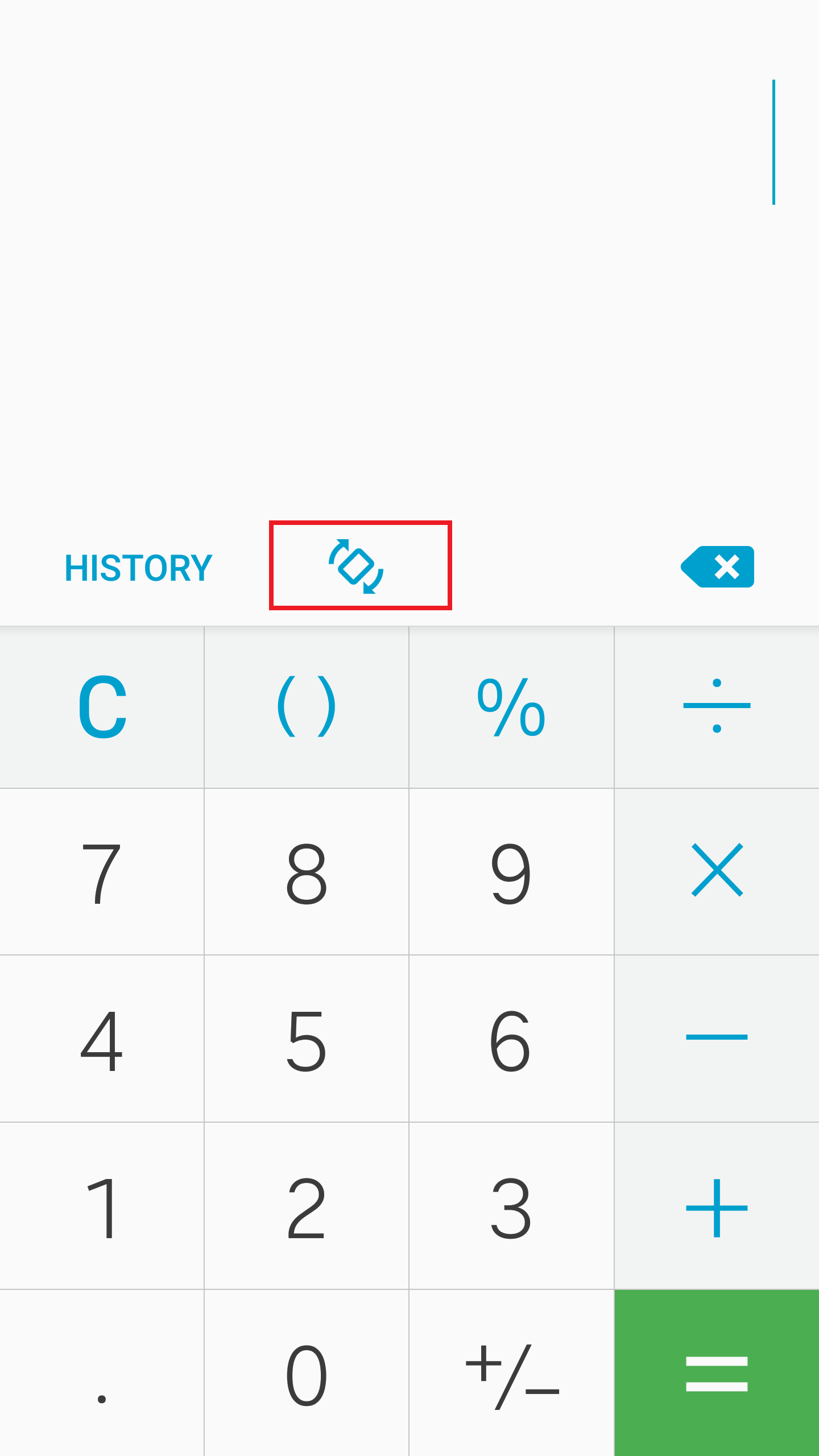
If you have the screen rotation setting off on your phone, you will now see a button in the calculator that allows you to switch between landscape and portrait mode. This option doesn't show up if you have screen rotation set to on across the system, which is a nice touch. A rotate option like this would certainly be useful in apps like the gallery as well, for those that keep screen rotation off but have to turn it on when they're checking out pictures in the gallery, and maybe Samsung will add one to more apps with future updates.
A – Z sorting in the launcher's app drawer
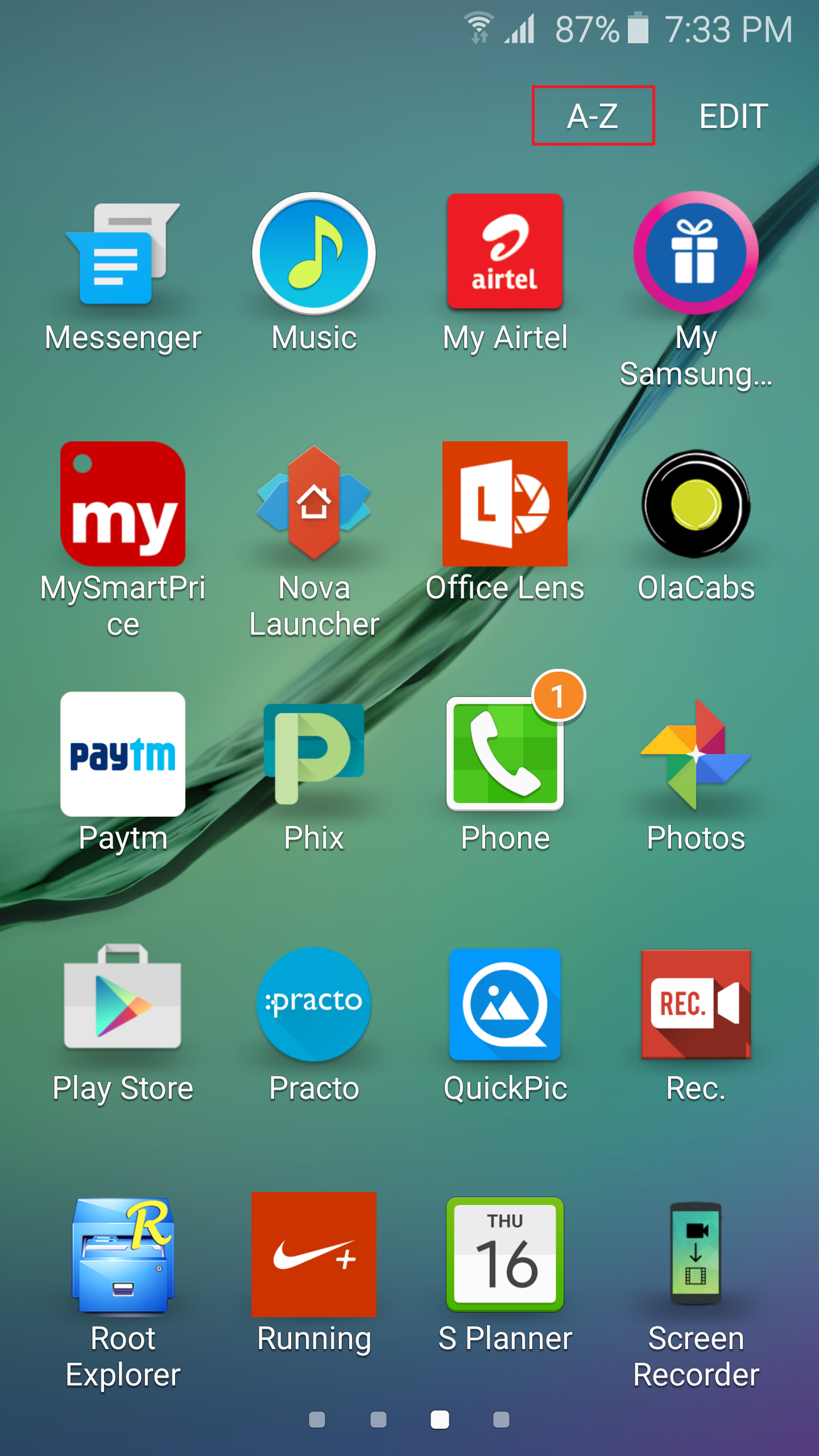
You can now sort the list of apps in the home launcher's app drawer in alphabetical order, something that should never have been absent in the first place. This sorting can be done by hitting the A-Z button at the top in the app drawer, though this doesn't still work as it should – you will need to sort the list again after installing or uninstalling any app, which could be a nuisance if you keep trying out new apps regularly.
S Finder and Quick Connect toggles in the notification shade can now be disabled
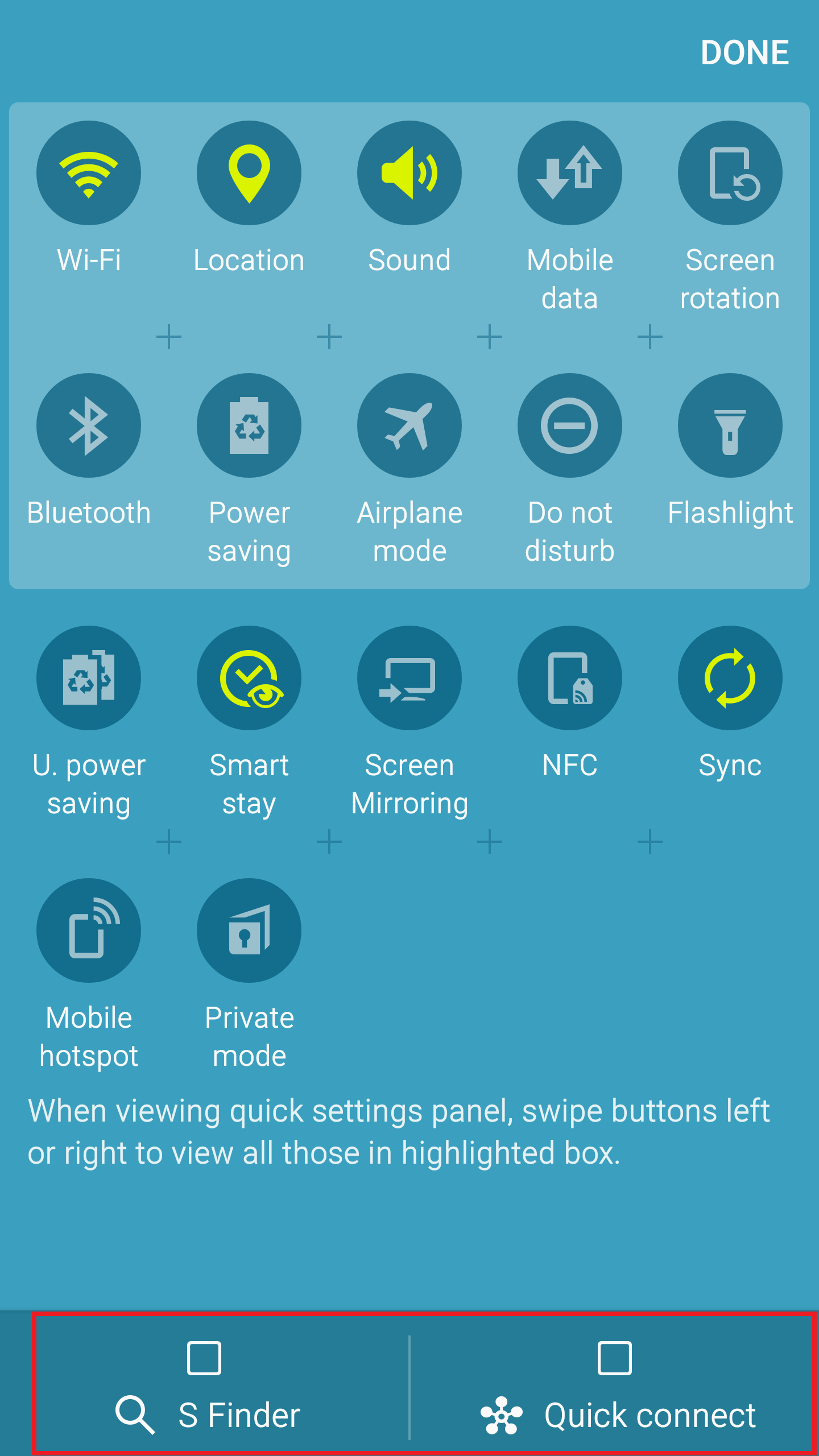
This is probably the best example of a change that is small but is likely to make a lot of users happy. You can now remove the S Finder and Quick Connect toggles from the notification shade and reclaim the space these toggles take up. To do so, just drag down the notification shade, hit that EDIT button at the top right, then uncheck the S Finder and Quick Connect options at the bottom, then hit DONE. You don't need to disable both – you can disable either of the two, which will make the enabled option take up the entire width of the screen below the quick settings toggles.
Motion effect in wallpaper settings
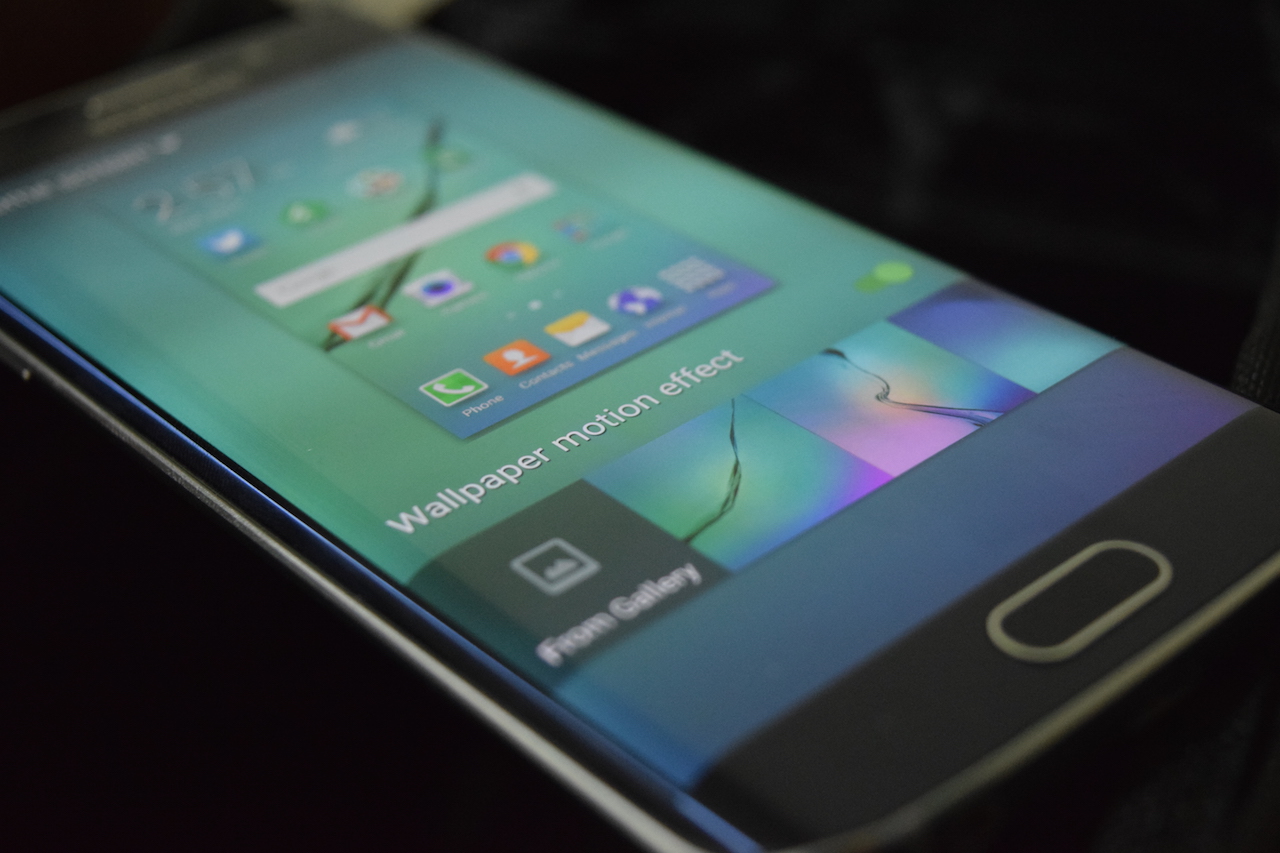
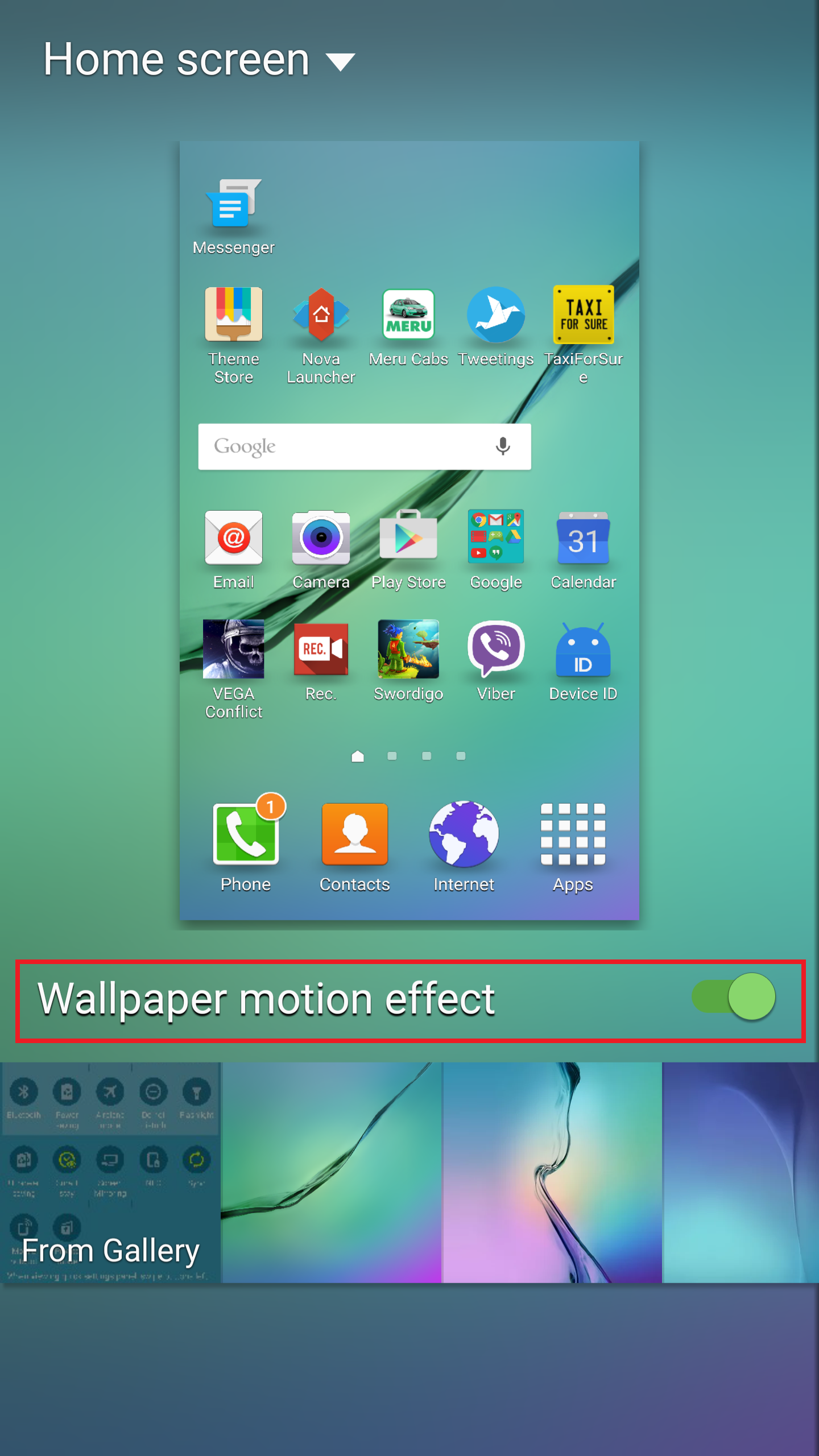
This is another change that doesn't add anything except for a visual effect. Enabling the motion effect makes the homescreen wallpaper move ever so slightly when you tilt the device left and right or top and bottom, and you can find the motion effect option in the wallpaper selection screen. It's only available if you're using the default TouchWiz launcher, so don't be surprised if you don't see the option on a third-party launcher.
Other minor changes
As you can see, Android 5.1.1 is pretty much a refinement of the user interface, making things more intuitive in some cases while adding a very small amount of new never-before-seen features (read never-before-seen on the S6 and S6 edge.) Of course, there are things that didn't make the cut despite having been present in beta builds of 5.1.1, like guest mode or shutter speed control in the camera. Hopefully, Samsung will be addressing the leftovers later through minor updates, instead of just waiting for Android M to come along.
How are you liking Android 5.1.1 on your Galaxy S6 or S6 edge? Did you notice something that we missed? Let us know in the comments below!