Last updated: March 15th, 2016 at 12:06 UTC+01:00
SamMobile has affiliate and sponsored partnerships, we may earn a commission.
Reading time: 2 minutes

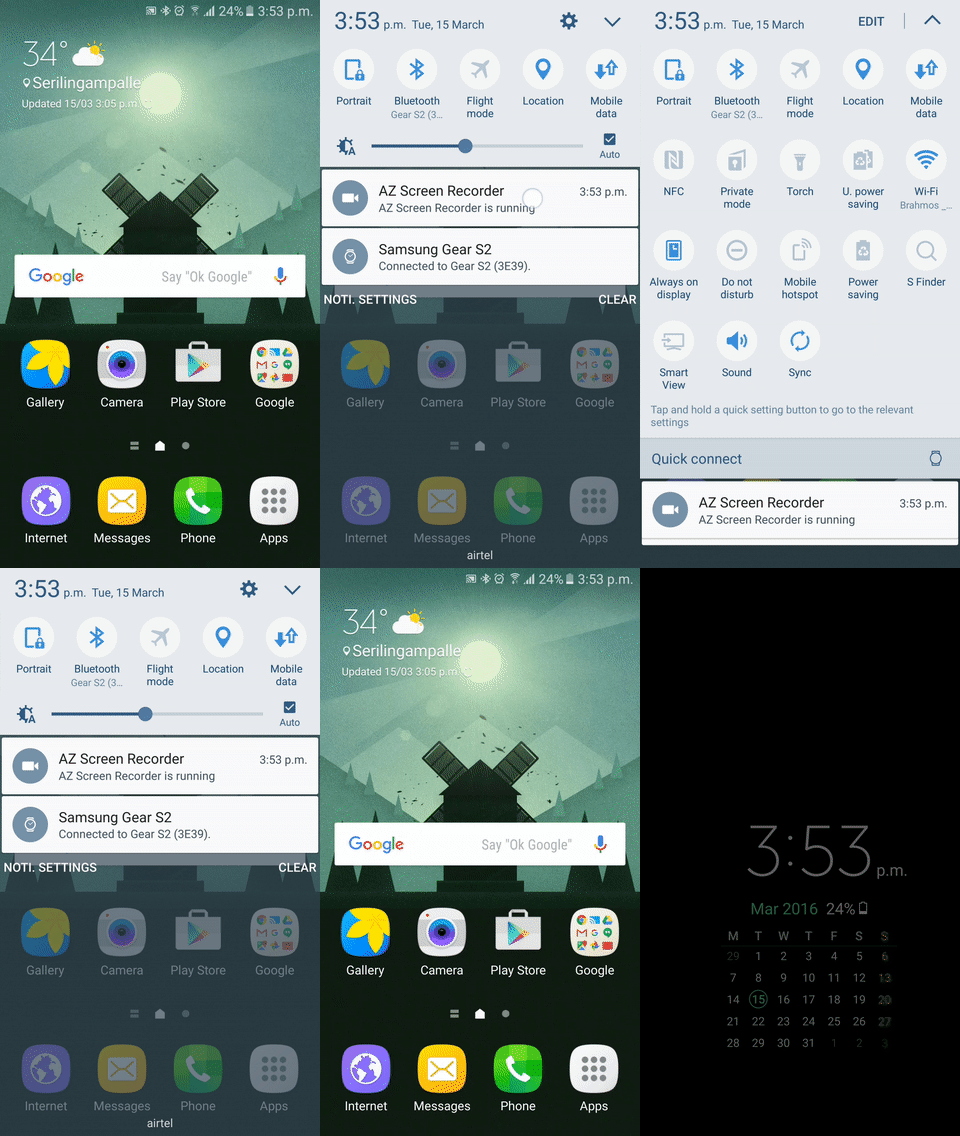
This is a small yet useful change, as you no longer need to reach the top of the screen to hit that Edit button or swipe left for more toggle options. It's not something you might have noticed if you're using a Samsung device running Marshmallow, so we thought we would point it out (not everyone here at SamMobile had noticed this either). Oh, and Marshmallow also brings back the shortcut that lets you swipe down on the status bar with two fingers to directly reveal all the quick toggles, which went missing in Android 5.0.
The rest of the functionality hasn't changed, so quick toggles have simply become more convenient with the latest iteration of Android on Samsung devices. Here's a visual example of what we're talking about (if the image doesn't animate for you, click on it to open it in a new window):

Abhijeet's writing career started with guides for custom firmware for Samsung devices (including the original Galaxy S), and he moved to SamMobile in mid-2013 and worked up the ranks to Editor-in-chief. In addition to phones and mobile devices, his interests include gaming on both PC and console, PC hardware, and spending countless hours on YouTube watching videos on tech, movies, games, politics, and internet dramas.













