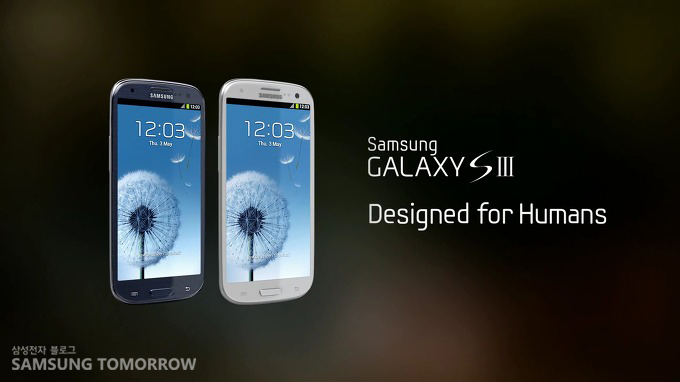
Modem update Galaxy S III fix battery drain
Samsung pushed out another update for the Galaxy S III unbranded UK version. (BTU)
The update is only 1 MB big, The update will update your MODEM version to August.
Thanks to this update your battery power will significantly better. The battery drain will be completely gone.
If you have a Galaxy S III and you live in the United Kingdom you will be able to update your device.
You can use Samsung KIES or the OTA ( Over The Air) system of Samsung.
Of course you also can use ODIN for this update.
Make sure your battery is at full capacity when you use KIES, OTA or ODIN.


is it the XXLH1 MODEM ?
Report this comment
Is it only for the UK? Or the problem is going to be fixed everywhere? I don’t like the battery discharge speed.
Report this comment
Where can I find the “.tar.md5″ to flash it via Odin ? I only have a cwm flashable version and I’m not rooted
Report this comment
Yes, its LH1 modem. If you have Clockwork mod on mobile, you can update your modem via Recovery mode. Just instal modem ZIP file in Recovery mode. Modem ZIP file can download on this link: http://www.mediafire.com/?zyef8nbdnfnt126
Report this comment
Does it works on the XXLFB version?, i think it’s the latam version
Report this comment
where is the dowbload ????????????????????????
Report this comment
now i see it
Report this comment
Modem for Odin ? i Have not root
Report this comment
I try to update but fail.
E:signature verification failed
Anyone already try?
Report this comment
I flashed this successfully via chainfire’s CWM app. I’m on LG8.
Report this comment
No OTA for me yet, I`m using a Brazilian GSIII with UK BTU software…
Report this comment
Modem for Odin ? i Have not root =(
Report this comment
Where can I find the “.tar.md5″ to flash it via Odin ? I only have a cwm flashable version and I’m not rooted
Report this comment
where is the download for odin ?
Report this comment
Everything went ok! Via CWM…International version, using BTU…cheers from Brazil!
Report this comment
I have that jelly bean could be coming to us in september , hope they are right
Report this comment
‘Heard’
Report this comment
Great Work flash it via OTA have now the XXLH1 MODEM installed. After 14h used 82%…left
SGS3 is running on I9300XXBLG8 BTU UK rgds from (Philippines)
Report this comment
i have a jelly bean on my S3, how can i update the modem and stay on jelly bean?
Report this comment
Guys, I need your help !
I tryed to update thru OTA or Kies, without success, MY galaxy is with the BTU software installed via ODIN.
The Kies tells me that my galaxy does not support update thru Kies, and the OTA does not find any update…
I`m missing something to enable the updates on my device ?
I`m running the LG8 BTU software.
Report this comment
Laserra , it could be that you have a different sales code on your phone ie KOR or something else and not BTU . Got to the play store and search CSC changer and dowload it and run it to check what csc you are on . If you are on a different one to BTU , change it to BTU . Kies should update you after this .This will wipe your and reset everything so do a backup first . Hope this helps you
Report this comment
Nottsmanx, I think you solved this ! my celphone is marked as KOR on KIES !
I will change the CSC and I let you know is this worked !
Thank you very much !
Report this comment
Now I got from the update menu:
Access to the software update service is provided to users in the order in whith they request it. Try Later
I think/hope that the server is busy.
I will keep trying !
Report this comment
Laserra glad it has worked . I got that message aswell while trying ota update . I suggest you plug it into your computer through kies to update it
Report this comment
Just remember changing csc will factory reset your phone and will wipe it completely so backup all of your settings first
Report this comment
http://www.4shared.com/zip/6e43F89U/modem_CWM_I9300XXLH1.html
Report this comment
Flashed the modem cwm zip but the battery drain issue remains the same…Cell Standby above 20% when it shold be below 10%…any thoughts on the matter?
Report this comment
Any idea as to when the ODIN file will be available?
Report this comment
For LBF Thailand?
Report this comment
i´ve downloaded the last one that i supose fix the drain problem, the thing is that i stuck whit the same 26-07-2012 instead the august one, i can´t update it via ota or kies cause i´m in Portugal. why when i download the new version its exact the same than the old one?
Report this comment
Is there a OTA update for XXLFB? I’m trying to update through Kies and OTA, and it’s saying that there is no update
How can I update to it?
Report this comment
Will The US Get This Update I Think It’s Very Needed.
Report this comment
Flashed, now:
[ROM][XXBLG8][06Aug] Omega v11.1 / AP: I9300XXBLG8 / CP: I9300XXLH1 / CSC: I9300EURBLF1
Regards from Peru.
Report this comment
SamMobile the version that is updated through 08/06/2012, is the old version of 26.07.2012. She has simply removed the old version and paste the link above.
The old and the new version have the same size and also the coincidence that same date, 26.
Where is the new version of August with the latest modem?
Report this comment
The only way that the modem will update via kies, is if the CSC code on the phone is set to BTU. You can change this by typing *#272*imei#* To get your imei # type *#060#. Changing the CSC will set your phone back to factory setting, but once you connect it to kies it will prompt you to install the new update. I have done this approx 5 hours ago and the cell drain issue is definitely gone. I haven’t gone over 8% since the upgrade.
Report this comment
I need help guys, my build xxblh1 really want to install xxlh1 how do I do this without rooting the phone? get e signature fail…
Report this comment