Last updated: February 26th, 2016 at 20:08 UTC+01:00
SamMobile has affiliate and sponsored partnerships, we may earn a commission.
Reading time: 1 minutes
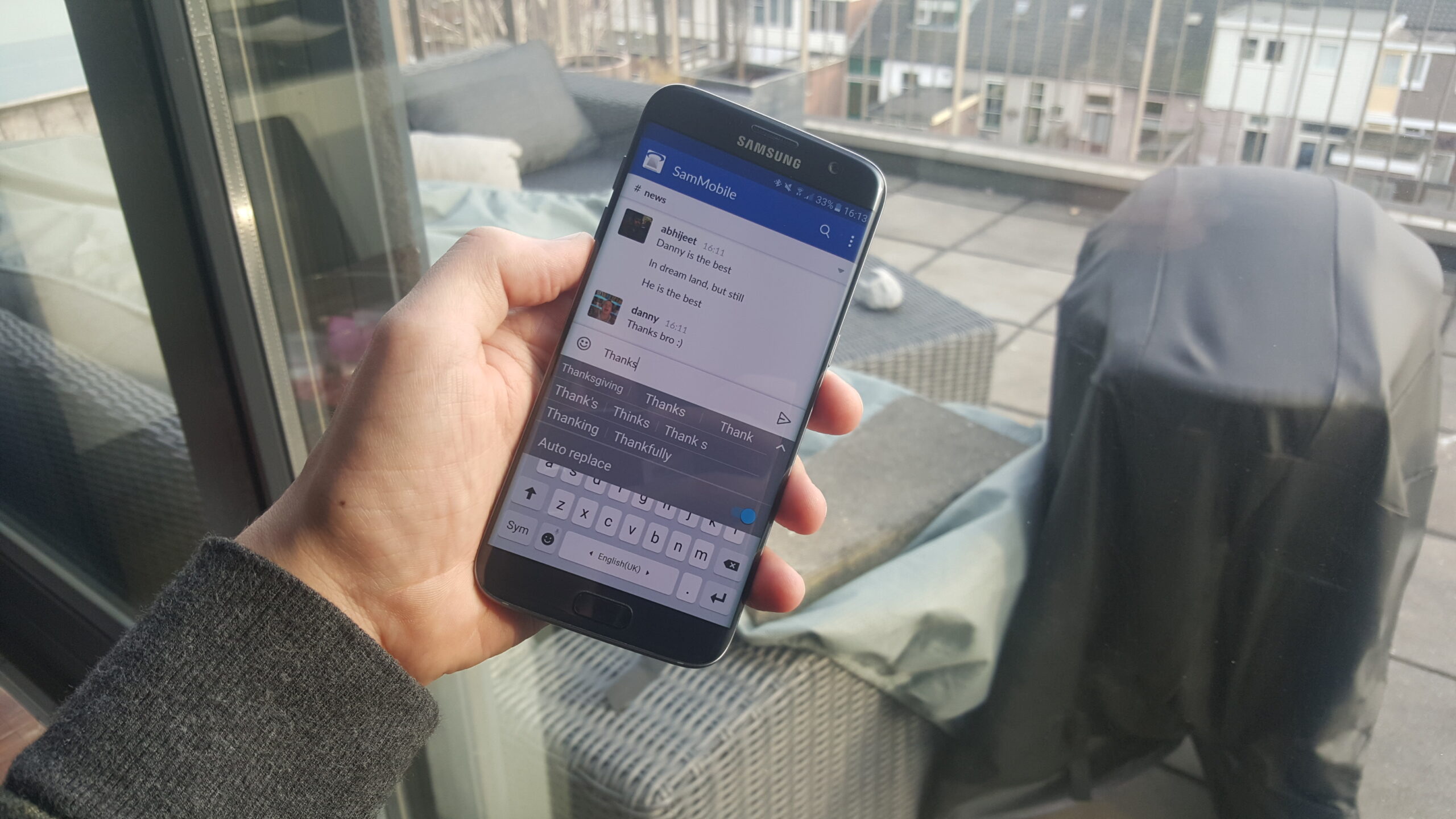
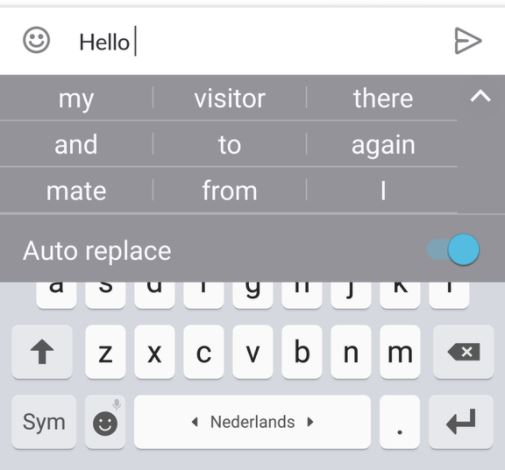
Instead of hopping into the keyboard settings, you can turn off Auto Replace right from the autocorrect word suggestions screen. See that arrow on the right side of the word suggestions field, the one that gives you additional suggestions for word correction and completion? Tapping that arrow will expand the word suggestions field and also give you a toggle right there to turn Auto Replace on and off.
This will be especially useful for those who buy a new device as they won't have to go into the keyboard settings when they start typing for the first time and wish to do away with autocorrection. Samsung's keyboard app has improved greatly in recent times, and this is a minor change that somewhat improves the experience further.

Abhijeet's writing career started with guides for custom firmware for Samsung devices (including the original Galaxy S), and he moved to SamMobile in mid-2013 and worked up the ranks to Editor-in-chief. In addition to phones and mobile devices, his interests include gaming on both PC and console, PC hardware, and spending countless hours on YouTube watching videos on tech, movies, games, politics, and internet dramas.














