Last updated: June 17th, 2014 at 16:25 UTC+02:00
SamMobile has affiliate and sponsored partnerships, we may earn a commission.
Reading time: 3 minutes

Samsung has a number of exclusive apps and services on its smartphones and tablets, but with its latest app, the Korean manufacturer is giving everyone the chance to join in on the fun. Samsung has launched a new launcher app called Terrain, developed by Samsung’s start-up accelerator known as Samsung Accelerator, which aims to make your phone “simpler and more streamlined by putting everything you care about in one place,” basically in the form of cards similar to Google Now (and other Google apps.)
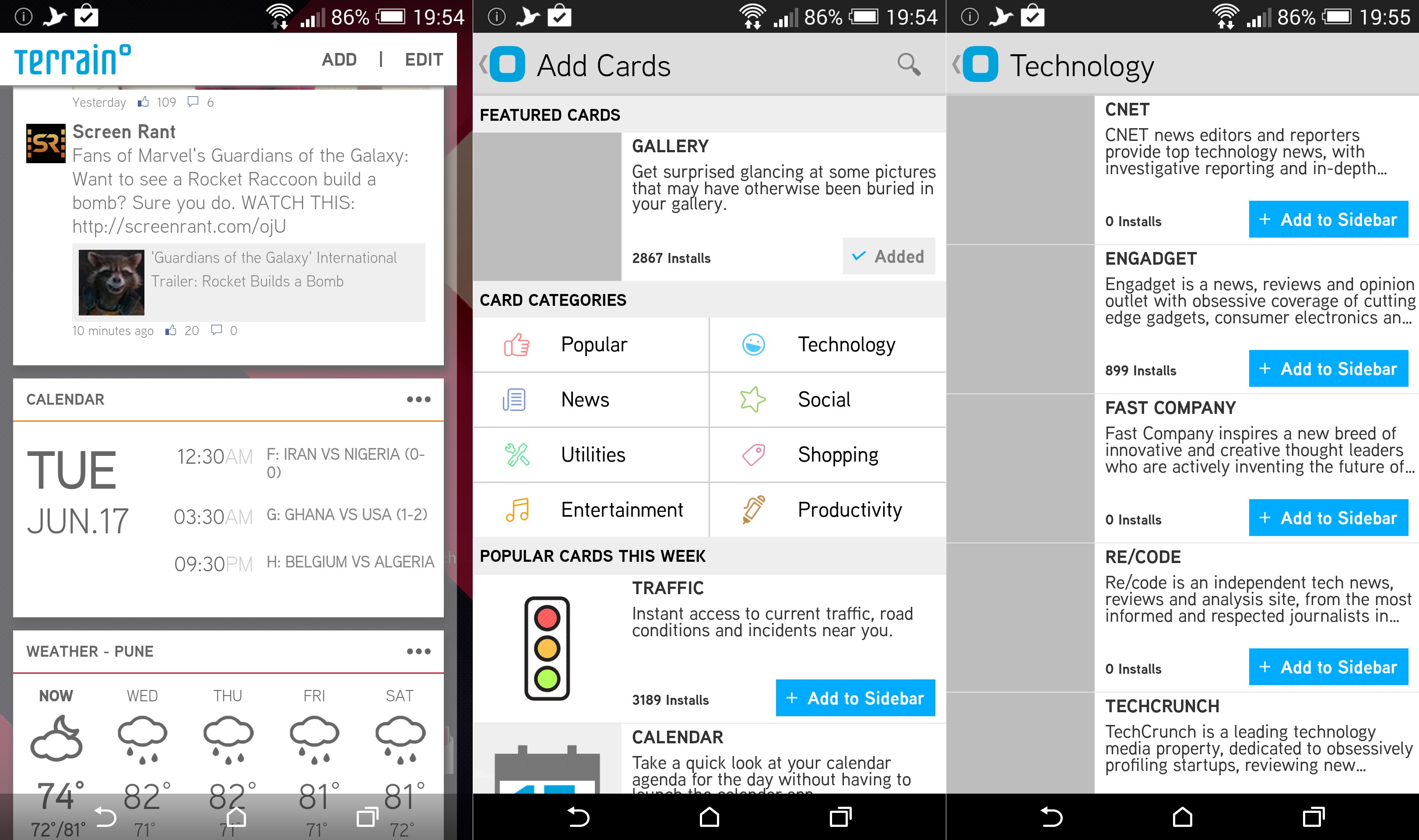
Terrain Home is made up of three sections, each accessible by a swipe in a particular direction: a right swipe gets you the sidebar, a left swipe brings up the list of installed apps, and a swipe upwards takes you to the search screen. The sidebar is the defining feature here and takes after other popular home screen apps like Aviate, showing feeds in Google Now-style cards for various things. For example, you can see your favorite contacts, feeds from your Facebook or favorite website (you can select from quite a few default options), a “Toolbox” control center with toggles such as Wi-Fi and Bluetooth, your gallery photos, information on the weather, and more.
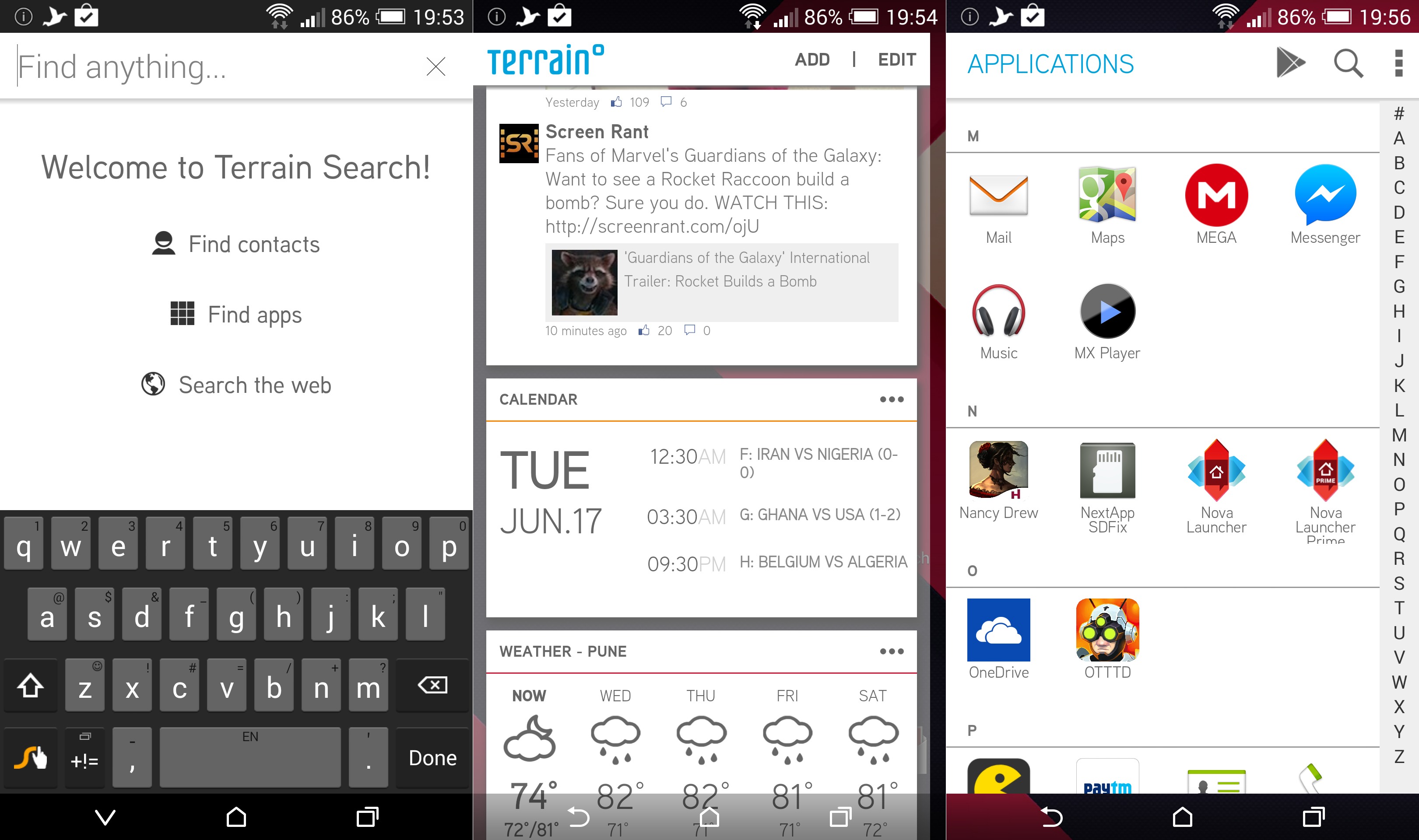
The search section is similar to Google Search, and will look into your apps, contacts, settings and other information to find what you are looking for, while also giving you the option to search on the web, Play Store, YouTube, and other services. There's also a standard home screen in the middle (between the sidebar and the list of installed apps), where you can add your traditional app shortcuts and widgets, with a few customization options, such as icon size, thrown in.
Terrain is currently in beta, but works quite well for a first version, though there are instances of lag and stutter here and there. It is available on the Play Store for devices running Android 4.2 and higher. It seems to be limited to US users, but we have the APK file for those who want to try it out without the silly country limitation stopping them (we wonder why a homescreen app needs to be exclusive to a particular country, but we're guessing it will be a temporary thing.) The app seems to have become available outside the US as well, so go ahead and grab it from the Play Store (or from the link below if you still want the APK or can't access it on the Play Store)
Download APK (7.4 MB)

Abhijeet's writing career started with guides for custom firmware for Samsung devices (including the original Galaxy S), and he moved to SamMobile in mid-2013 and worked up the ranks to Editor-in-chief. In addition to phones and mobile devices, his interests include gaming on both PC and console, PC hardware, and spending countless hours on YouTube watching videos on tech, movies, games, politics, and internet dramas.














